


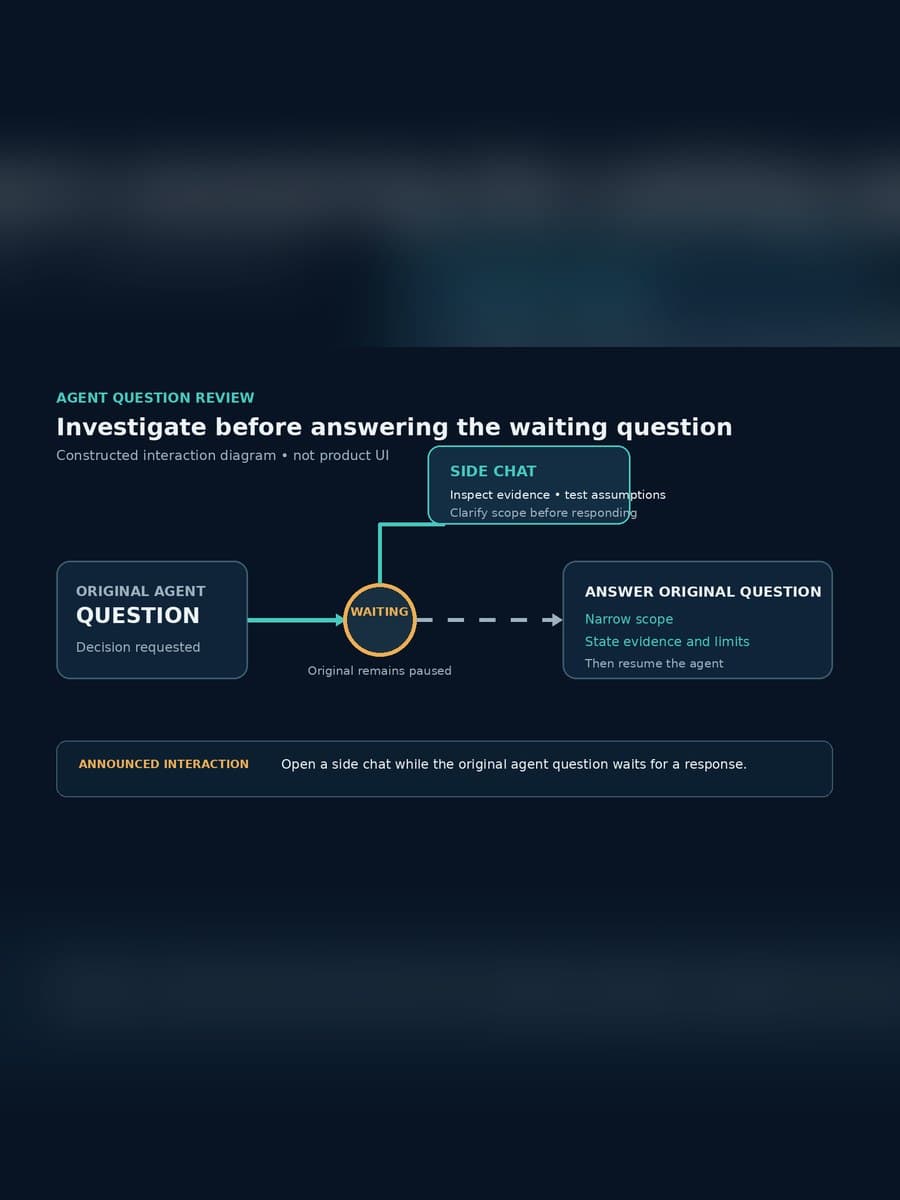
GitHub’s Copilot app now lets a user open an agent’s question in a side chat before answering it, while the original question waits. That small interface change matters when an agent reaches an ambiguous instruction, a risky trade-off, or a choice that needs evidence rather than a quick click.
The useful operating principle is to separate investigation from commitment. Use the side conversation to examine the question, but put any consequential answer and its basis in the durable review surface your team already trusts. This article explains what GitHub announced, what the feature does not establish, and how to use the pause without mistaking conversation for approval.
What did GitHub add to the Copilot app?
GitHub described the change in its August 13, 2026 Copilot weekly release. In the Copilot app, a user can open an agent’s question in a side chat and talk it through before responding; the original question remains waiting.
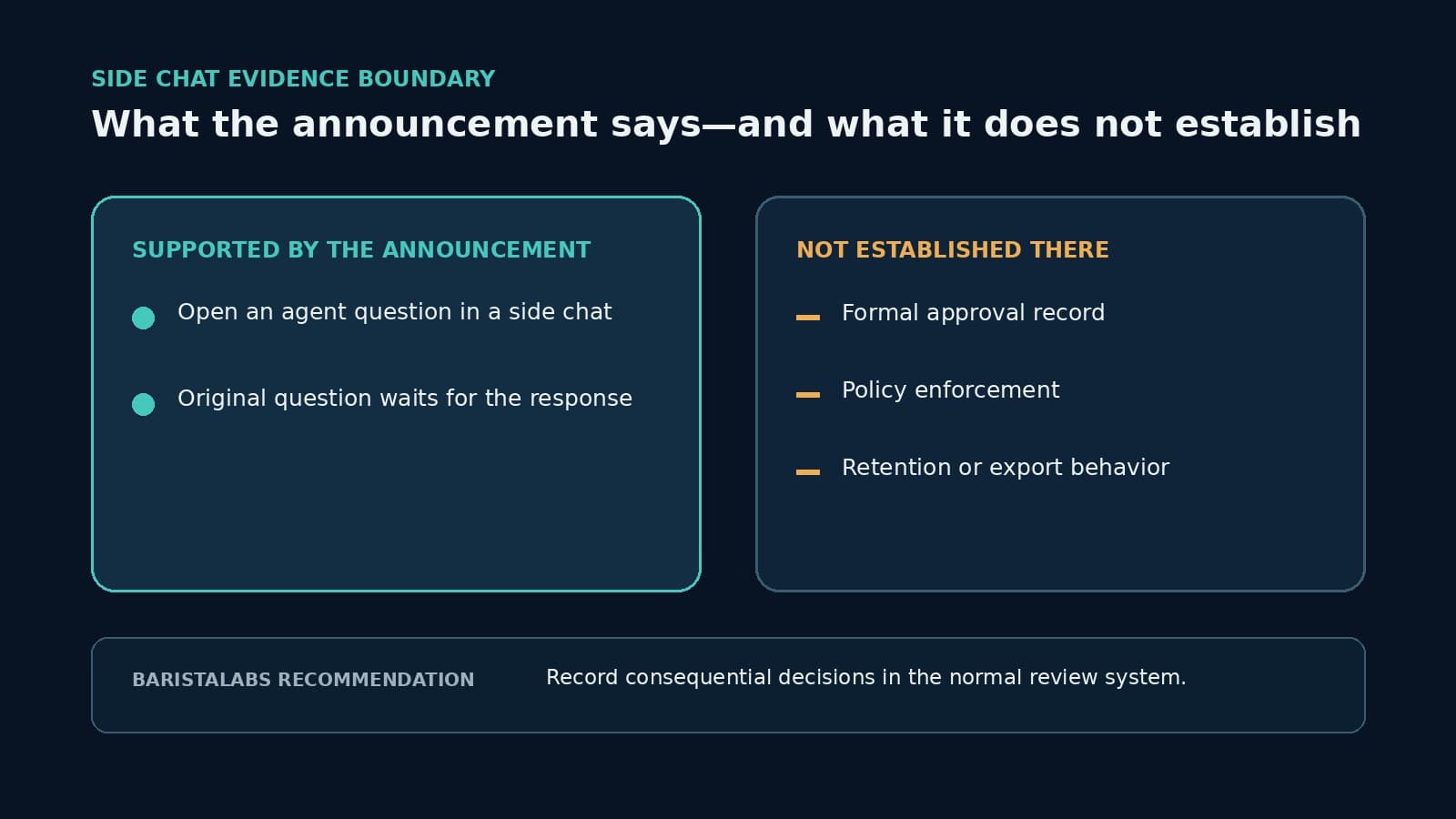
The announcement’s image description identifies an “Ask in Side chat” control beside “Skip” and “Continue.” GitHub’s public note does not provide a deeper technical specification for this interaction, so claims about storage, export, retention, administrative policy, permissions, or plan-specific availability would go beyond the inspected source.
The mechanism is nevertheless clear enough to change how a reviewer can work. Previously, an agent question could create pressure to answer inside the main interaction with whatever context was immediately visible. A separate conversation creates room to inspect an assumption or ask a narrower question without first committing the running agent to an answer.
Why does a separate conversation improve the decision shape?
An agent question and the work needed to answer it are different things. The question might be “Should I update the dependency?” Answering responsibly may require checking the lockfile, release notes, compatibility constraints, open incidents, and the team’s deployment window.
A side conversation can hold that investigation while the pending question stays intact. The reviewer can test what the agent believes, ask which files or evidence support the proposed choice, and identify missing context before returning to the original decision. That is BaristaLabs interpretation of the interface, not a GitHub claim that the feature improves accuracy or reduces incidents.
The separation is also useful for keeping the main agent session from advancing on an improvised answer. The original prompt remains the commitment point; the side conversation is a place to prepare for it. This is a stronger interaction pattern than answering first and reconstructing the rationale after the agent has continued.
What does the side chat not prove?
Conversation history is not automatically approval evidence. The announcement does not say the side chat records who had authority to decide, what evidence they relied on, whether another reviewer agreed, or where the final rationale can be retrieved later.
It also does not turn “Continue” into a policy gate. A product control can help a person pause and think without enforcing separation of duties, required reviewers, risk thresholds, or a deny path. Teams should not describe the feature as an audit trail, compliance control, or approval system unless their own implementation and account evidence establish those properties.
The distinction becomes important when the agent can create external effects. A dependency suggestion, file edit, or test plan may still receive normal pull-request review before it ships. A question about rotating credentials, deleting data, changing billing, publishing customer-facing copy, or deploying production code may need a named approver and a recorded decision before the agent resumes.
How should a team use the pause?
Begin by restating the pending question in decision terms. Name the proposed action, the scope it would affect, and what happens if the answer is wrong. If the question is too broad to evaluate, ask the side conversation to split it into the evidence needed for this decision rather than generate more general advice.
Next, inspect evidence from the systems that own the truth. For a code change, that may be repository files, tests, package metadata, deployment rules, and issue history. The side conversation can help locate or compare those facts, but its summary should not replace the underlying source.
Then answer the original question as narrowly as the evidence allows. “Proceed with the patch in this branch, but do not deploy” is materially different from “yes.” If an uncertainty remains load-bearing, the safe response may be to skip, stop, or move the decision to a reviewer with the required authority.
Finally, preserve consequential reasoning where the work will be reviewed. Put the decision in a pull-request comment, issue, change ticket, or other established system of record, linked to the affected work. Record the answer, evidence, limits, reviewer, and time in the format that process already requires; do not assume the side conversation will serve that purpose later.
When is an interface pause not enough?
The side chat is most useful when one person has authority to answer but needs room to investigate. It is insufficient when policy requires a different approver, multiple reviewers, a formal change window, or proof that a control ran before execution.
It is also insufficient if the agent can continue through another route while the question waits. A real operational pause must stop the relevant action, survive refreshes or handoffs, and resume only from the recorded decision. Our guide to durable pauses in AI workflows explains that broader runtime boundary.
Test the behavior with a low-risk question before depending on it. Confirm what remains visible when the app is reopened, what the agent does after “Skip” or an answer, and which details reach the repository or review history. Those are account and workflow observations to collect directly; the short announcement does not establish them.
Keep deliberation useful and commitment durable
GitHub’s new side-chat interaction gives Copilot app users a clearer place to investigate an agent question while the original waits. The feature is valuable precisely because the reviewer can delay commitment, not because the additional conversation is proof that a governed approval occurred.
Use the side chat to examine assumptions and source evidence. Put the consequential answer in the normal review path, with the scope and rationale future operators will need. If your team is introducing coding agents into production work, ask BaristaLabs to review one agent decision path from question through evidence, approval, and safe resume behavior.
Use the GitHub Copilot enterprise-controls guide to record where a user can deliberate, who can commit the decision, which permission enforces the action, and what evidence survives outside the interface.
Source
- GitHub Changelog: “GitHub Copilot weekly releases — August 10”, published August 13, 2026.
Human-in-the-loop workflow review
Review one agent question before it becomes an approval gap
BaristaLabs can trace one consequential agent question from pause through investigation, decision, durable evidence, and safe resume behavior.
Use a sanitized workflow and example question; no production repository or credentials are required.
Turn this idea into a pilot
Which workflow should go first?
Use the readiness check to compare impact, effort, risk, owner, and next step before requesting a review.
- 3-5 minutes
- Deterministic score
- No sensitive data
Practical AI Workflow Notes
Want more practical AI operations ideas?
Get short notes on applying AI inside real small-business workflows — from document handling and customer follow-up to internal reporting, compliance, and automation guardrails.