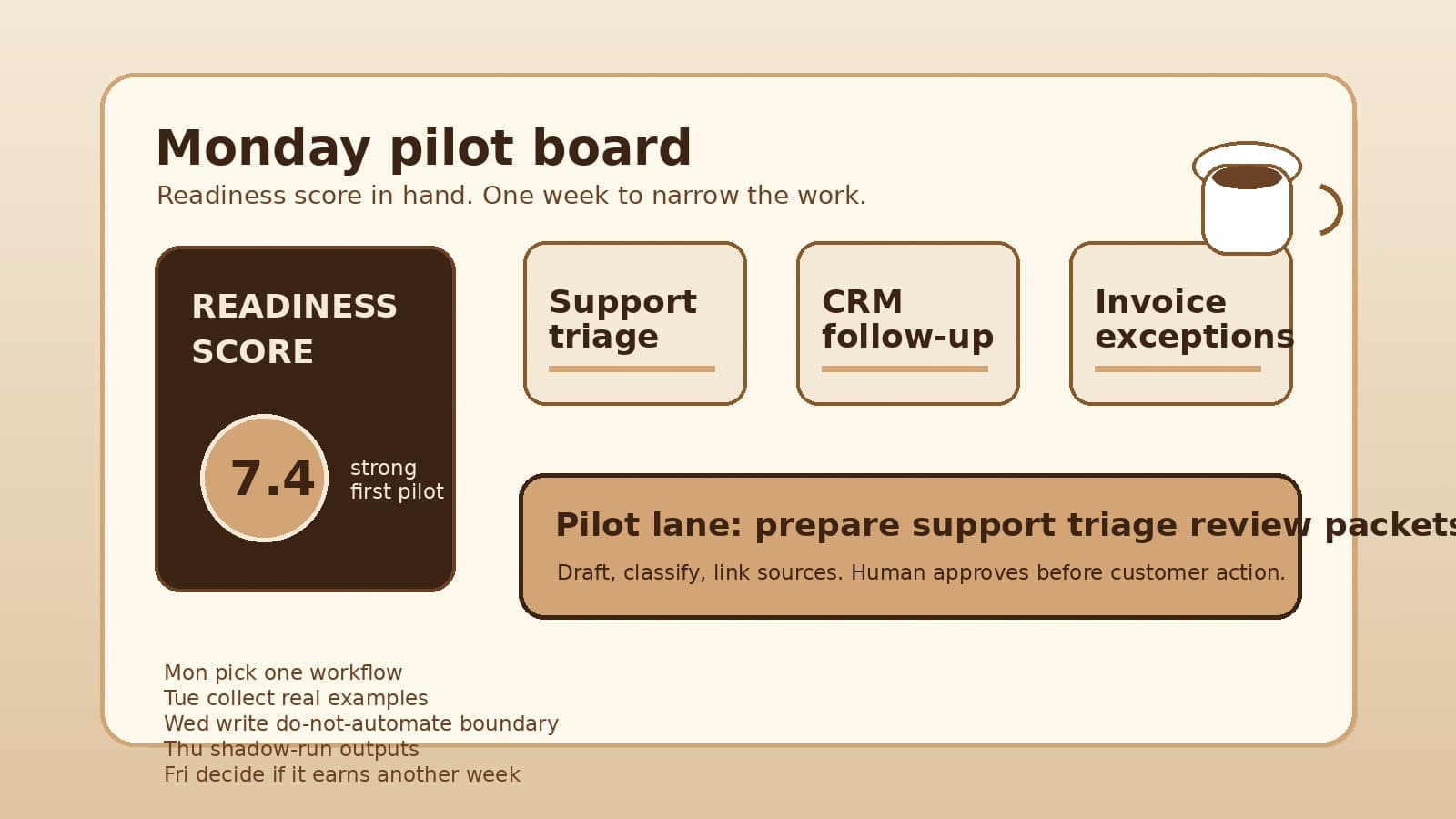

It is Monday morning. The team has a readiness result on the screen, three workflow ideas on the whiteboard, and no agreement on what should happen next.
Support triage looks painful. CRM follow-up feels measurable. Invoice exceptions might save real time, but nobody is sure how many edge cases sit under the surface.
This is where AI readiness work either becomes useful or turns into shopping.
A score can tell you whether a workflow looks like a strong first pilot, a quick win, a scoping project, a governance problem, or a process cleanup job. It cannot choose the next seven days for you. The first week after the workflow readiness check should be about narrowing the work until the team can learn from it safely.
Do not start by comparing platforms. Start by deciding which workflow gets one week of attention.
Pick one workflow, not a department
A readiness result is easiest to misuse when it feels like permission to automate a whole area of the business.
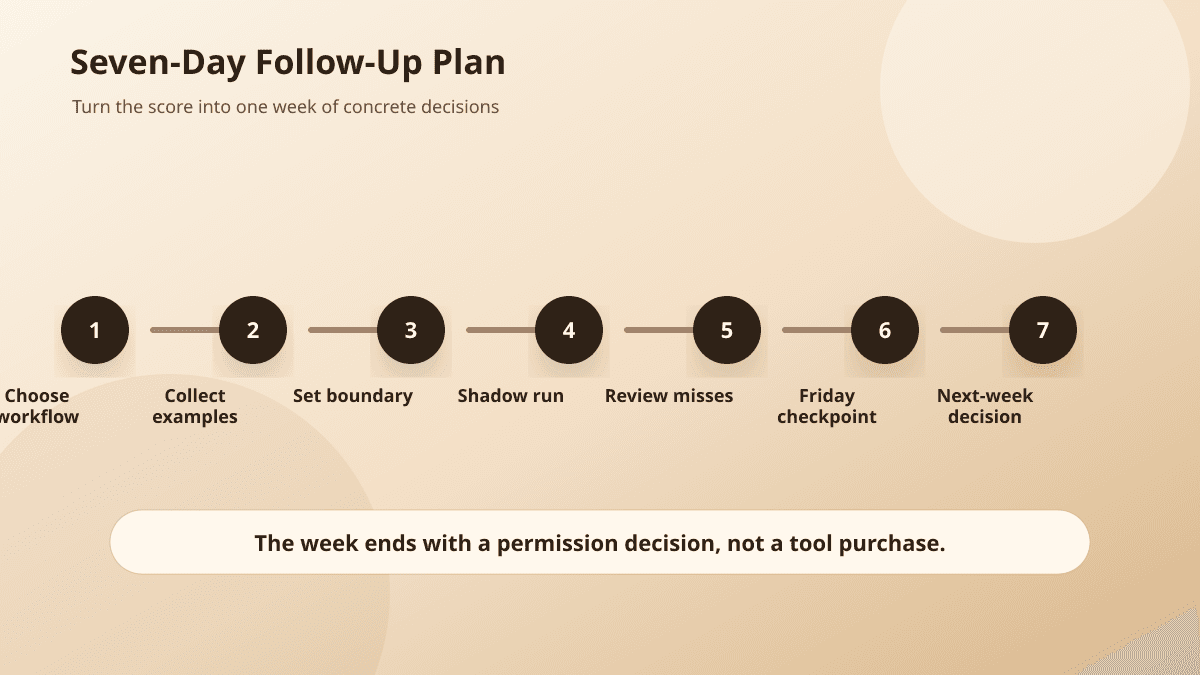
"Support" is too big. "Sales follow-up" is too big. "Finance operations" is definitely too big.
Pick the slice a person can point to by Thursday afternoon: new support tickets that need category and urgency labels, inbound lead forms that need a draft first reply, invoice exceptions that need the right backup attached before approval.
The weekly workflow audit uses the same idea. Watch the repeated work before you ask AI to act inside it. A good first candidate repeats often enough to measure, has visible inputs, produces an output a person can review, and fails in ways the business can recover from.
If the readiness result says "best first pilot," resist the urge to widen it. If it says "process cleanup first," do not treat that as a rejection. It means the next week should make the workflow easier to describe before anyone builds.
By lunch on Monday, write one sentence:
This week, we are testing whether AI can prepare the first review packet for [workflow], not automate the whole process.
That sentence will save the team from half the bad decisions that follow.
Collect real examples before writing requirements
A small team usually knows the workflow too well and not well enough.
People remember the annoying cases. They forget the ordinary ones. They talk about "the usual steps" while skipping the judgment calls that make the work hard to automate.
Spend Tuesday collecting examples from the last week or two. For support triage, pull ten tickets. For CRM follow-up, pull ten form submissions or inbound emails. For invoice exceptions, pull the handful that required a second look.
Do not paste private records into an AI tool. The assessment already says to use broad descriptions and avoid customer records, PHI, credentials, and private workflow exports; OWASP's guidance on sensitive information disclosure is a useful outside check on that boundary. Keep the examples inside your existing systems and write a short observation for each one:
- what triggered the work
- what the person checked
- what they produced
- what made the case easy or risky
- what a reviewer would need to see before approving the output
A support triage example might look like this:
Trigger: customer ticket about login failure after password reset
Checked: account plan, recent tickets, status page, help article
Human output: urgency label, product area, draft response, escalation note
Risk: account access language and frustrated customer
Reviewer needs: ticket text, account context, proposed label, linked help article, escalation reason
Now the pilot is clearer. AI might prepare the label, summary, linked article, and draft response. It should not close the ticket, promise a refund, change account access, or send the response without review.
Write the do-not-automate boundary
Wednesday is boundary day.
This step feels negative, so teams skip it. Then the pilot meeting gets stuck on fear because nobody has separated the safe preparation work from the actions AI should not take.
Write the boundary in plain language:
For this pilot, AI may summarize the incoming item, classify it, draft a response, prepare a CRM or support note, and flag missing information.

AI may not send messages, change customer status, approve refunds, update billing, alter access, publish content, or make final decisions.
Your boundary will vary by workflow. A content review pilot might allow AI to flag broken links, suggest metadata, and draft edits while blocking publishing. An invoice exception pilot might allow extraction and matching while blocking payment approval.
This is where the approval policy work matters. Before choosing an agent, write what the system may read, draft, change, send, escalate, and log. NIST's AI Risk Management Framework is broader than a one-week pilot, but its govern-map-measure-manage structure is a good reminder that risk boundaries belong in the workflow, not after the launch. The deeper guide is here: Write the AI approval policy before you choose the agent.
The point is not to make the first pilot timid. It is to make the learning safe enough that people will tell the truth about what happened.
Shadow-run the output while humans keep doing the work
Thursday is not launch day. It is rehearsal.
Take the examples from Tuesday and ask the proposed AI workflow to prepare what it would have prepared. Keep humans in charge of the real work. Compare the AI output with what the team actually did.
For each case, mark one of four outcomes:
- usable with light edits
- useful but missing evidence
- wrong in a recoverable way
- unsafe to use
Do not collapse those into a single yes/no. The shape of the miss matters.
If AI drafts a support reply that sounds polite but cites the wrong help article, the problem may be retrieval or source display. If it labels every frustrated ticket as urgent, the problem may be escalation rules. If it invents a policy, the pilot is not ready for customer-facing drafts.
The shadow run should also reveal whether the reviewer has enough context. A proposed answer is not reviewable if the human cannot see the source ticket, the rule that triggered review, and the reason the system believes the answer is safe.
Keep the run small. Ten to twenty examples are often enough to see whether the pilot deserves another week of refinement.
Decide what earns the second week
Friday's decision should not be "Are we doing AI?"
The better question is whether this workflow earned another week.
Give the pilot another week if the team can name the workflow, owner, success metric, review boundary, and main failure modes. Continue if the shadow outputs were useful often enough to justify tightening the prompts, sources, workflow rules, or reviewer screen.
Stop or narrow the pilot if the misses were mostly unsafe, the workflow changed shape every time, the team could not agree on the review rule, or the data boundary kept expanding.
Change the target if another workflow from the readiness results is plainly better. There is no penalty for discovering that the first idea was too broad. That is the value of the first week.
The decision can fit in a short note:
Workflow: support triage review packet
Owner: support lead
Metric: minutes to first qualified response
AI role: summarize, classify, draft, and link sources
Human role: approve labels and messages before anything reaches the customer
Do-not-automate boundary: refunds, account access, legal language, billing changes, angry escalations
Decision: refine for one more shadow week
That is a real pilot shape. It is small enough to test and specific enough to improve.
The score starts the conversation
A readiness score is useful because it slows the team down at the right moment.
It turns "Should we use AI?" into better questions: which workflow, which owner, which data, which review point, which metric, which boundary?
The week after the score should answer those questions with real examples, not vendor promises.
If your team has a result from the AI workflow readiness check, use the next seven days to make the pilot smaller. If you need help turning that result into a controlled pilot plan, BaristaLabs can help through AI consulting or process automation work.
For more practical guides, start at the BaristaLabs learn center. The next useful artifact is not a tool shortlist. It is one narrow workflow that has earned another week.
Implementation help
Turn the score into a one-week pilot decision
BaristaLabs helps small teams narrow a readiness result into one workflow, one review boundary, one success metric, and a shadow run that shows whether the pilot should continue.
Best fit after a workflow readiness result, audit, or internal AI discussion where the team has several candidate workflows and needs a smaller first move.
Turn this idea into a pilot
Which workflow should go first?
Use the readiness check to compare impact, effort, risk, owner, and next step before requesting a review.
- 3-5 minutes
- Deterministic score
- No sensitive data
Practical AI Workflow Notes
Want more practical AI operations ideas?
Get short notes on applying AI inside real small-business workflows — from document handling and customer follow-up to internal reporting, compliance, and automation guardrails.