
At 9:12 a.m., the sales follow-up workflow looked ready.
A lead had filled out the pricing form. The AI read the intake note, checked the CRM, drafted a polite reply, and prepared a lifecycle-stage update. The reviewer approved it because the sources looked familiar.
At 9:18, the account owner changed the CRM field the draft depended on. At 9:21, a customer note arrived with a constraint the workflow had not seen: the buyer needed procurement language before any implementation timeline could be discussed. The AI-assisted reply was still sitting in the queue, one click away from sending a promise the team could no longer support.
The safe move was not heroic. Someone paused the workflow, found the receipt, changed the draft, and left the run disabled until the source-freshness check was fixed.
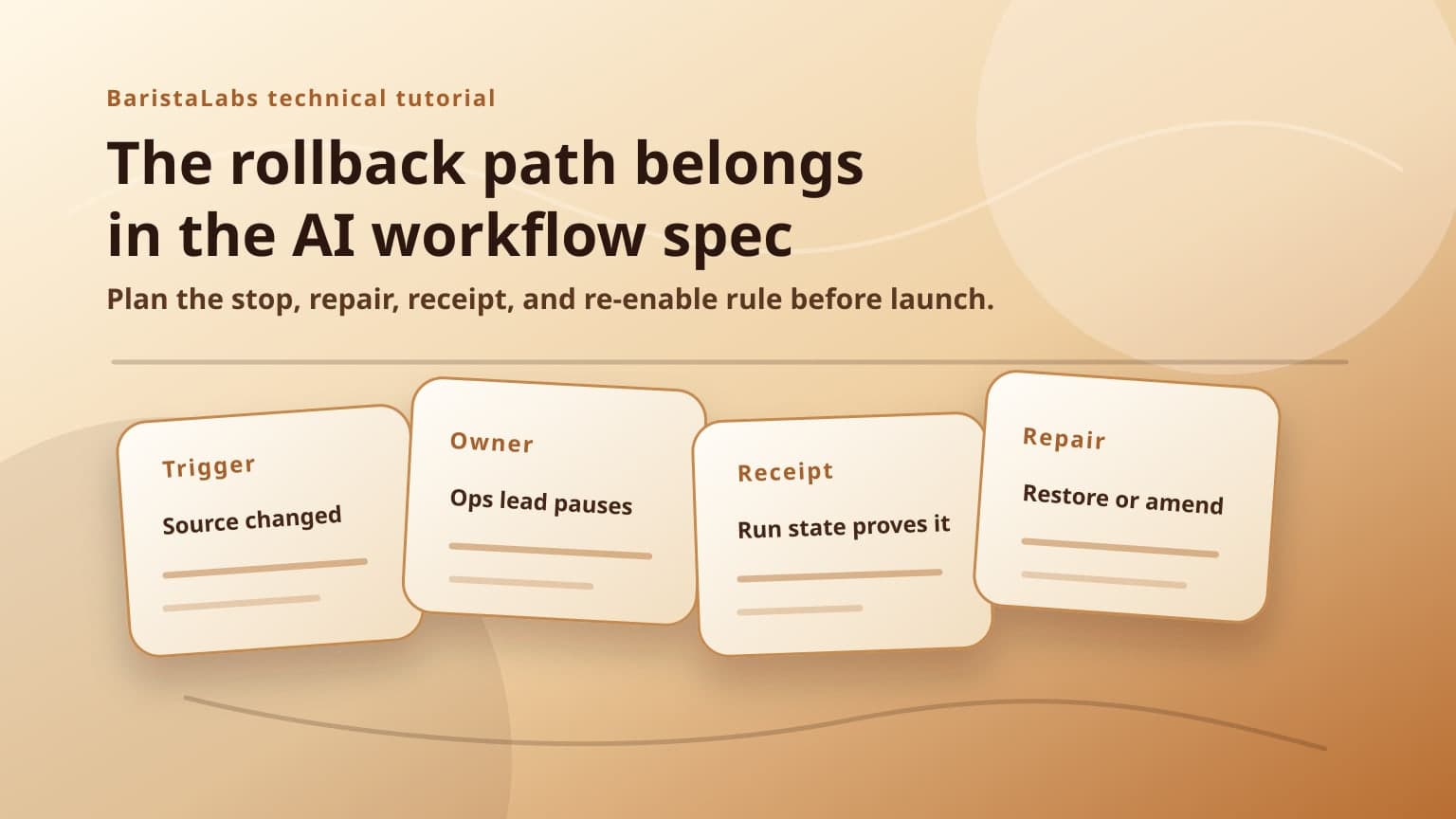
That pause only works when rollback is part of the workflow spec before launch. If it lives as an emergency paragraph at the end of a project plan, the team will discover the missing pieces while a customer record, public page, CRM field, or support ticket is already wrong.
Treat rollback as a launch requirement
Small teams usually write the happy path first. Trigger, source, prompt, reviewer, action. Then they add a line that says the workflow can be turned off if something goes wrong.
That line is not a rollback path.
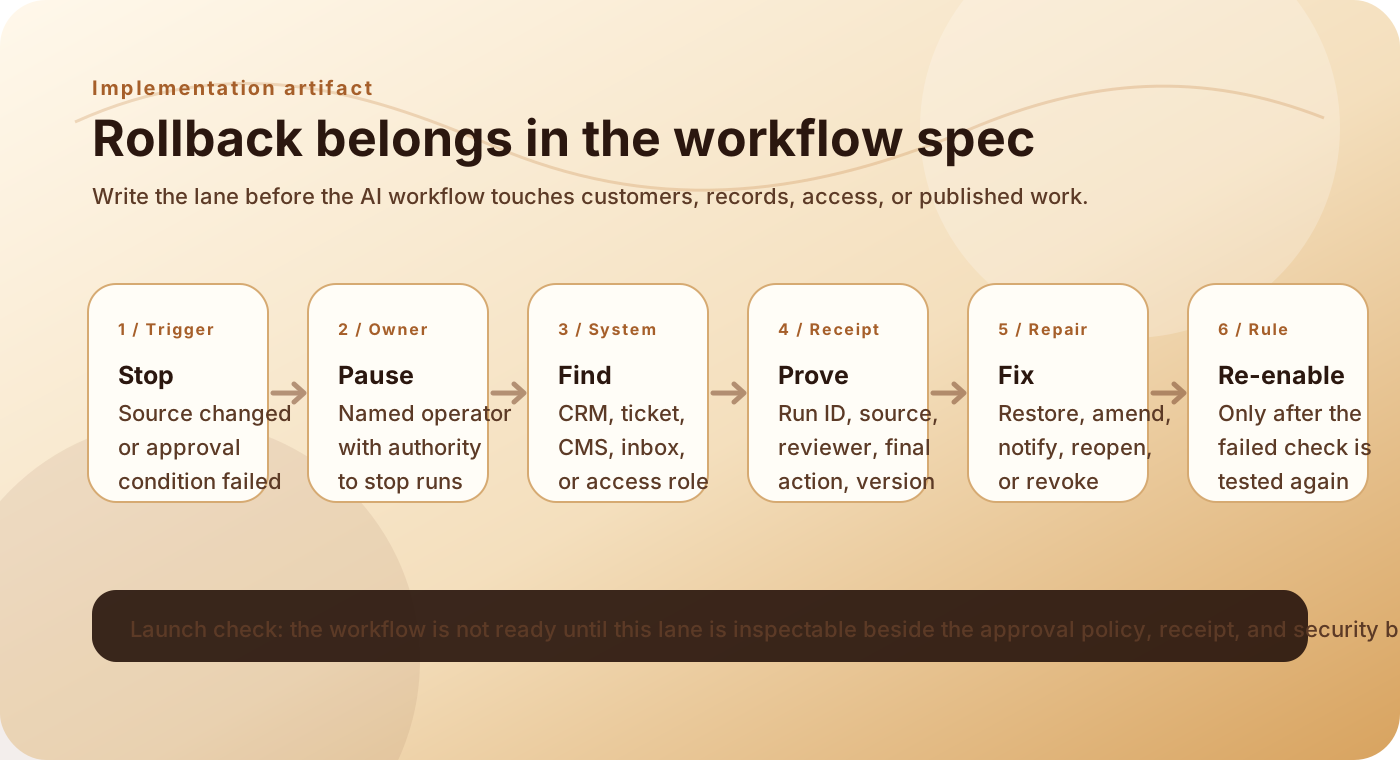
A rollback path says what condition stops the workflow, who owns the stop, which system may be affected, which receipt proves what happened, what repair action follows, who gets notified, and what must change before the workflow is allowed to act again.
BaristaLabs' AI workflow rollback plan uses those exact lanes because they force the operational questions out of people's heads and into the spec. The companion AI workflow controls guide puts rollback beside approval policy, review queues, receipts, evals, and observability for the same reason. Recovery is not separate from launch readiness.
Google's SRE chapter on managing incidents makes the point in reliability language: "If you haven't gamed out your response to potential incidents in advance, principled incident management can go out the window in real-life situations." AI workflow incidents are smaller than datacenter failures, but the behavior is familiar. Under pressure, people need named roles, a shared record, and a known repair path.
Borrow the canary habit, not the jargon
A canary release protects a software rollout by exposing a small population first, watching the right signals, and stopping before the blast radius grows. Google's SRE workbook chapter on canarying releases describes canaries as a way to conserve error budget because impact is limited by time and the size of the canary population.
A small-business AI workflow needs the same habit without pretending the support desk is a reliability team.
The first version should run through a narrow lane: one trigger, limited sources, a defined reviewer, and a written stop rule. The workflow might draft customer replies for the first 50 tickets, prepare CRM notes without saving them, or open website copy changes as drafts instead of publishing.
The rollback path is the other half of that canary. It tells the team what happens when the sample reveals a miss.
For a support reply, the stop trigger might be "customer-facing draft includes a promise not present in the source record." For a CRM workflow, it might be "proposed field change depends on a source older than 24 hours." For document extraction, it might be "two source fields disagree and the workflow chooses one without reviewer confirmation."
The stop trigger belongs in the spec as plainly as the prompt does.
Write the lane as a row someone can inspect
Use one row per failure mode. Keep it boring enough for an operator to use during a messy morning.
Workflow: sales follow-up draft and CRM note
Stop trigger: source field changes after draft creation, or customer note conflicts with the proposed reply
Owner: revenue operations lead
Affected system: CRM opportunity, email draft, activity log
Receipt field: draft ID, source record IDs, before/after CRM value, reviewer decision, run timestamp
Repair action: update draft, restore prior CRM value if saved, attach correction note to opportunity
Notification: account owner, sales manager, workflow builder
Re-enable rule: source-freshness check blocks stale drafts and reviewer screen shows conflicting notes
That row changes the review conversation.
The technical lead can build the source-freshness check. The operations owner can see whether they are actually responsible. The reviewer can ask whether the receipt gives them enough evidence. The business owner can decide whether the workflow should stay draft-only until the stop trigger has been tested.
The row also exposes fake safety. If the receipt field says "log available somewhere," nobody knows how to repair the record. If the owner says "sales," nobody owns the pause. If the re-enable rule says "after fixed," the team has not decided what proof is enough.
Field note: rollback is not only revert
Some AI workflow mistakes cannot be undone with a clean technical revert. A sent email may need a correction. A CRM note may need an amendment, not deletion. A published page may need a replacement claim and search recrawl. An access change may require revocation, credential rotation, and review of related runs.
Use "rollback" as shorthand for recovery, but write the actual repair action. Restore, amend, notify, reopen, revoke, rotate, republish, or rerun after review. Different verbs create different owners.
Tie rollback to the receipt
Rollback depends on evidence. Without a receipt, the operator has to reconstruct the run from Slack, browser history, model logs, and memory.
A useful AI workflow receipt should show the trigger, sources used, proposed action, policy check, reviewer decision, final action, destination system, timestamp, workflow version, and correction path. The security review worksheet asks for those fields before access expands because a data or vendor mistake often becomes a rollback problem.
For the sales follow-up workflow, the receipt needs more than the final email text. It needs the intake form ID, CRM field value at draft time, customer note shown to the workflow, reviewer edits, and the final action. If the account owner later says the source changed before approval, the team can check the receipt instead of arguing about what the workflow probably saw.
NIST's AI Risk Management Framework is broader than a workflow worksheet, but its Govern and Manage framing is useful here. Govern names accountability and process. Manage prioritizes and responds to risks once they are identified. A rollback lane connects those ideas to a concrete artifact: this owner stops this workflow when this condition appears, using this receipt to repair this system.
Make re-enable harder than pause
Pausing should be easy. Re-enabling should require proof.
If a workflow sent a customer reply with an unsupported promise, do not turn it back on because the correction email went out. Re-enable it after the reviewer screen shows source evidence for timeline claims, blocked-promise language is routed to review, and one or two examples pass through the lane without the same miss.
If a CRM field changed from a stale source, re-enable after the workflow records source timestamps, blocks old records, and shows before/after values to the reviewer. If a document extraction wrote bad data, re-enable after the miss joins the eval set and the extraction confidence or conflict rule sends similar cases to review.
The re-enable rule is where rollback becomes learning. Otherwise the team cleans up the incident and preserves the failure mode.
This is also where the approval queue matters. The queue should not be a generic inbox of AI drafts. It should show the evidence needed to approve, reject, edit, escalate, or keep a workflow paused. When re-enable criteria are written into the spec, the queue can enforce them instead of relying on someone to remember the last incident.
Put the rollback path before the build ticket closes
The workflow spec is not finished when the demo works. It is finished when the team can inspect the launch and recovery responsibilities in the same place.
Before the build ticket closes, ask for one rollback lane:
- What stops the workflow?
- Who can pause it?
- Which system might need repair?
- Which receipt field proves the run state?
- What action repairs the record or customer experience?
- Who gets notified?
- What proof is required before the workflow acts again?
If those answers are missing, the workflow can still be valuable. It is just not ready for the permission people are about to give it.
Start with one row. Copy the rollback plan worksheet, fill it for the highest-risk failure mode, and connect it to the approval queue and security review packet. If the workflow is part of a broader handoff, intake, CRM, document, or publishing lane, bring the same row into the process automation build plan before the workflow receives write permission. If the row is hard to complete, that is useful information. It means the team found the operational risk while the workflow was still on the table, not after the first bad action reached a customer, record, or public page.
Implementation help
Map one rollback path before the workflow acts
BaristaLabs helps teams turn a candidate AI workflow into source boundaries, approval rules, receipts, and rollback paths before production permission expands.
Best fit when a support, CRM, document, website, intake, or operations workflow is close to writing, sending, updating, publishing, or escalating real work.
Turn this idea into a pilot
Which workflow should go first?
Use the readiness check to compare impact, effort, risk, owner, and next step before requesting a review.
- 3-5 minutes
- Deterministic score
- No sensitive data
Practical AI Workflow Notes
Want more practical AI operations ideas?
Get short notes on applying AI inside real small-business workflows — from document handling and customer follow-up to internal reporting, compliance, and automation guardrails.