

A service manager is standing in a stockroom at 4:40 on a Tuesday, thumbing a reply to a customer text: "Can you come earlier tomorrow?" She doesn't open an app. She doesn't tap into a chatbot. She starts typing "yes 9am" and before she finishes the word, she long-presses the keyboard. One Skill translates the confirmation into Spanish, since the last three texts from this customer came in Spanish. Another inserts a meeting link. The reply goes out with the next step already in the message. She never left Messages.
Nothing about that moment looks like a rollout. Nobody opened a dashboard, sat through a demo, or waited on IT to approve a tool. The automation showed up inside the box she was already typing in. Nobody bought anything, logged into anything, or sat through training. None of the usual signals a business relies on to know new software has arrived went off.
The keyboard that showed up this week
That box has a name now: Acti. On June 30, Acti launched what its own site bills as the world's first agentic keyboard for iOS and Android, and TechCrunch's Sarah Perez reported that it can take actions inside whatever app you're typing into, including email, messaging, and social media. The Singapore-based company runs on Google's Gemini models, and it pitches itself less as a typing tool and more as a layer that sits across every app a person's thumbs already touch.
Founder and CEO Young Wang's framing, per that same report, is that a person's context is scattered across a dozen separate apps, each one guarding its own slice, and none of them belongs to the user. Acti's bet is that the keyboard is the one surface that already sits underneath all of them, so it's the natural place to put a context layer that answers to the person typing rather than the platform they're typing into. Wang has done this before: he spent a decade at Baidu and grew Facemoji Keyboard past 300 million daily active users, so a keyboard as a distribution wedge isn't a new idea for him, just a more ambitious one. The company has closed a $5.3 million seed round led by BITKRAFT Ventures.
Acti says it's local-first: personal context stays on the device by default, and the company says it doesn't access or store private messages or conversations unless a user explicitly invokes a feature that requires sending something out for processing. Treat that as a claim to verify against your own compliance requirements before a customer conversation runs through it, not as a settled fact, but it's the right claim for a company selling access to text fields to be making.
Why a keyboard spreads differently than a chatbot
A chatbot is a destination. Someone has to decide to open it, has to be sold on it, has to get trained on it. A dashboard is the same kind of decision, just with a procurement step attached. Both are things a business chooses to install, which means both come with a moment where someone can say no.
A keyboard replacement is not a destination. It's the thing under every other app, and on a phone, replacing it is a single settings toggle followed by an onboarding flow, not a rollout plan. We wrote recently about how agents are showing up inside the ordinary channels businesses already run through, rather than in a new tool bolted onto the side. A keyboard takes that idea one layer further down. It doesn't sit inside a channel. It sits underneath all of them at once, which means the question a business usually gets to ask on its own terms, "should we adopt this," gets asked instead by whichever employee downloads it first on a personal device that also happens to send customer texts.
That's a different kind of exposure than a browser agent, which at least announces itself with a permission prompt and a scoped set of tabs before it can touch anything, the way we described when breaking down what a browser agent actually asks for. A keyboard doesn't ask app by app. It asks once, at install, and then it's present in every text field on the phone from then on, with no lease to review before the next message.
The keyboard used to be a pen. This is a company trying to make it a remote control.
Skills: custom keys instead of custom prompts
The mechanism Acti built for this is what it calls Skills, and understanding the shape explains why adoption inside a team can move fast without anyone approving a project. A Skill is a custom shortcut mapped to a single key: long-press "T" and it translates whatever's in the field, long-press "C" and it fires off a meeting link. Those are the two built-in examples TechCrunch cites, and they're a useful pair, because one rewrites the words already in the field and the other reaches out and inserts something new, a link, a time, a fact the keyboard fetched on its own.
Users aren't limited to the built-ins. You can describe a Skill in plain language, and Acti builds it. According to the company, early access testers built more than a thousand Skills in under two weeks, and Skills can stay private or get published to a public marketplace other users can install. That marketplace detail matters more than it looks: it means the fastest-growing Skill in your industry might get built by someone else's front-desk employee, not yours, and it'll be sitting in a public list waiting for one of your people to find it before you've decided whether you want it running against your customers.
Wang put the underlying shift in a line worth keeping: "Text was no longer just something people typed; it had become a carrier of intent. And in many everyday contexts, that intent can now be directly translated into action." That's the sentence that explains why this product exists. Every business text field, a reply, a confirmation, a follow-up, was already a decision compressed into words. A keyboard that reads the words as instructions rather than just characters is the first interface built to notice that.
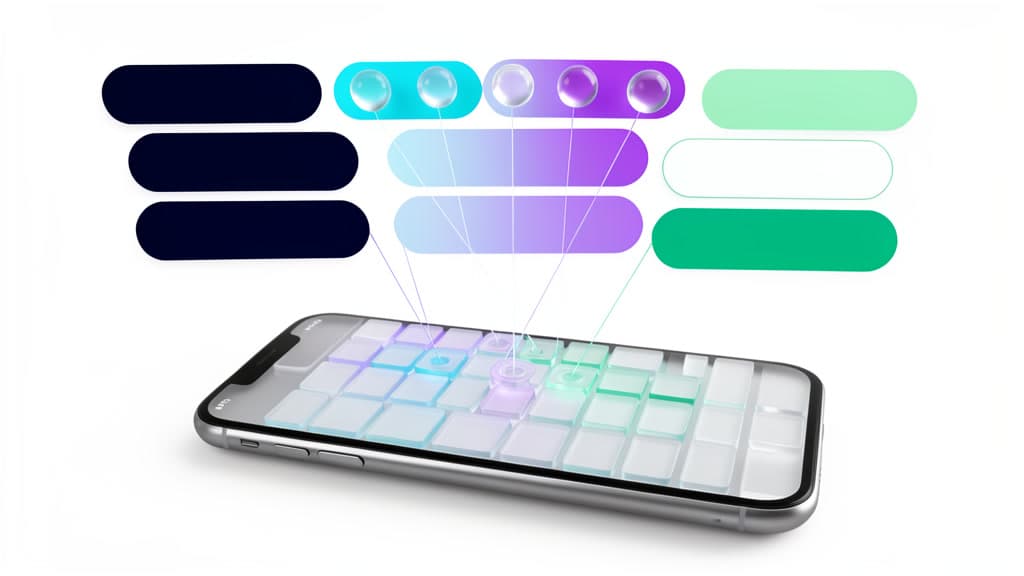
Which text fields get to act
So the operator question isn't "should we allow an AI keyboard." Phrased that way, it's unanswerable, because a keyboard doesn't have one job. It's every job typed on that phone, and the fields are not equally dangerous. A customer SMS confirming a job time is not the same field as an internal Slack-style message summarizing a call. Both run through the identical keyboard. Only one of them can move money, a promise, or a scheduled truck if the AI gets it wrong.
It's the same math we made for API endpoints: the yes-or-no question is too blunt, and the real decision lives one level down. A keyboard just moves that decision to a smaller, more numerous unit than an API endpoint: the individual text field a person is standing in front of, thumb hovering, about to let something else finish the sentence.
The text-field action map
Before any Skill runs unattended against a real customer, walk the fields your team actually types into and give each one an explicit answer. Not a company-wide verdict on AI keyboards. A verdict per field.
Mobile workflow field packet
Text-field action map
Before a keyboard gets to act inside a business conversation, every field it touches needs its own answer, not a blanket policy.
- 01
Customer SMS reply
Pins down: Translate, insert a scheduling link, draft the reply itself
Why it matters: The words become a commitment to a real customer the second they send.
- 02
Appointment confirmation text
Pins down: Move a calendar hold, propose a new time, insert an address
Why it matters: The keyboard is now editing a calendar it does not own. A wrong tap moves the wrong slot.
- 03
Field-service status update
Pins down: Insert a job code, translate for a subcontractor, log parts used
Why it matters: Billing and inventory downstream read this text as fact, not draft.
- 04
Sales follow-up message
Pins down: Draft next-step language, attach a proposal or pricing link
Why it matters: Pricing and promise language is the hardest thing in business to unsend.
- 05
Multilingual support reply
Pins down: Translate and send a customer message with no human read-through
Why it matters: A bad translation is invisible to the sender until the customer reacts to it.
- 06
Internal team chat
Pins down: Summarize a thread, assign a task, draft a status update
Why it matters: Lower stakes since no customer sees it, but it is still writing your team's record.
- 07
Public social reply or comment
Pins down: Reply in the business's public voice
Why it matters: Public and permanent. The brand owns whatever tone lands.
"AI on phones: allowed" is not a policy. It's an accident waiting for a field.
The pattern across every row is the same: a field earns the right to act on its own only after someone has decided what it's allowed to touch, downstream, if the keyboard gets it slightly wrong. A field that only rewrites words already typed by a human is a different risk than a field that reaches out, fetches a link, and inserts something the human never wrote at all. When the same review also uncovers browser, account, or agent-to-agent access, the permission and access artifact shelf helps choose the next map without stretching this field-level artifact beyond its job.
Map one workflow before the keyboard does it for you
Nobody needs to write a company-wide AI keyboard policy this week. That's the wrong-sized answer to a right-sized problem. What's worth an hour is picking the one text field your business already leans on hardest, customer SMS, appointment confirmations, field-service updates, sales follow-ups, or multilingual support, and deciding, in writing, what a keyboard is and isn't allowed to do there before an employee's install decision makes that call for you.
If you want a second pair of eyes on that map, or you'd rather go a layer deeper and run a full security review before any AI workflow gets access to a real channel, bring us one mobile communication workflow and we'll help you draw the field, the action, and the boundary before your team's phones draw it for you.
Implementation help
Put a boundary around the keyboard before it becomes a workflow
BaristaLabs helps teams turn mobile and message surfaces into field-by-field action maps with review rules, blocked actions, and receipt expectations.
Turn this idea into a pilot
Which workflow should go first?
Use the readiness check to compare impact, effort, risk, owner, and next step before requesting a review.
- 3-5 minutes
- Deterministic score
- No sensitive data
Practical AI Workflow Notes
Want more practical AI operations ideas?
Get short notes on applying AI inside real small-business workflows — from document handling and customer follow-up to internal reporting, compliance, and automation guardrails.