
GPT-6 prompt caching makes stable agent context worth measuring
OpenAI added a caching dashboard, miss diagnostics, and explicit breakpoints for GPT-6. Here is how to test whether a long-running agent actually reuses its input.

Sean McLellan
Lead Architect & Founder

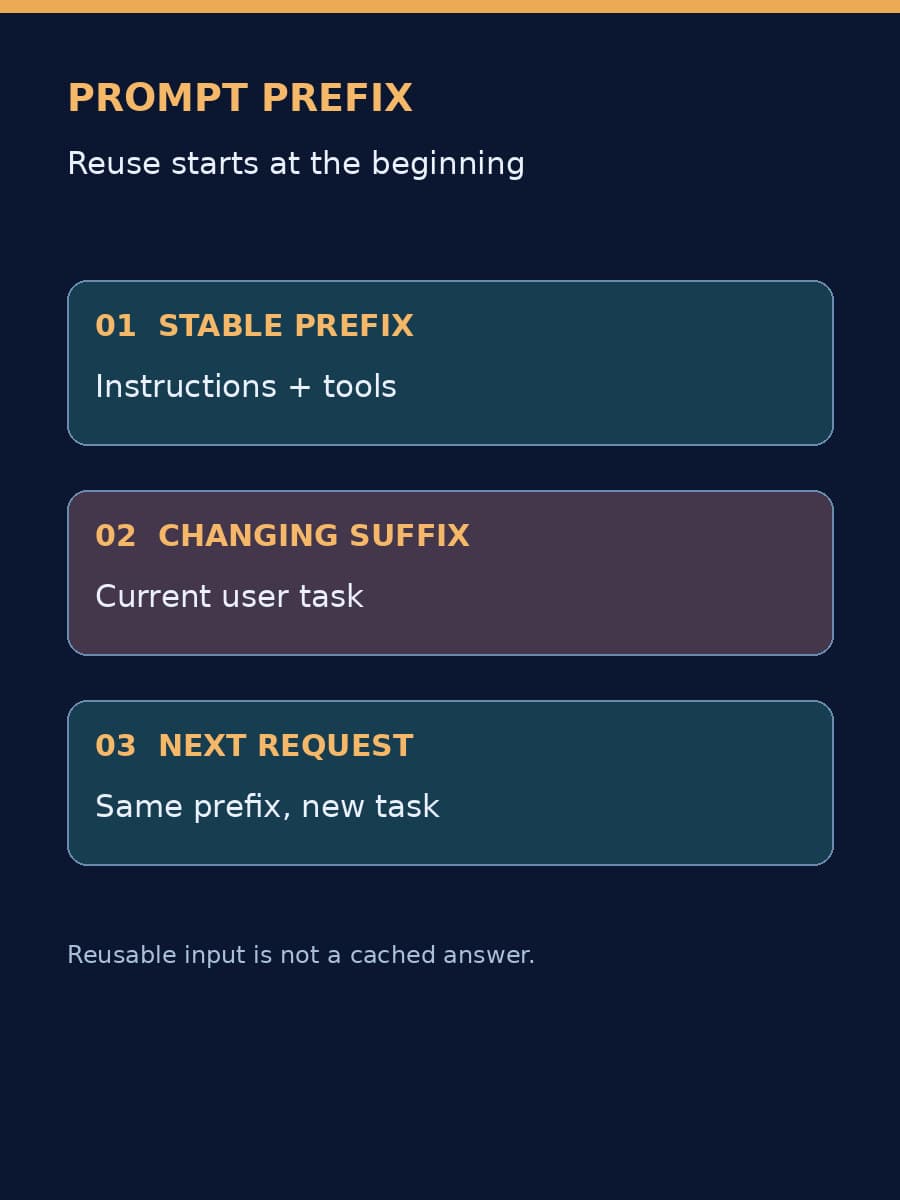
OpenAI's September 22 GPT-6 update gives developers a dashboard for prompt-cache hit rates, diagnostics for misses, and explicit breakpoints for reusable context. If an agent repeatedly sends the same instructions and tools with each new request, those additions make an existing cost lever easier to inspect. The practical question is whether your requests actually share enough unchanged input to benefit.
What the cache reuses
A model processes an input prompt before it generates a response. OpenAI's prompt caching guide explains that its cache stores intermediate key-value states for an unchanged prefix at the beginning of a prompt. A later request with a matching eligible prefix can reuse that work; the model still processes new input and generates a new answer. This is not a cache of completed answers.
Consider an agent that starts each request with the same operating instructions, reference material, and tool definitions, then appends the latest user task. The shared beginning is a candidate for reuse. If the application inserts a timestamp or reorders its tool schemas near the beginning, the supposedly shared prefix changes. A logical continuation of the same conversation does not, by itself, guarantee a hit.
OpenAI says eligible shared prefixes in its updated GPT-6 system can receive cache discounts when reused within a 30-minute window. It advertises discounts of up to 90% on cached input tokens. Neither figure predicts an application's bill: model pricing, the fraction of input actually cached, cache writes, uncached suffixes, and generated output all matter. Cached input still counts toward tokens-per-minute limits.
Find the misses before changing the prompt
The new Prompt Caching Dashboard shows hit rates over time and the mix of cached and uncached input tokens. OpenAI's diagnostics tool compares a request with a recent response and names a reason for a miss, such as changed tools. Its estimate of affected tokens helps prioritize an investigation.
Begin with one recurring workflow, not an account-wide average. Record its model, request volume, input composition, cached-token share, input spend, and time to first response for a representative period. Then inspect several misses. A low hit rate caused by genuinely different tasks is not necessarily a configuration fault; a sudden drop after a tool-schema deployment is a more actionable clue.
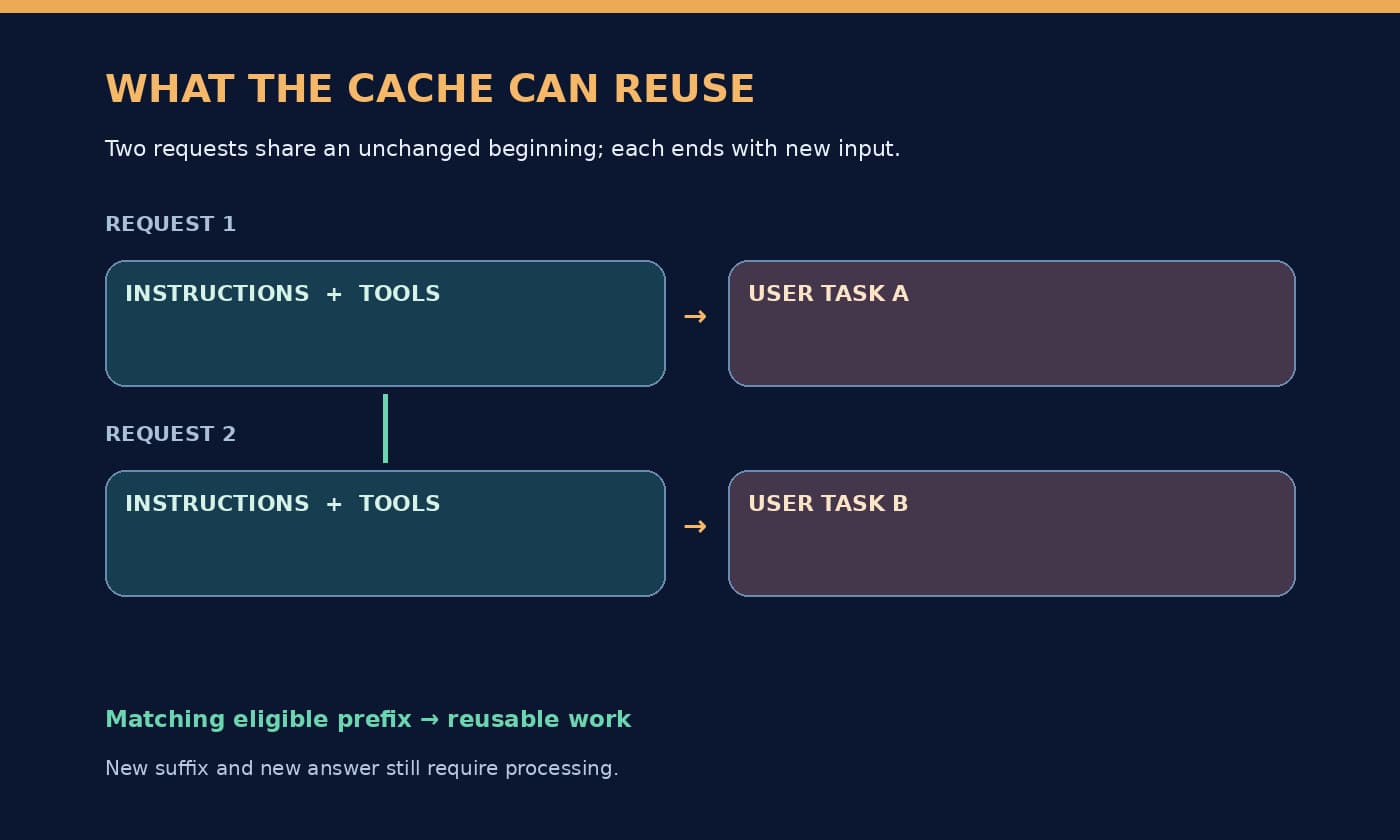
The diagram is conceptual: actual reuse depends on matching eligible tokens and cache lifetime.
Change one source of instability
OpenAI recommends keeping tool definitions, schemas, and order stable, using allowed_tools to vary what is callable rather than removing definitions, and putting changing content later in the prompt. Explicit breakpoints can mark the end of a reusable prefix. GPT-6 also supports changing reasoning effort between responses through a configuration_update without breaking cache, provided the request-level reasoning effort remains unchanged. These are API-specific options, not instructions to freeze reference material that must be kept current.
Try one change against a fixed set of real tasks. Compare cache hit rate, cached input, total input cost, latency, and whether the answers still meet the task's acceptance criteria. A higher hit rate alone can be misleading if the revised prompt grows, generates longer answers, or carries stale instructions. OpenAI's published customer savings are examples from those customers' workloads, not a forecast for yours.
For teams building agents, the useful outcome is a measured decision: keep the stable-prefix change if it lowers total cost or latency without hurting the work; otherwise restore the prior layout. If you're comparing models as well as prompt layouts, our model bakeoff guide shows why cache behavior belongs in the same task-level cost test. BaristaLabs can help trace one recurring agent workflow from request construction through cache diagnostics and a controlled comparison.
Agent cost review
Measure whether your agent reuses its context
BaristaLabs can help instrument one repeated workflow, inspect cache misses, and compare a stable-prefix change against its current cost and response time.
Best fit for teams sending repeated instructions and tool definitions through the OpenAI API.
Turn this idea into a pilot
Which workflow should go first?
Use the readiness check to compare impact, effort, risk, owner, and next step before requesting a review.
- 3-5 minutes
- Deterministic score
- No sensitive data
Practical AI Workflow Notes
Want more practical AI operations ideas?
Get short notes on applying AI inside real small-business workflows — from document handling and customer follow-up to internal reporting, compliance, and automation guardrails.