


GitHub added local sandboxing to the Copilot app on September 23. It can limit the files, networks, and credentials available to commands that a coding agent runs on your machine. The feature is in public preview and off by default. Teams that already use the app's local repository or working tree sessions need to decide whether to enable it per project; an isolated branch alone does not restrict a command's access to the rest of the computer.
What the sandbox actually controls
The GitHub configuration guide says the app runs agent-invoked tools inside an operating-system sandbox. A project policy can grant extra read/write or read-only folders, deny folders, allow or block outbound internet and local-network connections, and decide whether authenticated Git and GitHub CLI operations can use your credentials. The sandbox applies to local repository and working tree sessions in the Copilot app, not cloud sandbox sessions or sessions running on a remote host. Copilot CLI has separate sandbox settings.
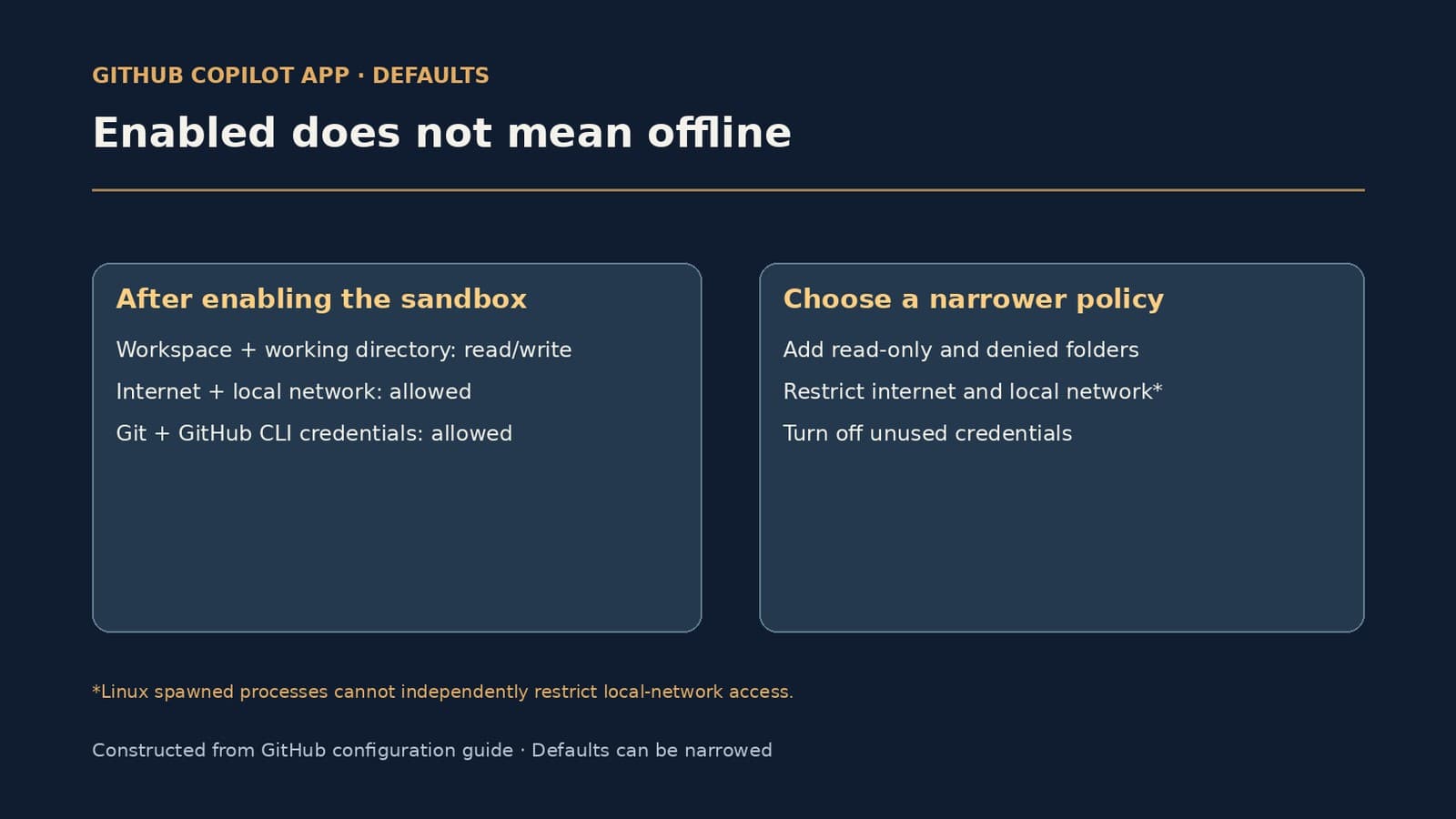
The defaults matter as much as the switch. With sandboxing enabled, a local session can read and write its workspace and current working directory. Its default policy also allows internet and local-network connections and authenticated Git and GitHub CLI operations. Turning on the sandbox therefore establishes an enforceable boundary, but does not automatically make a project offline or remove its GitHub credentials. Set narrower permissions if the job does not require them.
When a change reaches a session
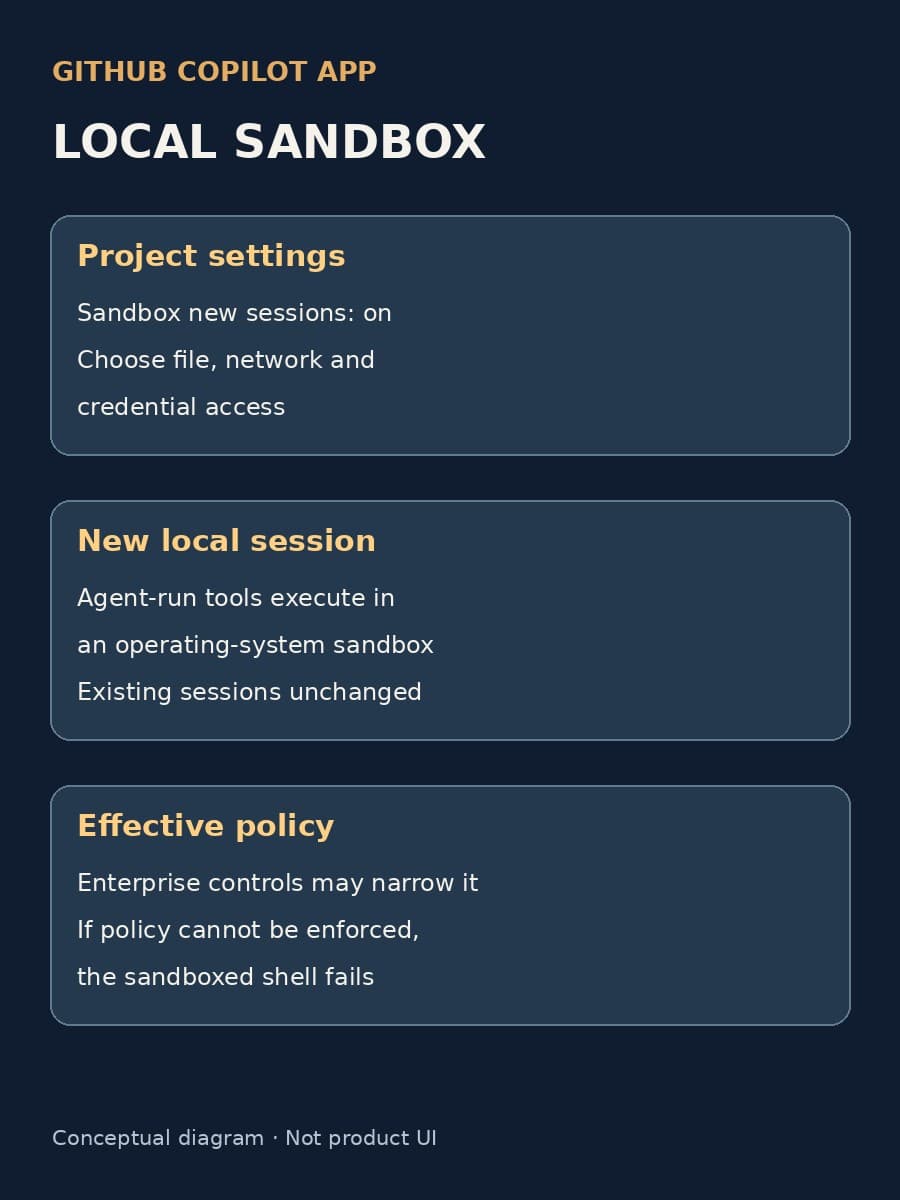
In the app settings, select a project and turn on Sandbox new sessions. That changes the project default for new local sessions; it does not retrofit a running one. GitHub says changes to its filesystem, network, and credential lists take effect for new sessions or when an existing session restarts. An active local session can use /sandbox on to enable sandboxing for that session without changing the project's default. This is a useful immediate control, but it is not a fleet-wide configuration.
The app requests the project policy when a sandboxed session starts. Enterprise-managed settings can make the effective policy more restrictive. If the host cannot enforce a requested policy, GitHub says the sandboxed shell fails rather than silently running without the sandbox. A team should still test the effective result on its actual operating systems: a saved setting is not a test of enforcement.
Choose the access a project needs
Start with one local project. Identify the workspace and any additional folders its build or tests require, then deny sensitive neighboring folders. Run a normal development task and a controlled negative test against a folder the agent should not reach. Disable network access if the work can run without it; otherwise identify whether package installation, preview servers, or API calls need internet or local connections. GitHub documents a Linux-specific limit: for spawned processes such as shell commands and local MCP or LSP servers, its sandbox cannot control local-network access independently. Treat that distinction as part of your test, not as a general promise that every connection is blocked.
Credential permissions deserve their own decision. The default allows authenticated Git and GitHub CLI operations; turn off access to either if the task does not need it, then try the intended and denied operations. If a command cannot run under policy, the app may offer to run it once outside the sandbox or disable sandboxing for the remainder of the session. GitHub says an enterprise owner can prevent those exceptions. Decide who may approve them before relying on a denied-path test as the whole control story.
This preview gives local Copilot users a more meaningful boundary than a separate working tree alone. The useful rollout is a project setting paired with a short record of its effective policy, an allowed build task, a denied file or credential action, and the handling of outside-sandbox prompts. Those observations tell you whether the control fits your work without pretending the preview covers cloud or remote sessions. For a related but separate decision about which device may host a remotely controlled session, see our Copilot host-device policy guide.
Local coding-agent controls
Test one Copilot project policy
BaristaLabs can help map the files and services a project needs, configure its local sandbox, and check what an agent-run command can and cannot reach.
For teams using local repository or working tree sessions in the GitHub Copilot app.
Turn this idea into a pilot
Which workflow should go first?
Use the readiness check to compare impact, effort, risk, owner, and next step before requesting a review.
- 3-5 minutes
- Deterministic score
- No sensitive data
Practical AI Workflow Notes
Want more practical AI operations ideas?
Get short notes on applying AI inside real small-business workflows — from document handling and customer follow-up to internal reporting, compliance, and automation guardrails.