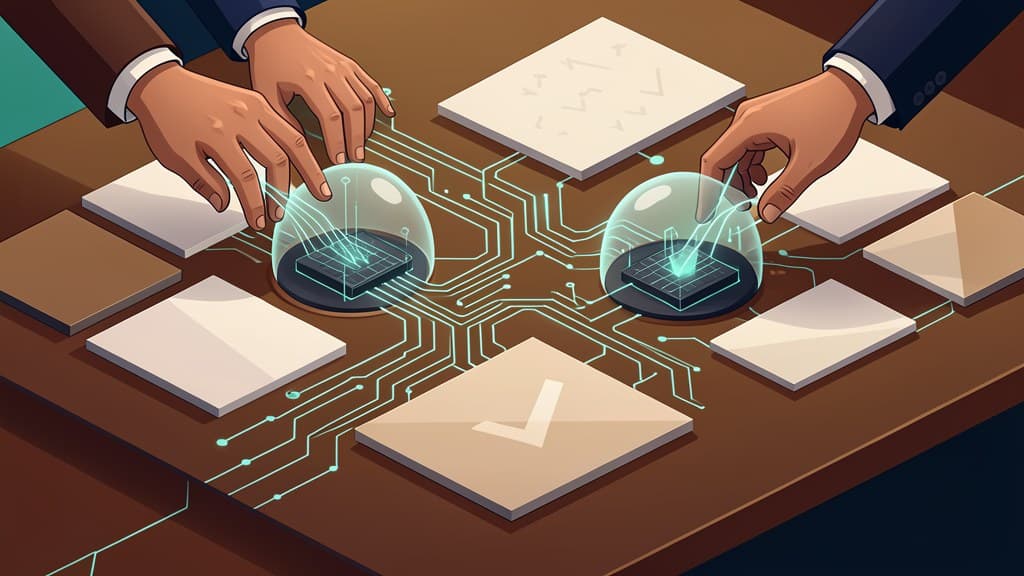


Coding agents are moving out of the chat box and into the delivery loop.
That is the practical story behind GitHub's May Copilot updates. The new GitHub Copilot app technical preview is not just another place to ask an AI model for code. It packages the agent around the work software teams already do: issues, branches, files, conversations, pull requests, checks, review comments, and merge conditions.
For business leaders, that shift matters more than the interface.
The useful question is no longer, "Can an AI write code?" It is, "Can an AI work inside our delivery process without creating chaos?"
GitHub's answer is starting to look like a managed delivery session.
What GitHub announced, in plain English
GitHub describes the Copilot app as a GitHub-native desktop experience for starting agentic development from the work in front of you, keeping it isolated, steering it as it goes, and landing the change through pull request review.
In practice, that means a developer can start a Copilot session from an issue, pull request, prompt, or previous session.
Each session gets its own branch, files, conversation, and task state. The user can review the plan and diff, run commands, open previews, test through an integrated terminal or browser, and open a pull request.
The most interesting part is the follow-through. GitHub says Agent Merge can address review comments, fix failing checks, and merge once specified conditions are met.
That is a different shape from "generate a function for me."
It is closer to assigning a constrained work item to an assistant, watching the work happen in an isolated space, and only letting it land through the team's normal review gates.
GitHub also announced related workflow updates around the same time:
- Copilot CLI agent and a unified sessions view for JetBrains IDEs let JetBrains users delegate tasks to a locally running Copilot CLI agent, track running or queued sessions, and choose between worktree isolation and workspace isolation.
- Copilot cloud agent auto model selection lets the cloud agent select a model based on system health and model performance. GitHub says Auto receives a 10% discount on the normal model multiplier and is not affected by weekly rate limits.
- Copilot for Eclipse is now open source under the MIT license, giving developers a way to inspect implementation details behind chat, completions, agentic workflows, system prompts, context handling, MCP integration, skills, prompt files, custom agents, isolated subagents, and the plan agent.
Taken together, these updates point in the same direction: agentic development is becoming less about one-off code generation and more about operational workflow design.
Why "session" is the important product primitive
The word "session" can sound ordinary. It is not.
For AI coding agents, a session is the container that makes the work manageable. It gives the agent a boundary: a branch, a file set, a conversation, and a task state. It also gives the human team a place to inspect what happened.
That matters because software work rarely fails at the first line of code. It fails in the handoffs:
- The issue was ambiguous.
- The agent touched too many files.
- The change worked locally but broke CI.
- The pull request missed a review comment.
- The fix passed tests but violated a product rule.
- Nobody knew whether the agent was still working, stuck, or finished.
A session does not solve all of that automatically, but it gives the team a control surface.
You can pause and resume work. You can compare the diff. You can keep multiple tasks separate. You can decide whether a change should stay isolated in a worktree or apply directly to a workspace. You can see which sessions are running, queued, or complete.
That is what makes the GitHub Copilot app more business-relevant than another editor sidebar. It treats coding-agent work as something that needs state, context, validation, and handoff.
Small teams should pay attention to that packaging. The productivity gain is not just "the agent typed code faster." The gain is that repeatable delivery work can be shaped into a workflow.
The governance lesson: mirror your delivery process
The safest AI coding-agent workflows will not be the most autonomous ones. They will be the ones that mirror how your team already ships software.
GitHub's updates include several governance signals that small teams should copy, even if they are not using Copilot yet.
First, use isolation by default.
In the JetBrains update, GitHub describes worktree isolation as a mode where the agent runs in a separate Git worktree, so changes do not affect the current branch until the user chooses to review and apply them. Workspace isolation applies changes directly to the current workspace for faster iteration.
That distinction is useful. For low-risk local edits, workspace isolation may be fine. For anything that touches application behavior, tests, dependencies, or shared code, isolated branches or worktrees should be the default.
Second, keep policy settings explicit.
For Copilot Business and Enterprise access to the Copilot app technical preview, GitHub says admins must have previews enabled and the Copilot CLI enabled in policy settings. That is a reminder that agent access should be governed at the organization level, not handled as an informal developer-by-developer experiment.
If an agent can read repositories, run commands, open pull requests, or interact with review workflows, it belongs in your access-control model. Repository permissions, credentials, secrets, and role-based access need to be part of the rollout plan. This is where teams should treat data security as a design requirement, not a cleanup task.
Third, keep human review in the loop.
The Copilot app's delivery path runs through pull request review. Agent Merge can address review comments, fix failing checks, and merge once specified conditions are met, but the conditions matter. "Merge when green" is not the same as "merge when the work is correct."
A responsible agent workflow should define:
- who can start sessions
- which repositories agents can access
- what commands agents can run
- which files or systems are off limits
- when a senior developer must review
- which checks are required before merge
- which changes require human approval regardless of test status
That is the practical version of responsible AI for software teams: not vague principles, but approval gates, scope limits, and review rules that fit the risk of the work. If the first agent workflow touches review comments or failing checks, start by filling out an AI code-review lane map so the session has a file boundary, stale-branch rule, reviewer owner, and receipt before it tries to land work.
What small teams should pilot first
The best first use cases are narrow, boring, and easy to review.
That may sound less exciting than "let the agent build a feature," but it is how teams learn where agents help without putting production systems at risk.
Good early pilots include dependency updates with clear test coverage, failing test fixes where the expected behavior is already documented, release-note drafts based on merged pull requests, documentation cleanup, low-risk refactors with small diffs, linting cleanup, flaky test triage, small bug fixes tied to a specific issue, pull request review-comment follow-up, and test additions for existing behavior.
These tasks work well because they usually have a narrow definition of done. The agent can operate inside a clear boundary, and the human reviewer can evaluate the output without reverse-engineering a major product decision.
This is also where software delivery automation becomes more useful than generic AI experimentation. A small team does not need an agent that can do everything. It needs a repeatable path for the first few tasks where automation can safely reduce cycle time.
A practical example:
Instead of asking an agent to "improve checkout," ask it to "add a regression test for the coupon validation bug described in issue 482, then propose the smallest code change needed to make the test pass."
That prompt gives the session a job, a boundary, and a validation target.
What not to delegate yet
Some work should stay out of early agent pilots.
Do not start with changes involving billing logic, authentication, authorization, data deletion, payment flows, production infrastructure, database migrations, incident response, secrets management, security-critical code paths, broad architectural refactors, customer data exports, or compliance-related behavior.
This does not mean agents can never assist with those areas. It means they should not be the first proving ground for a new workflow.
For high-risk areas, agents can still help in safer ways. They can summarize code, draft test plans, prepare migration checklists, or identify files likely to be affected. But implementation should stay under senior review, with tight permissions and explicit approval gates.
This is the same point we made in our related article on AI coding agents for security and maintenance: the safest value often comes from maintenance, review support, and well-scoped fixes before autonomous feature development.
A practical 2-week pilot checklist
If your team is evaluating the GitHub Copilot app, Copilot CLI agent, or another coding agent workflow, start with a short pilot. Two weeks is enough to learn where the workflow helps and where your guardrails are weak.
Week 1: define the operating model
Pick one repository. Choose a codebase with active maintenance work, a working test suite, and enough review discipline to catch mistakes.
Choose three task types. Start with narrow tasks such as dependency updates, test fixes, documentation cleanup, or review-comment follow-up.
Define what the agent can access. Decide which repositories, branches, files, commands, and environment variables are allowed. Keep secrets out of reach unless there is a clear need and a secure mechanism.
Choose the isolation model. Use isolated branches or worktrees for most tasks. Avoid direct workspace changes until the team understands the failure modes.
Write a human review rule. For example: "Every agent-created pull request requires one human reviewer. Changes touching auth, billing, migrations, infrastructure, or customer data require senior approval."
Define merge conditions. Passing checks are necessary, but not sufficient. Decide whether Agent Merge or similar features can merge automatically, and only for which task types.
Create reusable prompts or agent instructions. GitHub's JetBrains update notes support for global .agent.md custom agents. Whether you use that mechanism or another one, give agents reusable instructions for your team's style, test commands, review expectations, and off-limits areas.
For more on these setup choices, see our decision-stage guide on the three endpoint decisions that change agent rollouts.
Week 2: run controlled sessions
Run five to ten real tasks. Do not use toy prompts. Use real issues, real pull requests, and real failing checks, but keep them low risk.
Track review effort. For each session, note whether the agent saved time or shifted work to review. A useful coding-agent workflow should reduce total delivery friction, not just generate a diff quickly.
Record failure modes. Watch for misunderstood issue context, over-broad file changes, weak tests, hallucinated APIs, unnecessary rewrites, missed edge cases, and changes that pass CI but fail product intent.
Tighten instructions. Update prompts, repository guidance, or agent rules based on what went wrong. Most teams will get better results from clearer constraints than from broader autonomy.
Decide what graduates. At the end of the pilot, classify task types into three groups: ready for regular agent assistance, useful only with senior review, and not ready for delegation.
That last category is important. A disciplined "not yet" is a successful pilot outcome.
The bigger shift: agents need delivery design
The GitHub Copilot app points to a larger pattern. AI coding agents are becoming less like autocomplete and more like delivery participants.
That does not remove the need for developers. It changes where the developer's attention goes.
The work becomes selecting the right task, writing clear instructions, limiting scope, reviewing plans and diffs, validating behavior, deciding when a change is safe to merge, and improving the workflow after each failure.
For small teams, that is good news. You do not need a large platform team to start learning. But you do need a delivery process that is explicit enough for an agent to follow.
If your current process lives mostly in people's heads, a coding agent will expose that quickly. Ambiguous issues, missing test commands, unclear ownership, and informal release rules become more painful when an agent is trying to act on them.
That may be the hidden benefit. Agent pilots force teams to document how work should move from request to review to release.
Bottom line
GitHub's latest Copilot updates are not just about smarter code generation. They show coding agents being wrapped around the actual mechanics of software delivery: sessions, isolation, validation, pull requests, review comments, failing checks, and conditional merge follow-through.
For SMBs and small software teams, the practical move is not to hand an agent the roadmap. It is to design a safe delivery lane for narrow, reviewable work.
Start with maintenance. Keep isolation on. Require human review. Protect sensitive systems. Measure whether the workflow reduces total delivery effort.
If your team needs help mapping a safe first agentic delivery workflow, BaristaLabs can help scope a narrow automation pilot that fits your repository, review process, and risk tolerance.
Get the agent pilot checklist
Design a safe coding-agent pilot
Before giving an AI coding agent repository access, choose one narrow task lane, define what it can touch, require human review, and decide which checks must pass before anything merges.
Best fit for teams evaluating coding agents for dependency updates, test fixes, documentation cleanup, low-risk refactors, and review-comment follow-up.
Turn this idea into a pilot
Which workflow should go first?
Use the readiness check to compare impact, effort, risk, owner, and next step before requesting a review.
- 3-5 minutes
- Deterministic score
- No sensitive data
Practical AI Workflow Notes
Want more practical AI operations ideas?
Get short notes on applying AI inside real small-business workflows — from document handling and customer follow-up to internal reporting, compliance, and automation guardrails.