
What GitHub AI Scan findings tell you about a pull request
GitHub AI Scan flags possible security bugs on pull requests. Here is where to find them, how to review a suggested fix, and what the preview requires.

Sean McLellan
Lead Architect & Founder

Historical preview guidance: This article describes AI Scan as documented on September 11, 2026. GitHub announced general availability on October 15 and removed the Copilot-license requirement. Current documentation also says CodeQL default setup is not required. The preview requirements below should not guide a new purchase or setup decision. Read our current AI Scan eligibility review before enabling the feature.
GitHub AI Scan looks for security bugs in pull requests, including languages and frameworks that CodeQL does not cover. It posts an AI-labeled finding on the pull request, usually with a suggested fix. A reviewer still needs to check whether the finding is correct and whether the proposed change fixes the bug.
GitHub's September 10 API announcement gives administrators a way to enable the scanner across repositories. If you are planning a rollout, start by deciding who will review the findings. During the public preview, they appear only on pull requests and cannot block a merge.
How AI Scan works alongside CodeQL
AI Scan reads the code in a pull request and uses tools such as code search to check related code in the repository. According to GitHub's security detection documentation, a scan starts when you open a pull request and after each new commit. It does not need to build the application.
The scanner extends coverage beyond CodeQL, GitHub's static analysis tool. GitHub lists PHP, Shell/Bash, Terraform configuration written in HCL, and Dockerfiles, along with framework gaps such as JSP for Java and Blazor for C#. If your application uses these, AI Scan may flag problems that your current CodeQL checks do not cover.
The documented detection categories include SQL or shell commands built from unsafe strings, disabled security controls, and debug features left enabled. They also cover supply chain risks such as unpinned packages or images and downloads without integrity checks. GitHub does not promise that every instance will be caught.
You must enable CodeQL default setup to use AI Scan, but the two scans run independently. AI findings can arrive while CodeQL is waiting or has failed. Check both results; receiving an AI finding does not mean CodeQL has finished.
Reviewing a finding and its suggested fix
Look on the pull request's Conversation or Files changed tab. AI findings appear alongside CodeQL alerts and carry an “AI” label. Each describes the suspected issue and explains why the code may be unsafe.
Most findings include a code change suggested by Copilot Autofix, although some have no suggested fix. Read the affected code before accepting a suggestion, and check the behavior after applying it. The same review is needed for a fix you write yourself.
False positives are possible. Use GitHub's thumbs-up or thumbs-down feedback to report detection quality. We also recommend leaving a comment that explains what you checked and why you accepted or dismissed the finding. If the fix needs separate work, link that work from the pull request and name the person responsible.
Where the findings are tracked
AI Scan examines pull requests rather than the whole repository. Its findings do not become backlog alerts in the repository's security view, so checking that view alone can miss a finding on a proposed change.
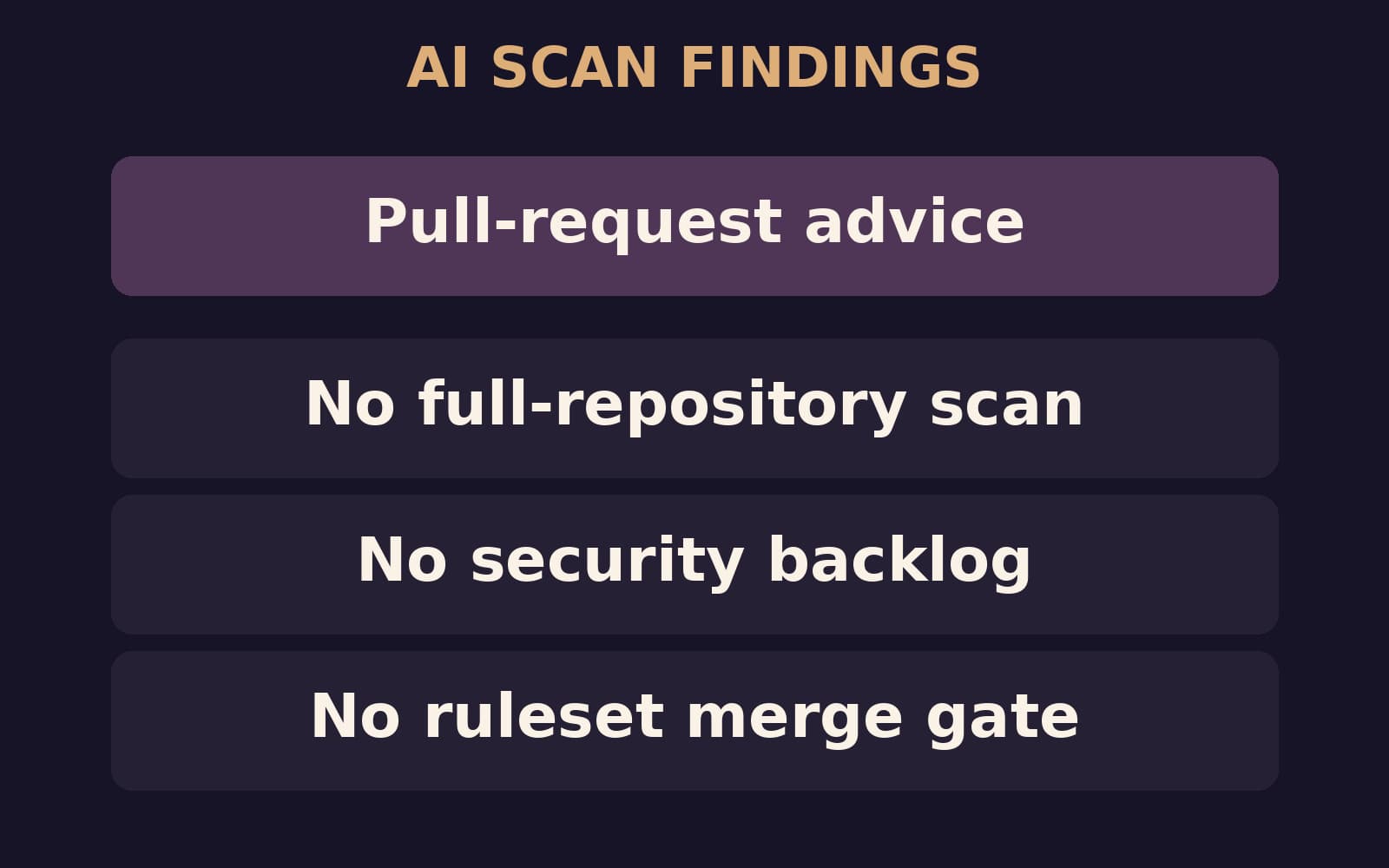
The preview also cannot make AI findings a required merge check through GitHub rulesets. Keep your existing required security checks, and agree on how reviewers should handle unresolved findings before approving a pull request. GitHub may allow the merge even when an AI finding still needs attention.
Enabling the preview
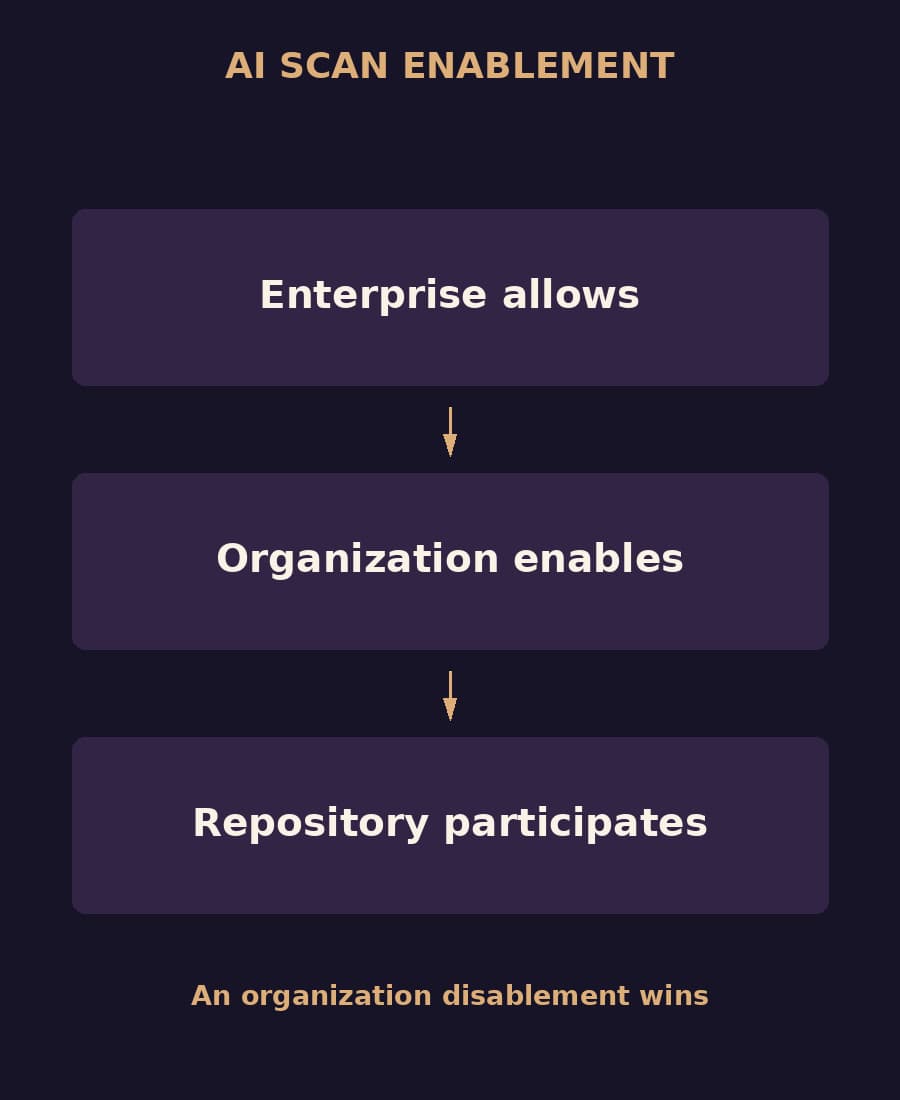
The new endpoints are /orgs/{org}/code-scanning/ai-scan and /repos/{owner}/{repo}/code-scanning/ai-scan. They let administrators read and change whether AI Scan is enabled. Enterprise administrators must first allow the feature, and organizations must opt in. Repositories inherit the organization setting and can opt out; enabling a repository cannot override an organization that has disabled it.
The preview runs on GitHub.com and requires GitHub Advanced Security, a Copilot license, and CodeQL default setup. It consumes AI credits. GitHub Enterprise Server is not supported in this release. The REST reference covers request formats and authorization.
AI Scan uses its own prompts and ignores files such as /.github/copilot-instructions.md and /CLAUDE.md. Changes to those files will not change how it scans. The Copilot code review effort settings belong to the separate code review feature.
Sources
- GitHub: AI Scan for pull request APIs in public preview, September 10, 2026.
- GitHub Docs: AI-powered security detections in pull requests, captured September 11, 2026.
The review suggestions above are BaristaLabs guidance. GitHub's linked documentation describes the preview's behavior and requirements.
AI-assisted software review
Make AI findings part of code review
We can help you choose which repositories to start with and decide who reviews findings and tracks fixes. Your GitHub administrator handles licensing and policy settings.
Share a workflow description with proprietary code and customer details removed.
Practical AI Workflow Notes
Want more practical AI operations ideas?
Get short notes on applying AI inside real small-business workflows — from document handling and customer follow-up to internal reporting, compliance, and automation guardrails.