
GitHub separated Code Quality from automatic Copilot review
Code Quality no longer creates a ruleset that automatically requests Copilot review. Older repositories may still carry different review behavior.

Sean McLellan
Lead Architect & Founder

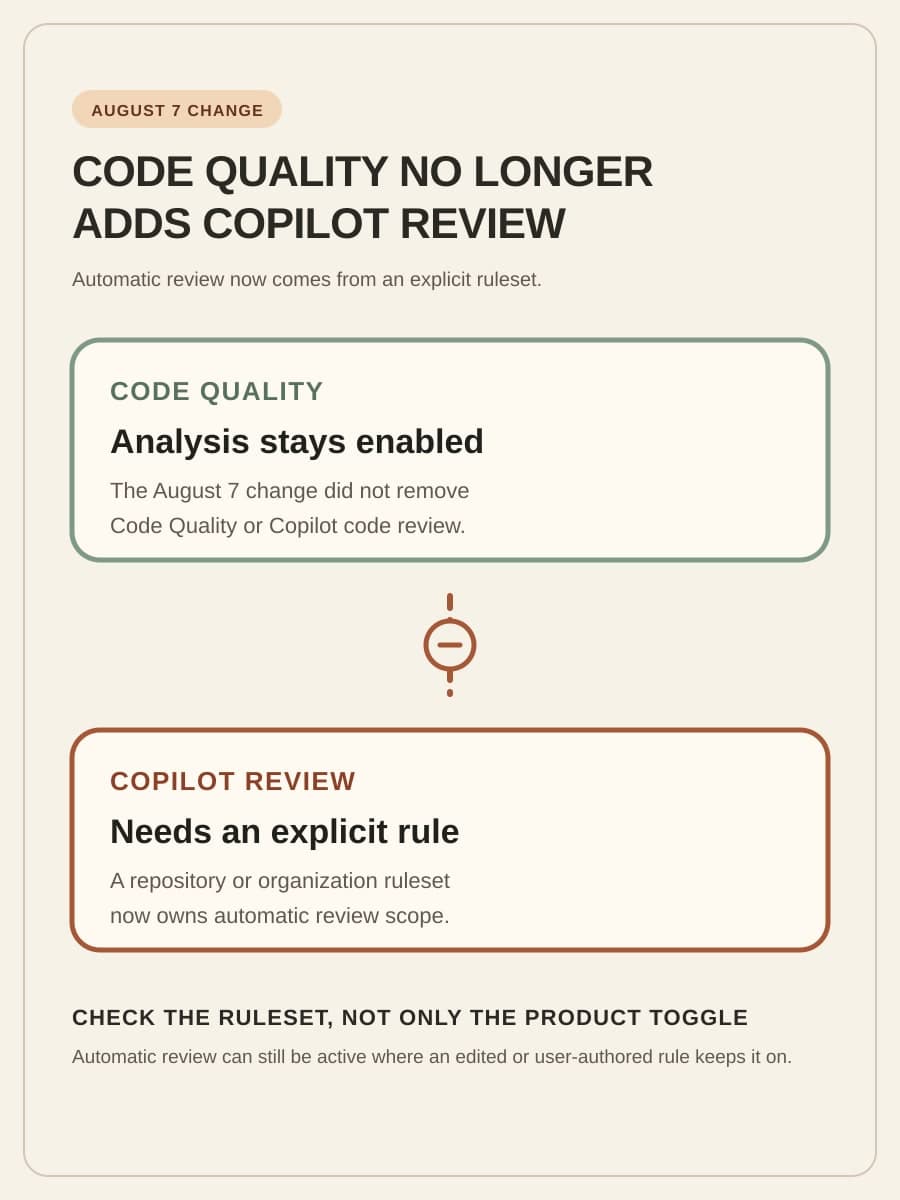
On August 7, GitHub changed what happens when a repository enables GitHub Code Quality. Code Quality no longer creates a ruleset that automatically requests a GitHub Copilot code review. The immediate stake is configuration clarity: two repositories can both have Code Quality enabled while sending pull requests through different Copilot review behavior.
Repository owners should now distinguish the documented states before they change any setting. This article explains those states and what the three Copilot review settings control. It then shows how to choose the intended scope and verify it on one representative pull request.
Code Quality no longer creates an automatic-review ruleset
When Code Quality became generally available on July 20, enabling it created a repository ruleset named Code Quality Copilot review for default branch. That ruleset targeted the default branch and requested Copilot review automatically. In its August 7 changelog, GitHub said it stopped creating the ruleset because adding a reviewer should be the customer's choice.
The change applies to Code Quality on GitHub Team and GitHub Enterprise Cloud. It did not remove Code Quality, and Copilot code review itself did not change. Administrators can still configure automatic Copilot review through rulesets, and those reviews continue to bill to the customer's Copilot plan.
In BaristaLabs' interpretation, Code Quality enablement no longer answers whether Copilot joins a pull request automatically. The applicable rulesets, targets, and settings provide that answer.
The same Code Quality status can lead to three repository states
GitHub describes different treatment for new enablement, an old generated ruleset that still matched its original form, and rulesets that a customer edited or wrote. Those distinctions are useful because each state requires a different follow-up.

1. Code Quality was enabled after the change
GitHub no longer creates the Copilot-review ruleset when Code Quality is enabled. The new default therefore adds no generated rule that requests Copilot review. Before concluding that automatic review is absent, check for another repository or organization ruleset that targets the repository and branch.
Decide whether the repository needs automatic Copilot review. Code Quality can remain enabled without it. If review is intended, an administrator must add or edit a ruleset.
2. The old GitHub-generated ruleset was left untouched
GitHub says it changed an old ruleset only where the ruleset still matched what GitHub created. In that state, GitHub disabled Automatically request Copilot code review, Review new pushes, and Review draft pull requests. The ruleset can remain in the repository with those settings off, and GitHub says the customer can delete it.
The leftover ruleset shows the earlier default, but it does not show that automatic review remains active. An owner can delete it or edit it after deciding which review triggers the repository needs.
3. The ruleset was edited or written by the customer
GitHub says it left an edited generated ruleset as configured. It also says it never changes a customer-authored ruleset. Automatic Copilot review can therefore remain active in repositories where an administrator changed the generated ruleset or created another applicable ruleset.
GitHub did not publish its matching method or a count of affected repositories. Local review is therefore necessary. The documented rule remains clear: edited and customer-authored rulesets were left as set.
The three settings control when Copilot reviews a pull request
The current GitHub automatic-review documentation places these controls in repository or organization rulesets. Automatically request Copilot code review is the main switch for matching pull requests. GitHub describes the former generated setting as requesting Copilot review on every pull request covered by the rule.
Review new pushes requests another review each time someone pushes to the pull request. When it is off, GitHub's documentation says Copilot reviews the pull request once. Turn it on only when a new commit should cause another automatic review, since a team that pushes frequently is also choosing repeated review activity.
Review draft pull requests allows Copilot to review a pull request while it is still a draft. Without that option, draft work does not receive that early automatic review. A team can use it when findings during draft work are useful, but the setting also moves Copilot into an earlier and more changeable part of development.
These settings do not have to travel as a bundle. A repository can request one automatic review without reviewing every new push or draft. Copilot review bills to the Copilot plan.
Choose repository or organization scope from the intended policy
A repository ruleset is the direct choice when automatic review applies to one repository and selected branches. GitHub's documentation lets an administrator choose branch targets and enable the review settings in that ruleset. This keeps the decision close to the repository owner and makes exceptions easier to see.
An organization ruleset is useful when the same policy should cover a defined group of repositories. GitHub supports repository targets, including name patterns and exclusions, plus branch targets inside the organization ruleset. Organization scope should express a policy that the organization intends to maintain. It should not be a quick way to recreate a previous side effect across every repository.
The third valid choice is no automatic Copilot review. Code Quality can remain enabled while automatic Copilot review stays off. For wider guidance on product availability, policy scope, and ownership, use the GitHub Copilot enterprise controls guide. That guide avoids turning this ruleset decision into a full controls inventory here.
After automatic review is enabled, the pull request process still needs human ownership. Our article on operating AI code review bots covers that adjacent work. Here, decide which pull requests trigger Copilot, how often, and who owns the ruleset.
Verify the chosen behavior on one representative pull request
Configuration review establishes intent. One representative pull request checks whether the selected repository and branch targets produce the expected behavior. Choose a low-risk change on a targeted branch, note the applicable ruleset and setting values, and compare the pull request with that expectation.
If draft review is intended, begin with a draft and confirm that Copilot review is requested while the pull request remains a draft. If review of new pushes is intended, make a controlled new push and confirm that another review is requested. For a one-review policy, confirm the initial automatic request and check that an additional push does not create another automatic review.
For no automatic review, confirm that the settings are off in every applicable ruleset. Then verify that the representative pull request does not request Copilot automatically. One pull request cannot prove organization-wide consistency, but it can expose an unexpected target or trigger.
Keep the result modest: repository, branch, applicable ruleset, expected trigger, observed request, and owner. Use it as a bounded check of local behavior. Review the rulesets separately to establish the intended scope.
Make automatic review an owned ruleset decision
Choose one intended state for each relevant repository group: no automatic Copilot review, repository-level automatic review, or organization-level automatic review with explicit repository and branch targets. Then decide separately whether new pushes and drafts justify additional automatic reviews. Assign an owner to the ruleset and to the Copilot-plan usage that follows from it.
GitHub changed a product default, but the remaining work is local. BaristaLabs can help teams find the applicable rulesets, define their scope, and test one pull request through process automation support. The intended review behavior, scope, and owner should be visible in the ruleset and confirmed on a pull request.
Repository automation next step
Make automatic review an owned repository policy
Find the applicable rulesets, choose repository and branch scope, and verify the intended trigger on one representative pull request.
Turn this idea into a pilot
Which workflow should go first?
Use the readiness check to compare impact, effort, risk, owner, and next step before requesting a review.
- 3-5 minutes
- Deterministic score
- No sensitive data
Practical AI Workflow Notes
Want more practical AI operations ideas?
Get short notes on applying AI inside real small-business workflows — from document handling and customer follow-up to internal reporting, compliance, and automation guardrails.