

A front-end pull request changes a modal.
The screenshots look fine. The tests pass. The button still opens the panel, the close icon still closes it, and nobody in review sees anything strange.
Then a keyboard user gets trapped. Or the heading and controls read out in the wrong order. Or the alert that should announce a save failure never reaches the screen reader.
Nothing exploded. The interface just became harder to use.
That is the kind of problem GitHub is trying to catch with its experimental accessibility agent. The tempting headline is "AI can fix accessibility now." The useful lesson is narrower: GitHub's agent had something to work from.
GitHub had issue history. It had structured accessibility reports. It had acceptance criteria, WCAG metadata, reproduction steps, and links between bugs and the pull requests that fixed them.
The agent did not make accessibility debt magically automatable. GitHub made the debt legible first.
What GitHub actually built
In May 2026, Eric Bailey published GitHub's writeup on building a general-purpose accessibility agent.
The agent has two jobs.
First, it gives engineers just-in-time accessibility answers inside GitHub Copilot CLI and the Copilot VS Code integration. Second, it automatically reviews changes that modify front-end code so it can catch and remediate simple, objective accessibility issues before production.
GitHub reported that, at the time of the post, the agent had reviewed 3,535 pull requests with a 68% resolution rate.
The top issue types were specific:
- Structure and relationships that need to be clear to assistive technologies
- Clear names for interactive controls
- Important announcements that users need to perceive
- Text alternatives for non-text content
- Logical keyboard focus order
That is a useful slice of accessibility work. These are issues teams can often describe, check, and correct in code review.
They are not the whole accessibility problem. GitHub is careful about that boundary. The post says the agent is not meant to "solve" accessibility by itself. It is meant to augment the work already happening across teams.
That framing is worth copying.
The useful part was the backlog
The model gets the attention because it is the visible piece. The backlog is the asset.
GitHub describes a mature accessibility issue logging and verification system. Issues were not scattered across Slack threads, vague bug tickets, and one-off comments. They were centralized and structured.
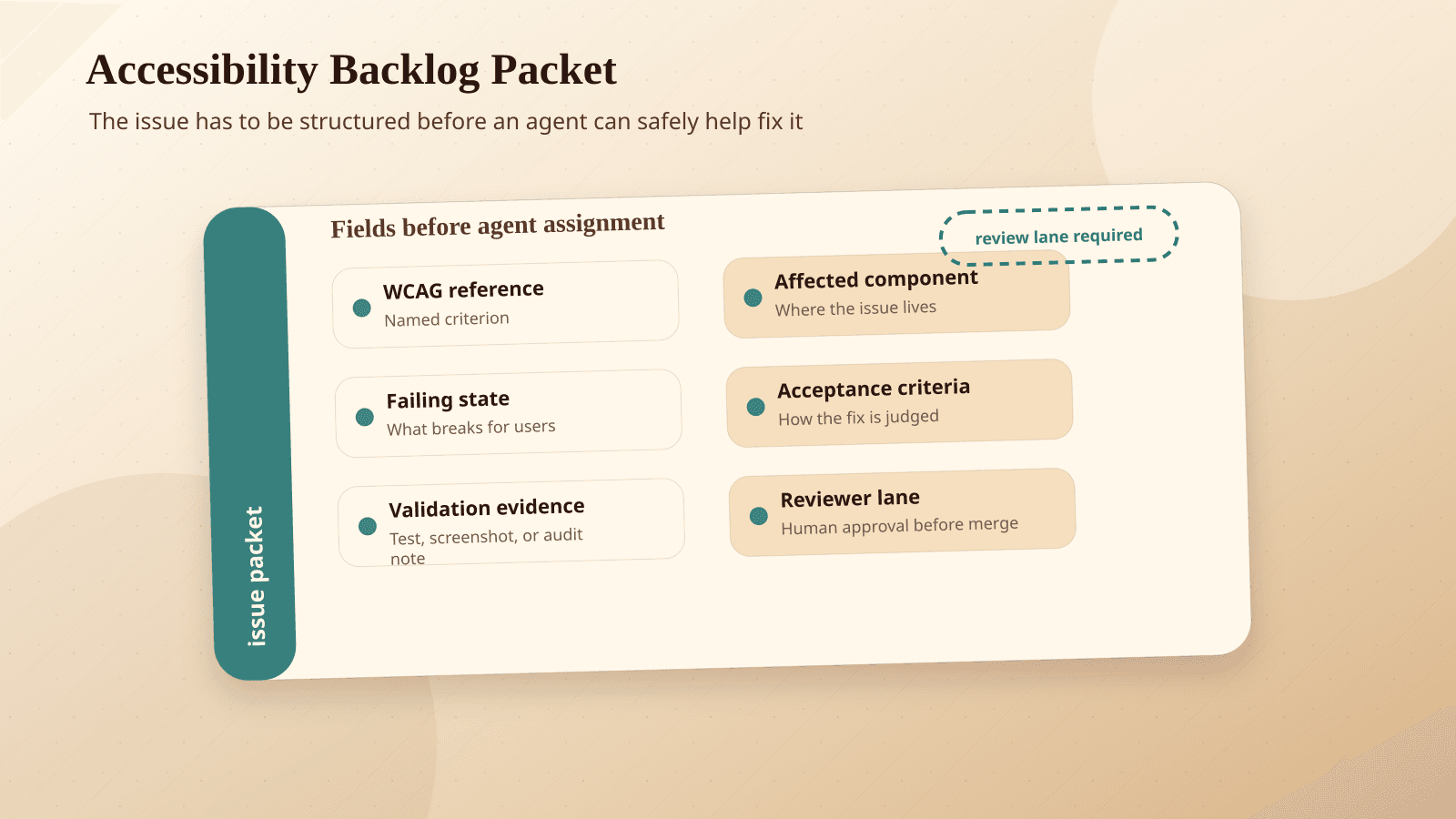
Their accessibility issues included templates, reproduction steps, severity metadata, service area metadata, WCAG success criteria when applicable, crosslinks to the pull request that fixed the issue, and acceptance criteria.
That history gave the agent examples. It could reference related code, language snippets, and previous fixes. It could learn from the way GitHub described accessibility failures and the way GitHub verified corrections.
A prompt like "use accessibility best practices" does not carry that context. GitHub says as much: vague instructions are not enough, and large language models can produce accessibility antipatterns.
That should sound familiar to any team that has tried to hand an agent a messy task. The agent can move quickly through well-described work. It struggles when the organization has never written down what "good" means.
Accessibility debt needs a review system
Most teams already have accessibility debt. The question is whether that debt is reviewable.
A useful accessibility issue should tell the next person what broke, who it affects, how to reproduce it, what standard or expectation applies, what a fix should prove, and where the eventual fix landed.
That sounds bureaucratic until you need it. Then it feels like oxygen.
If your team wants to use an AI accessibility agent, start by improving the issue shape before improving the prompt.
Scroll sideways to see all 2 columns.
| Field | Why it matters |
|---|---|
| Reproduction path | Lets a reviewer or agent reach the same state instead of guessing. |
| Affected users | Forces the issue to describe the human impact, not just the DOM symptom. |
| Expected behavior | Gives the fix a target. |
| Actual behavior | Separates the observed failure from speculation. |
| WCAG criterion, when known | Connects the issue to a shared standard. |
| Severity and product area | Helps teams prioritize and route the work. |
| Acceptance criteria | Defines what must be true before the fix is accepted. |
| Fix PR link | Turns completed work into future reference material. |
| Verification notes | Records how the team checked the fix, including keyboard and assistive technology testing when relevant. |
| Owner | Keeps the issue from becoming an orphaned compliance note. |
This is not glamorous work. It is the part that makes later automation safer.
Without it, an agent is left to infer intent from a diff and a general rulebook. With it, the agent can compare the current change against patterns your team has already investigated and fixed.
What small teams should copy first
Small and mid-sized teams do not need GitHub's scale to copy the habit.
Start with the next accessibility miss you find. Do not write "modal is inaccessible." Write the issue like someone else will need to verify it in six months.
For example:
Example
When the settings modal opens from the billing page, keyboard focus remains on the background page instead of moving into the modal. A keyboard user can tab into controls behind the overlay. Expected behavior: focus moves to the modal heading or first interactive control when the modal opens, remains trapped inside the modal while open, and returns to the triggering button when closed. Acceptance criteria: verified with keyboard navigation in Chrome and Safari; automated test added for focus return; fix linked here.
That issue is useful to a human reviewer today. It is useful to an agent later.
The same habit applies to image alternatives, form labels, live region announcements, heading structure, control names, and reading order.
The goal is not to turn every accessibility decision into a machine-checkable rule. The goal is to stop losing the team's knowledge every time a bug closes.
This is where accessibility work starts to look like process automation. A structured issue queue becomes a lightweight operating system for the work: intake, triage, fix, review, verify, and reuse.
The tool is less important than the evidence trail it runs on.
What you should not hand to an agent
Some accessibility problems are objective enough for automated review. Some are not.
Agents can help catch missing labels, suspicious focus order, broken relationships, forgotten alt text, or code patterns that have caused known problems before. They can suggest fixes. They can reduce the number of obvious misses that reach production.
They should not own the experience.
Human teams still need to make judgment calls about content clarity, product flows, visual design, cognitive load, assistive technology behavior, and tradeoffs between competing user needs.
Real accessibility testing still needs people using keyboards, screen readers, magnification, voice control, and other assistive technologies.
Regulation is also pushing more teams to take this seriously. The U.S. Department of Justice has issued a Title II web and mobile accessibility rule for state and local government services, and the European Accessibility Act affects a range of products and services in the EU.
Those rules do not make AI review a compliance strategy. They make sloppy accessibility processes harder to defend.
An agent can be a reviewer. It cannot be the accountable party.
That same risk shows up in GitHub's post on how to review agent pull requests. Agent-generated changes can look clean while hiding quiet debt. Human review capacity becomes the constraint.
Accessibility review has the same problem. A bot comment can be correct and still incomplete. A green check can reduce noise without proving the experience works for disabled users.
Validation should check outcomes, not choreography
Accessibility testing has a validation problem.
Agents do not always take the same path twice. Neither do users. A strict test that expects one exact sequence can fail even when the outcome is acceptable. It can also pass while missing the user experience problem.
GitHub's post on validating agentic behavior when "correct" is not deterministic makes a useful point for accessibility teams: validation should focus on essential outcomes instead of brittle step-by-step scripts.
For a modal, the outcome might be:
- Focus moves into the modal when it opens
- Background controls are not reachable while it is open
- The modal has a useful accessible name
- Escape or the close control dismisses it
- Focus returns to the triggering control
The exact internal path matters less than whether those user-facing conditions are true.
This is where structured acceptance criteria help. They give both humans and agents a target that survives implementation details.
We made a similar argument in our post on turning production failures into regression tests. Incidents and misses should not vanish after they are fixed. They should become reusable checks.
The same applies here. Every accessibility miss is a chance to improve the review system.
Before you point an agent at accessibility debt
Use this as a preflight check.
Scroll sideways to see all 2 columns.
| Before automation, make sure you have... | If you do not, the agent will probably... |
|---|---|
| A centralized place for accessibility issues | Learn from scattered, incomplete context. |
| Consistent issue templates | Treat every bug as a one-off. |
| Reproduction steps | Guess at the state that caused the failure. |
| Expected and actual behavior | Patch the symptom without understanding the user need. |
| WCAG references when applicable | Fall back to vague best-practice language. |
| Acceptance criteria | Produce fixes that are hard to verify. |
| Links from issues to fix PRs | Lose the relationship between problem and solution. |
| Human review gates | Create plausible changes without accountability. |
| Assistive technology testing habits | Miss failures automation cannot see. |
| A policy for what agents may change | Drift from review helper into unsupervised product editor. |
If that table feels like too much, start with four fields: reproduction path, expected behavior, acceptance criteria, and fix PR link.
Those four alone will improve human review. The agent benefit comes later.
Where BaristaLabs fits
This is the pattern we try to bring into AI-assisted website development work: start with the workflow, the evidence, and the review loop.
A generic prompt cannot replace a working system. "Review this for accessibility" is too broad. "Check whether this modal preserves focus behavior according to our acceptance criteria and prior fixes" is a better instruction because it points to a concrete standard.
The same principle shows up in responsible AI: keep the scope clear, keep humans accountable, and use automation where the work is defined well enough to review.
For accessibility specifically, our accessibility posture starts from testing habits and implementation discipline, not claims that a tool can certify the experience.
AI can help teams find and fix more issues, but it works best when the team already has a way to describe, prioritize, and verify those issues.
There is a feedback loop here. We have written about GitHub-native agent delivery workflows, turning expert corrections into structured evals, and regression tests from production failures. GitHub's accessibility agent fits the same pattern.
The organization learns. The process captures the learning. The agent gets a narrower, better job.
The boring work is the moat
GitHub's accessibility agent is worth paying attention to. The 3,535 reviewed pull requests and 68% resolution rate are real signals.
But the lesson for most teams is not "go buy or build an accessibility bot."
The lesson is to make your accessibility work inspectable.
Write better issues. Add acceptance criteria. Link fixes back to the original reports. Track WCAG criteria when you know them. Verify with humans. Keep the examples where future reviewers and future agents can find them.
AI becomes useful when the mess has structure.
That is not the glamorous version of accessibility automation. It is the version that has a chance of helping real users.
Review an accessibility backlog lane
Turn accessibility debt into reviewable agent work
BaristaLabs helps teams structure accessibility backlog slices so AI-assisted development has criteria, review lanes, validation evidence, and human approval.
Best fit when a site has known accessibility debt but the issues are not yet structured enough for safe AI-assisted remediation.
Turn this idea into a pilot
Which workflow should go first?
Use the readiness check to compare impact, effort, risk, owner, and next step before requesting a review.
- 3-5 minutes
- Deterministic score
- No sensitive data
Practical AI Workflow Notes
Want more practical AI operations ideas?
Get short notes on applying AI inside real small-business workflows — from document handling and customer follow-up to internal reporting, compliance, and automation guardrails.