


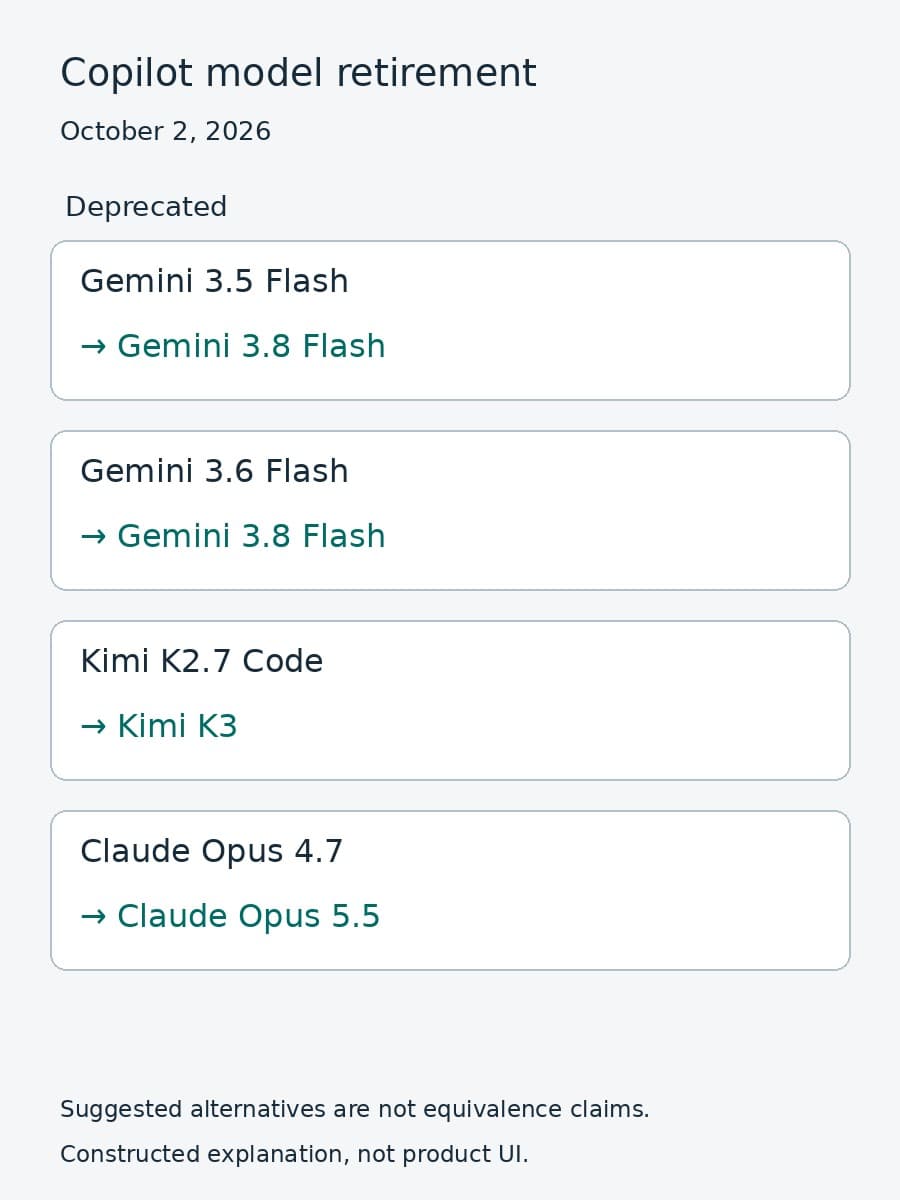
GitHub retired four models across its Copilot experiences on October 2, 2026. The official announcement names Gemini 3.5 Flash, Gemini 3.6 Flash, Kimi K2.7 Code, and Claude Opus 4.7. It also names suggested replacements and warns that Copilot Enterprise administrators may need to enable access through model policies.
This is a Copilot availability change, not a claim that the underlying providers have retired those models from their own APIs. GitHub's scope includes Copilot Chat, inline edits, ask and agent modes, and code completions. Teams using an affected model should check both their workflows and their access to a supported alternative.
Which models changed
GitHub gives the same deprecation date for all four models:
Scroll sideways to see all 2 columns.
| Deprecated Copilot model | Suggested alternative |
|---|---|
| Gemini 3.5 Flash | Gemini 3.8 Flash |
| Gemini 3.6 Flash | Gemini 3.8 Flash |
| Kimi K2.7 Code | Kimi K3 |
| Claude Opus 4.7 | Claude Opus 5.5 |
These are GitHub's suggested alternatives, not promises of identical output, cost, latency, or tool behavior. The announcement does not provide a workload-specific comparison between an old model and its replacement. It also does not describe a universal automatic fallback rule for every client or integration. Check the current supported-model documentation and the behavior of the Copilot experience your team actually uses rather than inferring either from the table.
No action is required to remove the deprecated models. GitHub does, however, ask customers to update workflows and integrations to use supported models. That makes identifying references to an old selection useful even when the model disappears from a selector without administrator intervention.
Check the policy before diagnosing the client
For Copilot Enterprise, the suggested replacement may require a model-policy change. GitHub tells administrators to check their individual Copilot settings and confirm that the policy is enabled for the specific model. Once enabled, the model should appear in the Copilot Chat selector in VS Code and on github.com.
That distinction matters when a developer reports that the replacement is missing. A model can be supported by the product but unavailable under the team's policy. Before changing prompts or rebuilding an integration, have the administrator inspect the relevant model setting and then confirm the selector from the affected user's context.
Keep the checks narrow. Record which replacement you intended to enable, which policy you inspected, and where a developer confirmed access. Do not turn an access test into a claim that every Copilot feature uses that model in the same way. The announcement's selector guidance specifically names Copilot Chat in VS Code and on github.com.

If the model is enabled but still unavailable, use the current GitHub documentation and support path for the affected experience. GitHub encourages Enterprise customers with questions or concerns to contact their account manager. The retirement announcement does not establish a troubleshooting result for an individual organization.
Verify the work separately from availability
Seeing a replacement in the selector answers an access question. It does not answer whether that replacement produces work your team accepts. BaristaLabs recommends testing a small set of normal tasks and difficult cases after confirming access, before making the new selection part of a wider team baseline.
Use the same acceptance criteria you apply to the work today. For code changes, inspect the resulting diff, run relevant checks, and have the responsible reviewer assess it. For explanation or analysis tasks, check the answer against the repository and the question rather than treating a fluent response as evidence. These are proposed evaluation steps, not results from a BaristaLabs deployment or a claim that any replacement wins.
Record the model selected, Copilot experience used, task, observed result, and reviewer decision. Keep availability failures separate from rejected output. Otherwise, a policy issue can look like a model-quality problem, or a successful selector check can be mistaken for a successful migration.
The same separation applies to integrations outside Copilot. Our Gemini request-migration guide concerns Google's direct API request behavior. It should not be used to infer the request fields or lifecycle of a Copilot model selection. Product availability and provider API compatibility are different boundaries.
Make the replacement path visible to the team
Start by finding affected selections in the workflows and integrations you own. Note the old model, GitHub's suggested alternative, the person responsible for access, and the place where users will confirm the replacement. Then attach the evaluation notes for the work you expect the replacement to handle.
Tell developers what changed and what still needs checking. A useful update names the retired selection and the available replacement, explains whether policy access is confirmed, and links to the team's acceptance checks. It should not promise equivalent behavior before that behavior has been examined.
BaristaLabs offers AI consulting for teams connecting model changes to existing engineering workflows. Discuss one team's Copilot replacement path if you need help checking access and evaluating accepted work. Bring a redacted workflow list and policy description, not proprietary source code.
Sources
- GitHub Changelog: Selected models in GitHub Copilot deprecated, October 2, 2026: retired models, suggested alternatives, affected experiences, and administrator guidance.
- GitHub Docs: Supported AI models in GitHub Copilot: current model availability reference linked by the announcement.
The retirement date and replacement suggestions above come from GitHub. The workflow inventory, evaluation notes, and team communication steps are BaristaLabs guidance.
Copilot model migration
Check one team's replacement path
BaristaLabs can help connect your Copilot model policies to a small evaluation of the work your team needs to accept.
Bring a redacted list of affected workflows and current policy settings.
Turn this idea into a pilot
Which workflow should go first?
Use the readiness check to compare impact, effort, risk, owner, and next step before requesting a review.
- 3-5 minutes
- Deterministic score
- No sensitive data
Practical AI Workflow Notes
Want more practical AI operations ideas?
Get short notes on applying AI inside real small-business workflows — from document handling and customer follow-up to internal reporting, compliance, and automation guardrails.