


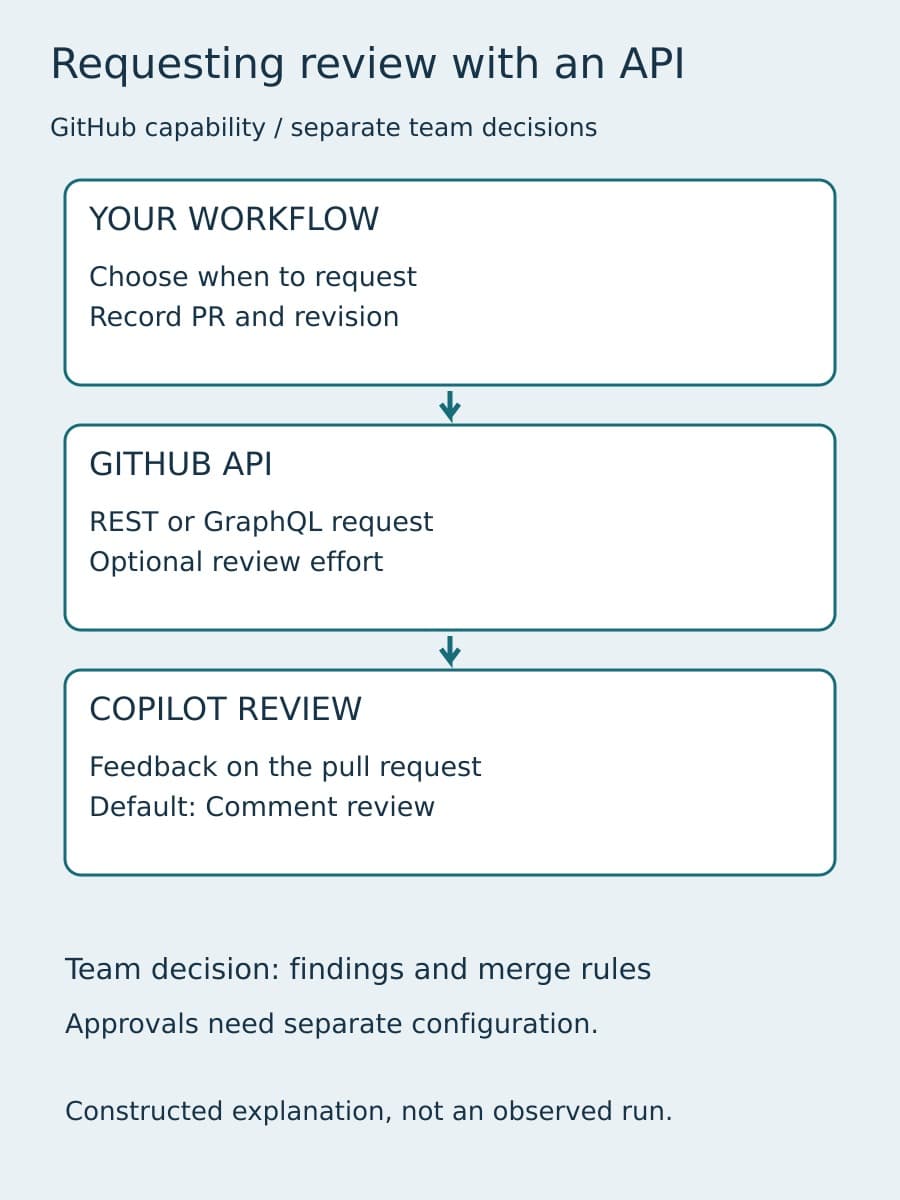
GitHub Copilot code review can now start from a team's own script or internal tool. GitHub's October 2 announcement adds supported REST and GraphQL requests, with an optional review effort level for each request.
The useful change is where a review can begin. A developer no longer has to make every request through the pull request interface. A team can connect the request to an existing workflow. That also gives the integration a new responsibility: distinguishing a request it sent from the review that eventually appears.
What GitHub has released
GitHub says API requests are generally available to Copilot Pro, Pro+, Max, Business, and Enterprise plans. The announcement does not provide a universal request payload or an integration-specific price. Use the current API documentation for the interface you choose, and check the permissions and policies that apply to your repository before writing the caller.
The same announcement confirms that Balanced became the effective Default review effort on September 28, 2026. Explicit Lite selections were respected. Enterprise, organization, repository, and personal settings can configure review effort, with each level able to override the one above it.
Those settings deserve attention, but they are not the main integration problem. Our earlier guide to the Balanced default explains the inherited-setting decision. Here, the new decision is how your caller records a review request, follows its result, and handles another event for the same pull request.
Record the code state behind the request
A useful request record identifies the repository, pull request, head commit, triggering event, intended effort, request time, and the identity making the call. This is BaristaLabs integration guidance, not a new GitHub API schema. Keep it in your own workflow record; do not assume every item is a supported API parameter.
The head commit matters because a pull request can change while the review is running. If another commit arrives, feedback on the earlier code state should not silently become evidence about the new one. Preserve the association between the request and the code you intended to review. When GitHub exposes review details, retain those alongside the request record and inspect which changes the feedback covers.
Give the record separate states for a request attempt and an observed review. An HTTP response can tell the caller something about its request. It is not, by itself, proof that analysis finished or that useful feedback was posted. Define completion using the documented review information available to your integration rather than treating a successful transport response as a completed review.
Handle repeated events without inventing API guarantees
Webhook deliveries, workflow restarts, and an uncertain network response can all lead a caller to consider sending another request. The October 2 announcement does not establish an idempotency guarantee, a retry schedule, or a rule that repeated requests collapse into one review. Do not build those assumptions into the integration.
Before sending, check your own request history for the pull request and head commit. If the same event was already handled, follow the existing attempt instead of submitting another by default. If the previous response was lost or unclear, inspect the available request and review state before deciding whether another attempt is warranted. Use the current API's documented error and rate-limit behavior for the actual retry policy.
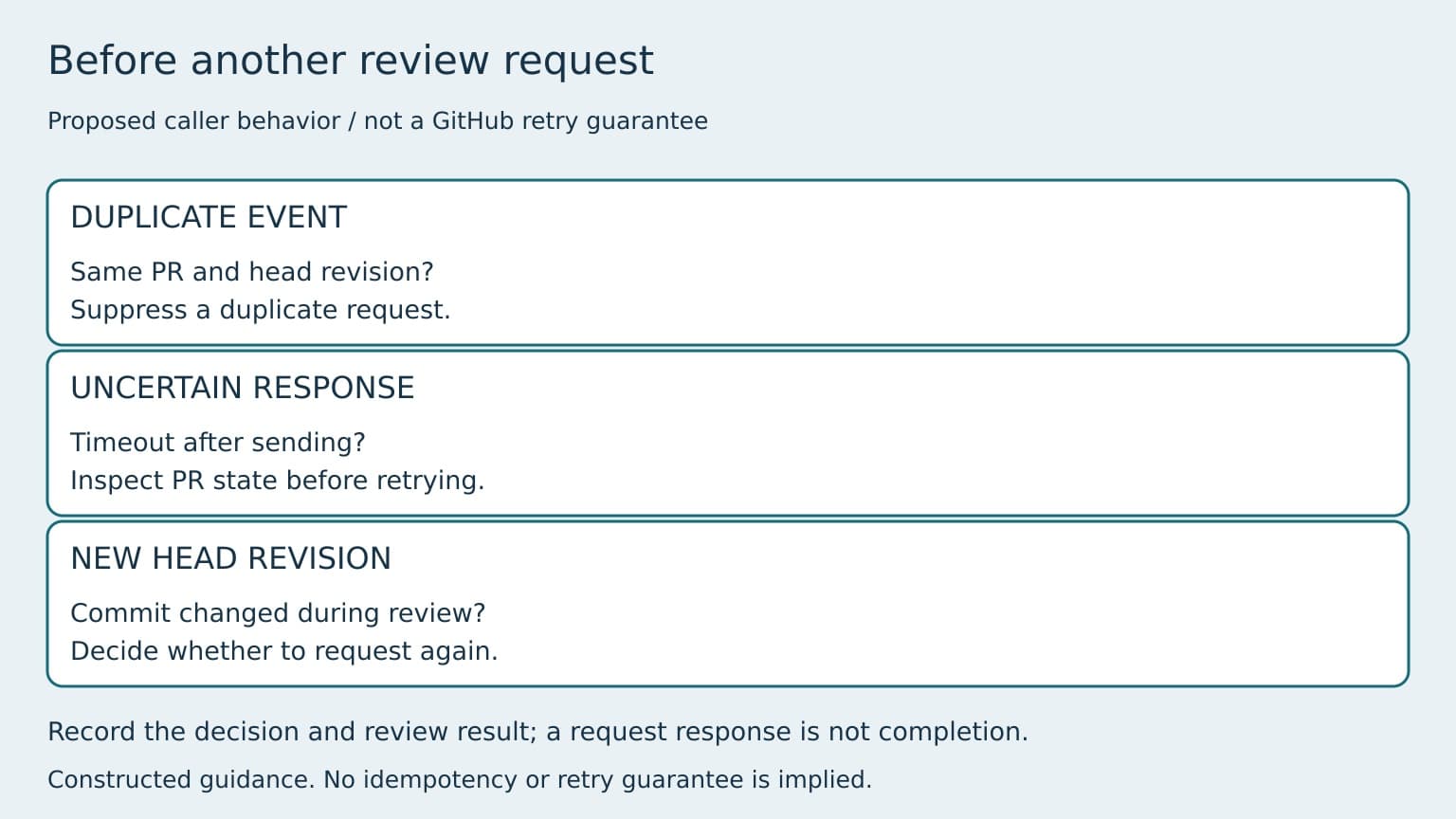
A new head commit is a different case from a duplicate delivery. Decide explicitly whether your integration should request another review for that code state. The right trigger depends on your workflow and current GitHub support; the announcement does not say that an API request makes every later push trigger another review.
Keep feedback separate from permission to merge
API access changes the entry point, not the meaning of the review. Read Copilot's findings against the changed code and the relevant checks. A request record should help a reviewer find that evidence, not replace it.
GitHub's code review documentation distinguishes feedback from separately configured approval behavior. Check your repository's current configuration before deciding whether a Copilot review counts toward any approval requirement. Do not infer merge permission from the presence of a review, its effort level, or the caller's successful response.
Keep branch rules, required checks, code-owner review, and accountable merge decisions visible in the workflow. If your internal tool displays “review complete,” explain what that state means. “Feedback observed for this request” is narrower and more useful than a green status that users might read as “safe to ship.”
Start with one request path
Choose one repository and one trigger that already has a clear owner. Follow a normal request from the event through the API attempt to the visible review. Then exercise a duplicate event, an uncertain response, and a new head commit. These are proposed integration tests, not results from a BaristaLabs production deployment.
The goal is a caller that can explain what it sent, which code state it concerned, what it observed afterward, and what remains for a person to decide. You can add more triggers once that explanation stays clear across interruptions and repeated events.
BaristaLabs offers AI consulting for teams connecting AI capabilities to existing engineering workflows. If you are adding this request path, discuss one repository's review integration. Bring a redacted workflow description rather than proprietary source code.
Sources
- GitHub Changelog: Copilot code review API support and new default effort level, October 2, 2026.
- GitHub Docs: About GitHub Copilot code review.
Product availability and default-setting dates above come from GitHub. Request records, duplicate-event handling, and the suggested integration tests are BaristaLabs guidance, not claims of observed API behavior.
AI code review baseline
Connect one review request path
BaristaLabs can help connect one repository trigger to a traceable request, observed feedback, and accountable review decisions.
Bring a redacted workflow description, not proprietary source code.
Turn this idea into a pilot
Which workflow should go first?
Use the readiness check to compare impact, effort, risk, owner, and next step before requesting a review.
- 3-5 minutes
- Deterministic score
- No sensitive data
Practical AI Workflow Notes
Want more practical AI operations ideas?
Get short notes on applying AI inside real small-business workflows — from document handling and customer follow-up to internal reporting, compliance, and automation guardrails.