
Say you run marketing for a mid-sized company: a public help center, a few gated whitepapers, a blog that still pulls decent organic traffic. Once a quarter, someone checks the Cloudflare security settings to make sure nothing broke. This quarter, the checklist got longer. There's a panel sorting incoming bots into categories that didn't used to exist as separate switches: Search. Training. Agent. Data Collection. Each one asks a version of the same question, should this visitor get in for free, and for the first time, the answer isn't the same for all of them.
That panel is the sharp edge of an update Cloudflare has been building toward for a year. The company's Content Independence Day announcement, first published in mid-2025 and updated again at the end of June 2026, sets a firm date: on September 15, 2026, new default access rules for AI crawlers take effect, sorted into Search, Training, and Agent classifications. TechCrunch's coverage of the update frames it plainly: AI companies have until that date to separate the crawlers they use for search from the crawlers they use for training and agents, or risk default blocking on a large share of the publisher web.
For anyone who owns a public website, help center, or ad-supported content, that's a deadline hiding inside a settings panel. Whatever is checked on September 14 becomes policy on September 15, whether anyone chose it or not.
What actually changes on September 15
According to Cloudflare, every new domain onboarding to the platform after September 15 will have Training and Agent crawler categories blocked by default on any page that displays ads. Search stays allowed by default, because search referral traffic is the one category that sends visitors back to you instead of just taking your content.
If you already run a site on Cloudflare, your current settings hold, but only if you act. Cloudflare says existing customers can opt out in Security settings before the deadline, which is your cue to go check now rather than find out in October that a default you never chose is already live on your ad-supported pages.
Cloudflare's own documentation on verified bots complicates that split further: multi-purpose crawlers, ones that combine search behavior with training behavior in the same bot, get governed by all of their behaviors at once. Cloudflare names Googlebot, Applebot, and BingBot as examples. If you choose to block Training, and one of those crawlers also trains on the pages it indexes, you can end up blocking the same bot you meant to keep, because it's wearing two hats.
Block Training without checking this first, and you can knock out Googlebot along with it: same bot, two jobs, one switch.
The toll: how Pay Per Crawl actually works
Blocking was always the blunt option. Cloudflare's other 2026 update, Pay Per Crawl, still in private beta, adds a third choice between "let them in" and "keep them out": charge them.
The mechanics are close to how the web already works, which is the point. A publisher sets Allow, Charge, or Block per crawler, and can define a flat, per-request price across the whole domain. When a crawler requests a priced URL, Cloudflare returns an HTTP 402 Payment Required response with a crawler-price header attached. A crawler that wants the content retries the request with a crawler-exact-price header, signaling it agrees to pay. Cloudflare says it acts as Merchant of Record for the transaction and handles the underlying infrastructure, including crawler authentication through Web Bot Auth and HTTP Message Signatures, so a publisher isn't left verifying bot identity by hand.
Pay Per Crawl is still private beta, publisher-side only, and unproven at scale; nobody should plan a content business around it yet. What it does change today is the shape of the decision. "Block" used to be the only teeth a small publisher had. Now there's a price tag between open and closed, which means someone on your team has to decide what that price is, and for which pages.
BaristaLabs covered the builder side of this same handshake back in March, when Cloudflare's /crawl endpoint made it trivial to turn any site into clean Markdown for a RAG pipeline. This is the other half of that transaction. The site being crawled now gets an explicit say in whether that's a free lookup or a billed one.
It also means your own tools might be the ones getting billed, or blocked. If a research agent, competitor monitor, or content pipeline you run hits a 402 on someone else's site, the negotiation has to happen somewhere. AWS's Bedrock AgentCore Payments already builds that negotiation into agent runtimes on the buyer side, handling the 402 handshake without stopping the agent's reasoning loop. That's a different problem from the one this post is about, worth knowing exists but not the one to untangle here.
Why "crawler" stopped being one category
The instinct most teams have is to treat AI crawlers as a single bucket: either you're pro-AI-visibility and leave everything open, or you're protective and block anything that looks automated. Cloudflare's own classification scheme argues against that instinct. Its verified bots documentation lists behavior classes including Search, Agent, Training, Transact, Data Collection, Security Testing, SEO, Ads Verification, Social/Link Preview, Feed Fetching, and Monitoring & Operations, with Search, Agent, and Training available as managed presets on every plan.
Cloudflare also draws a line most site owners have never had to think about: Direct versus Intermediary access. A Direct bot is operated by one narrow, identifiable operator, usually on its own infrastructure. An Intermediary is an agentic service that many different end users can operate through, which means a request arriving under one bot's identity might actually be acting on behalf of someone you've never heard of. That distinction matters most for the Agent category, where the honest answer to "should this visitor get in free" depends on who's actually asking.
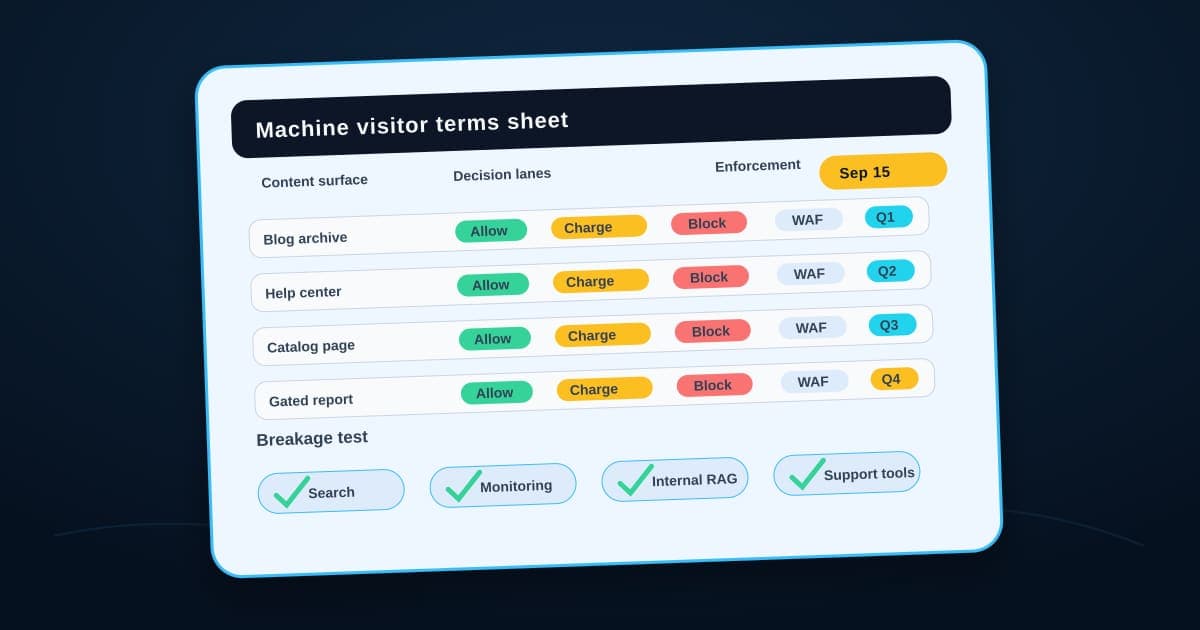
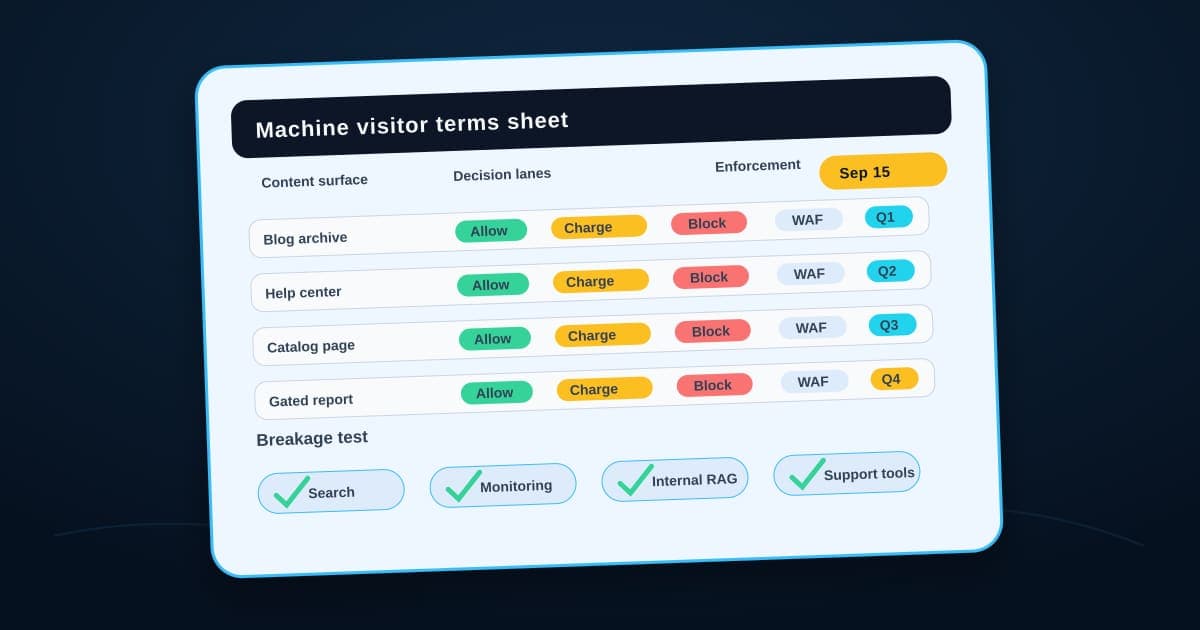
The machine visitor terms sheet
Public content access packet
One row for each machine visitor decision
Fill this out once per public content surface, before Cloudflare's September 15 default makes the decision for you.
- 01
Content surface
Pins down: The specific section this row governs: blog, help center, product catalog, pricing pages, docs, or public knowledge base
Why it matters: A blanket policy for "the website" ignores that a pricing page and a help article have completely different reasons to be visible.
- 02
Visitor class
Pins down: Search crawler, training crawler, answer crawler, user-driven agent, vendor integration, competitive data collector, monitoring tool, or paid crawler
Why it matters: A visitor class is not the same as the business term you want for that visitor on this surface.
- 03
Allowed use
Pins down: Index for search, fetch snippets, summarize for a named user, monitor uptime, read metadata, or access a paid subset
Why it matters: Writing the allowed use keeps useful search, support, monitoring, and partner activity from being blocked by accident.
- 04
Blocked use
Pins down: Training, bulk copying, resale, competitive data collection, gated-asset extraction, or rate-limit avoidance
Why it matters: A clear blocked-use row lets the implementer convert the business boundary into a narrow rule instead of a site-wide reflex.
- 05
Payment or permission expectation
Pins down: Free, ask first, paid crawl, license required, partner-only, internal-only, or never allowed
Why it matters: Paid access is an operating term with an owner, not just a different button in a security panel.
- 06
Evidence required
Pins down: Verified identity, declared purpose, contact path, request pattern, customer context, signed agreement, rate-limit behavior, or test URL result
Why it matters: A legitimate bot can still need evidence before it gets broad access to a valuable surface.
- 07
Enforcement path
Pins down: Cloudflare AI crawler policy, verified-bot rule, robots rule, WAF rule, rate limit, paid-crawl setting, block page, or 402/403 response
Why it matters: Implementation should follow the terms row, not become the place where the policy gets invented.
- 08
Exception reviewer
Pins down: The person who can approve a crawler exception and the person who can revoke it
Why it matters: Exceptions become stale policies when nobody owns approval and revocation.
- 09
Breakage test
Pins down: What happens when your own RAG pipeline, research agent, SEO tool, or monitoring workflow hits a 402 or 403 on your own site
Why it matters: Silent failures here show up as empty reports before they show up as alerts.
- 10
Revisit date
Pins down: When the term expires or needs review, especially for paid exceptions and new crawler classes
Why it matters: A revisit date keeps one launch-week decision from becoming a permanent default.
A default is a decision you didn't make. This is the one you did.
A few of these rows do more work than they look like on paper.
Agent crawlers is the row teams get wrong first, because "agent" sounds like it should default to block, right alongside training. But the category includes very different jobs: customer assistance, vendor integrations, research assistants, and unidentified intermediary traffic. Cloudflare's Direct-versus-Intermediary split exists because the person or system ultimately driving the request matters.
Ad-supported pages is the row most likely to cause a fight, not because the mechanics are hard, but because Cloudflare's default and your business model may disagree. A help center funded by subscriptions has different incentives than a site funded by page views. The default does not know which one you are. You do.
The breakage test is the row most teams skip, and it's the one that costs the most when they do. If a training or agent crawler moves from allow to block or charge, the same rule change hits everything with that bot signature, including your own tools. A research agent your team runs, an SEO crawler you pay for, or a monitoring service checking your own uptime can start silently failing the moment the new default takes effect, and nobody notices until a report comes back empty for a week.
Start with the page you'd protect first
Don't start this exercise with your whole domain. Start with one content surface you'd actually defend: the pricing page that took a quarter to get right, the help center that's really a support-cost reducer, the research you charge for elsewhere. Write that row of the terms sheet first, test it against the September 15 default, and confirm your own workflows still get through.
Then widen it. The same discipline behind AI workflow controls or an AI workflow security review applies here too: name the boundary for one surface before assuming it holds everywhere. The public web and AI-search artifact shelf shows where a terms sheet fits beside source maps, customer-promise inventories, and AI-readable page briefs.
If you'd like a second set of eyes on the terms sheet before the default applies, bring BaristaLabs one public content workflow, a blog, help center, catalog, or knowledge base, and we'll help you classify the machine visitors, price the exceptions, and test what breaks before Cloudflare decides for you.
Machine visitor terms
Write the terms sheet before the September 15 default applies
Bring one public content surface, a blog, help center, catalog, or knowledge base, and BaristaLabs will help you classify machine visitors, price the exceptions, and test what breaks before Cloudflare's defaults decide for you.
Best fit for teams with ad-supported pages, a help center, or content used to train their own AI workflows.
Turn this idea into a pilot
Which workflow should go first?
Use the readiness check to compare impact, effort, risk, owner, and next step before requesting a review.
- 3-5 minutes
- Deterministic score
- No sensitive data
Practical AI Workflow Notes
Want more practical AI operations ideas?
Get short notes on applying AI inside real small-business workflows — from document handling and customer follow-up to internal reporting, compliance, and automation guardrails.