
GitHub Copilot budget requests: approve the right total
A Copilot budget approval sets a new member total. Route the request to the paying account and check the other limits before assuming work can resume.

Sean McLellan
Lead Architect & Founder

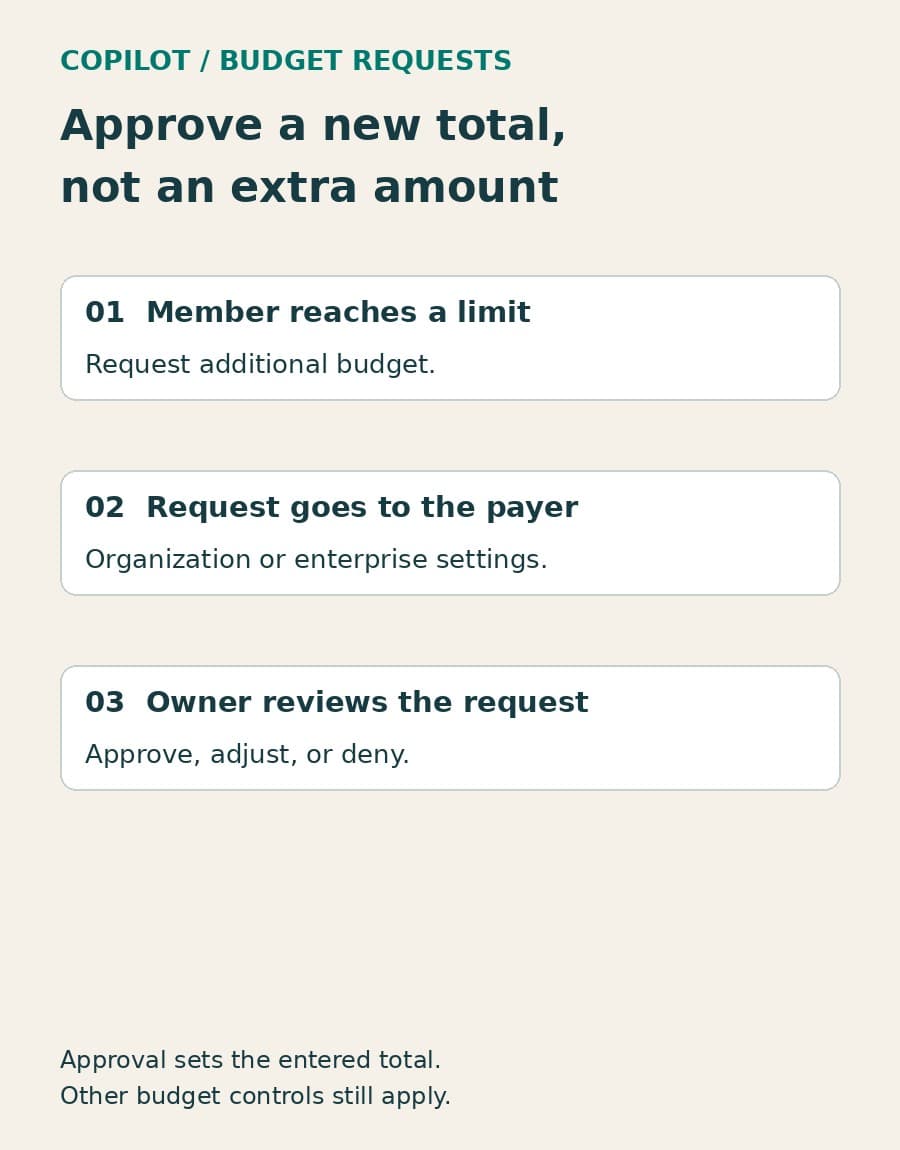
GitHub Copilot users who exhaust their AI-credit budget can now ask their organization or enterprise for an increase. GitHub announced general availability for Copilot Business and Enterprise plans with usage-based billing in its September 18 release roundup. Enterprises with managed users are excluded.
For engineering managers and billing owners, this adds a formal way to handle a developer who needs more capacity. The important detail is what approval changes: the amount entered becomes the member’s new budget total. It is not an extra amount added to the old limit.
The request goes to the account that pays
GitHub’s request-management documentation says that members who use all their available AI credits are blocked from features that consume those credits. They can then request an increase.
The paying account determines where the request appears. An organization-owned budget sends the request to that organization’s settings. An enterprise-owned budget sends it to the enterprise’s settings. This matters when the person managing a team is not the person managing its Copilot billing: looking in the team’s organization may not find a request against an enterprise budget.
Owners and billing managers can approve, adjust, or deny requests. In the relevant account’s settings, the documented entry is Requests from members. For approval, the reviewer sets a new amount for each request, selects the requests, and clicks Approve and increase.
Before handling a queue, identify the paying account and who can act there. That is a small administrative step, but it prevents an exhausted developer budget from becoming a search across settings pages and internal messages.
Enter the intended total, not the requested difference
The documentation is explicit: approval sets the member’s budget to the amount entered. A reviewer should therefore distinguish the current budget, the additional capacity being discussed, and the intended new total.
BaristaLabs recommends recording the old total and the approved new total together, alongside the work the increase supports. These are useful internal approval notes, not additional GitHub form fields. They let someone checking the change later see what was authorized without reconstructing the conversation.
The same distinction matters when approving several requests at once. GitHub’s procedure calls for setting an amount for each request before selecting and approving them. Review those values individually rather than treating the selected group as one shared increase.
A developer’s need for more credits can be reasonable without establishing a new standing allowance. A migration, an unusually large investigation, or a change in model use can alter consumption. GitHub’s budget-configuration guidance recommends using historical consumption and model-usage patterns to distinguish temporary spikes from a steady baseline.
Approval does not remove other spending limits
GitHub says approving a request restores the member’s access to AI credits. That statement needs to be read alongside its broader budget guidance: raising user-level budgets without enough enterprise budget can leave users blocked before they reach their individual limits.
An approved member increase and an applicable spending limit are different controls. If work remains blocked after approval, check the remaining budget constraints before granting another increase. A higher member total does not, by itself, authorize a change to every budget that governs the account.
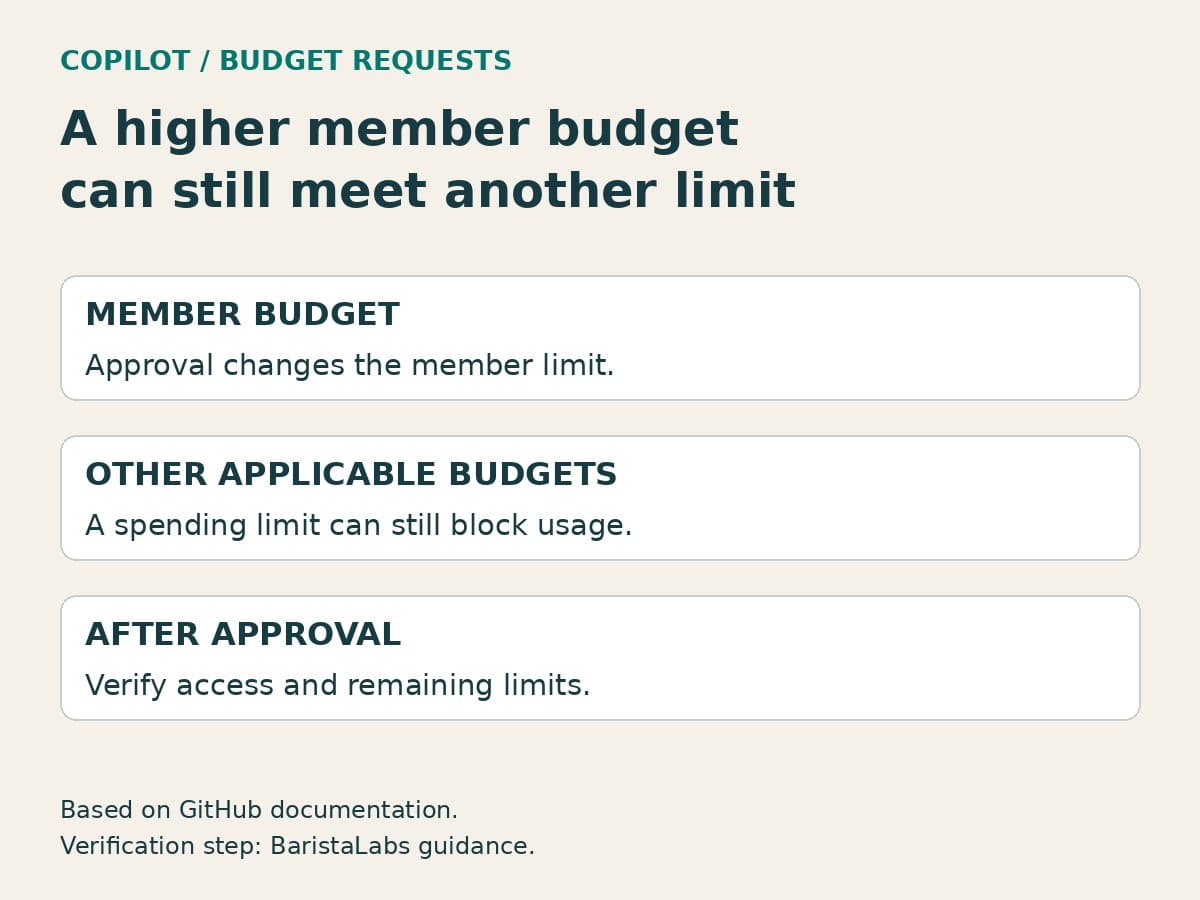
Our guide to AI quotas, rate limits, and spend caps explains why the recovery action must match the control that stopped the work. Here, the immediate question is narrower: did the approved change address the member’s exhausted budget, and is another applicable limit still stopping credit-consuming features?
Do not automatically raise the enterprise budget to make the approval appear successful. The owner of that spending limit needs to decide whether the remaining work justifies changing it. Keeping that decision separate preserves the purpose of the control.
Repeated requests should change the next budget review
The new queue can resolve individual interruptions. Over time, it can also show where the budget setup no longer matches the work. GitHub recommends looking at per-user consumption, model patterns, and monthly trends when sizing budgets. Those observations can help separate a recurring need from a one-off exception.
Our recommendation is to record a review date when approving an unusual increase. Treat that as an internal follow-up, not a promise that GitHub will automatically expire or reverse the change. At the review, compare the reason for the request with subsequent use and decide whether to keep or revise the allowance.
Start with the next real request: confirm the payer, enter the intended new total, and check whether the affected features are usable afterward. If a different spending control still blocks the work, take that evidence to its owner rather than approving the same request again.
Sources checked September 20, 2026. Availability comes from GitHub’s September 18 announcement; request behavior and budget interactions come from its current documentation. Approval notes and follow-up practices above are BaristaLabs recommendations.
AI operations
Make budget approvals easier to review
BaristaLabs can help document the paying account, approval responsibilities, and checks for a Copilot budget increase.
Bring your account structure and approval process, not credentials or confidential billing records.
Turn this idea into a pilot
Which workflow should go first?
Use the readiness check to compare impact, effort, risk, owner, and next step before requesting a review.
- 3-5 minutes
- Deterministic score
- No sensitive data
Practical AI Workflow Notes
Want more practical AI operations ideas?
Get short notes on applying AI inside real small-business workflows — from document handling and customer follow-up to internal reporting, compliance, and automation guardrails.