
Copilot Auto's new tiers: choose a priority, not a model
Copilot Auto now lets developers weigh cost, quality, and response time. All three tiers use the same available models; the selected model still determines usage charges.

Sean McLellan
Lead Architect & Founder

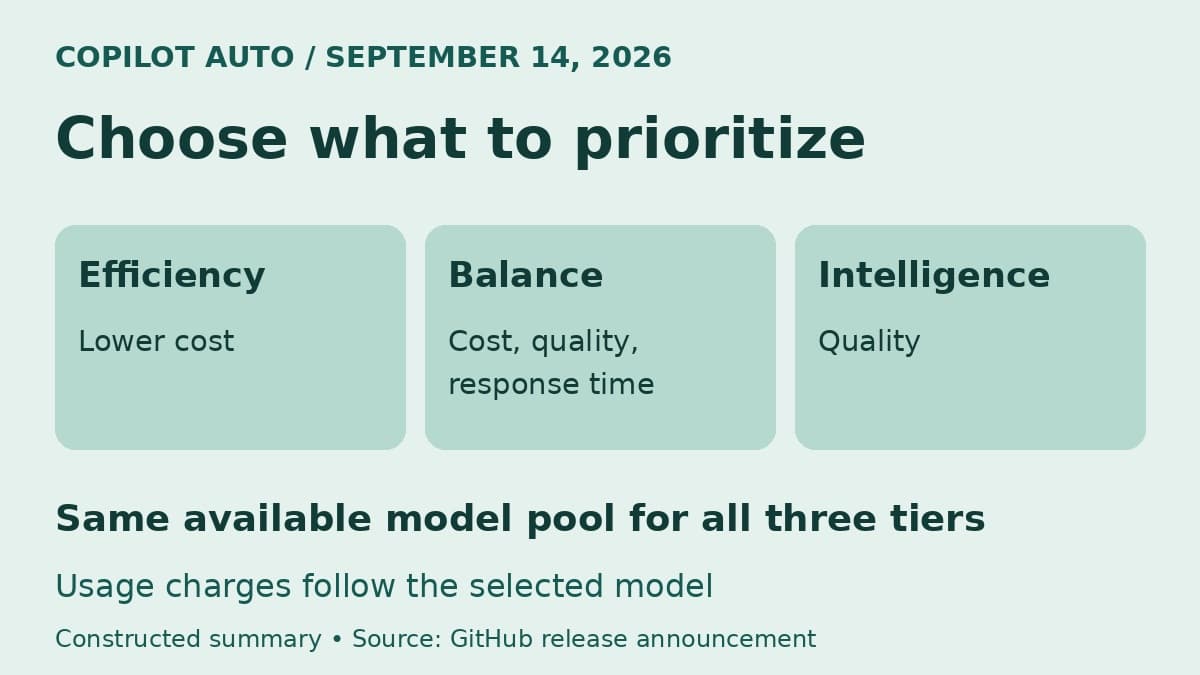
GitHub Copilot's Auto setting now lets developers choose what model selection should prioritize. The September 14 announcement introduces efficiency, balance, and intelligence tiers, which weigh cost, quality, and response time differently. The feature is rolling out in Visual Studio Code, Copilot CLI, and the GitHub Copilot app.
The useful change is that a developer can express a preference without choosing a particular model for every prompt. But the tier names need a careful reading: all three draw from the same available model set, and usage is charged according to the model Auto selects. Choosing efficiency does not establish a spending limit; choosing intelligence does not reserve the largest model.
The tier changes the preference, not the model pool
In its release announcement, GitHub describes the choices this way:
Scroll sideways to see all 3 columns.
| Tier | What GitHub says it prioritizes | A reasonable starting use |
|---|---|---|
| Efficiency | Keeping costs low; fast, straightforward tasks | A small, well-described documentation edit |
| Balance | Cost, quality, and latency together | Everyday coding work with no overriding preference |
| Intelligence | Quality for complex tasks | A difficult debugging question where a better answer matters more than a quick one |
The use cases in the last column are BaristaLabs recommendations, not measured results or restrictions on what each tier can handle. A developer can choose a starting preference without assuming it will be best for every request.
Auto still evaluates individual prompts. GitHub gives the example of adding a docstring to an existing function: even under intelligence, that simple task may go to a small, efficient model. The name describes what the router should optimize for, rather than which model must answer.
That also explains why two tiers can produce responses from the same model. There is no requirement in the announcement for every preference change to cause a model change. If a straightforward request gets the same model under efficiency and intelligence, that alone does not show that the setting failed.
Read the response model alongside the tier
GitHub's Auto documentation describes task-aware routing as a combination of task complexity and real-time system health and availability. The tier adds the developer's preference to a system that already has other factors to consider.
The documentation also says routing follows natural cache boundaries. It would therefore be misleading to picture every prompt as starting an entirely fresh, context-free model contest. GitHub explains that switching models mid-session can add cost without enough improvement in quality. The release note's statement that Auto evaluates each prompt should not be read as a promise to switch models on every turn.
To understand an actual response, look at its selected model. GitHub says Copilot Chat exposes that information when you hover over the response, Copilot CLI displays it in the terminal, and the Copilot app shows it beside Auto in the model picker. That is more useful than inferring model size from the tier name.
For an internal support report, include the client, selected tier, task, and displayed model. Those details help distinguish a question about routing from a question about the answer itself. A model name still does not settle whether generated code is correct; the relevant tests and review remain the way to judge the change.


A lower-cost preference is not a fixed-price option
The billing rule in the announcement is direct: usage is charged based on the model Auto selects, regardless of tier. Paid subscribers continue to receive a 10% discount on usage billed through Auto. That is a discount on eligible usage, not a claim that the efficiency tier reduces a team's overall Copilot bill by 10%.
GitHub publishes no fixed price for any of the new tiers in this announcement. Nor does it provide a measured savings percentage for switching from balance to efficiency. Treat the setting as a way to express cost sensitivity, and use actual usage records to understand the financial result.
This is a different question from HydraFusion's multi-model task costs. That research preview can orchestrate drafting, escalation, and critique. Today's Auto announcement concerns preferences for model selection. It does not establish that choosing intelligence enables HydraFusion or a particular sequence of agent stages.
For a team lead, a useful default recommendation is balance for ordinary work, with developers free to choose efficiency when the task is straightforward or intelligence when answer quality takes priority. This follows GitHub's descriptions; it is not a claim that BaristaLabs has benchmarked the tiers. Keep any spending controls separate from that working convention.
Model permission remains an administrator decision
All three tiers use the same available model set, but that does not mean every Copilot customer has access to every model. GitHub's documentation says Auto operates within the user's subscription and administrator policies. It excludes models unavailable in the plan and models disallowed by the applicable policies, including restrictions for data residency or FedRAMP compliance.
A preference for intelligence should therefore not be treated as permission to use an otherwise excluded model. Conversely, efficiency is not an allowlist of only inexpensive models. If an organization needs to control which providers or models may process its code, the relevant control is model policy, not an informal instruction to choose a tier.
The rollout also has a specific scope. The September 14 note names VS Code, Copilot CLI, and the GitHub Copilot app. Broader documentation about where Auto already works does not establish that the new tiers have reached every one of those other clients. Confirm that the choice is present in the client your team uses before updating internal instructions.
The practical benefit is modest but useful: developers can tell Auto what matters for the work in front of them while leaving model selection to the router. Document the team's starting preference, show people where to see the model that actually answered, and keep pricing and model permissions in their respective controls.
Sources
- GitHub: Configure cost and quality in Copilot auto model selection, September 14, 2026.
- GitHub Docs: About Copilot auto model selection, accessed September 14, 2026.
Copilot team guidance
Make Copilot choices easier for your team
BaristaLabs can help define Copilot usage guidance and review how model permissions fit your software workflow.
Bring your current Copilot clients, model policy, and common coding tasks.
Practical AI Workflow Notes
Want more practical AI operations ideas?
Get short notes on applying AI inside real small-business workflows — from document handling and customer follow-up to internal reporting, compliance, and automation guardrails.