


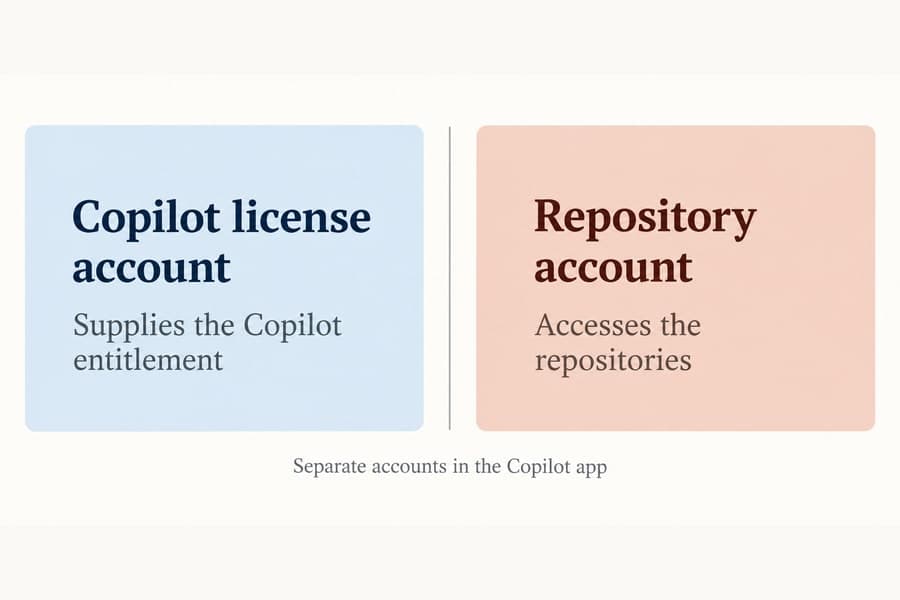
A developer's Copilot license and repository access do not always live under the same GitHub account. The October 9 GitHub Copilot release roundup says the Copilot app now supports that arrangement: you can use separate GitHub accounts for your Copilot license and your repositories.
GitHub gives a concrete example: use an enterprise-provided Copilot license while accessing repositories through another account. For teams with that account arrangement, the release offers a way to use the app without making the two identities the same. The decision is which account should supply the entitlement and which should access the code—not whether a second account creates new permission to use that code with AI.
Two identities, two jobs
The license account supplies the Copilot entitlement. The repository account is the account used for repository access. GitHub's announcement includes an app-settings image pointing to the separate GitHub and Copilot account settings, but it does not give a complete sign-in procedure or list every supported account combination.
That scope matters. This is an announcement about the Copilot app. The same roundup has separate sections for Copilot CLI and VS Code, but their listed changes concern other features. Do not treat this account change as evidence that the CLI, an IDE extension, or every Copilot surface supports the same arrangement.
If both roles already belong to one account, the announcement is not a reason to create a second identity. Its practical value is for an existing mismatch: the account with the license is not the account that should be used to reach the repository.
The enterprise-license example is not a permission grant

Consider a developer whose enterprise supplies Copilot through one account while their intended repository work uses another. The app can now represent those two roles separately. Before using the arrangement, the developer still needs an answer to a different question: does the organization permit that license to be used for this work?
The announcement establishes the product capability, not approval for every employer, client, or personal repository. It does not say that separating accounts transfers a license, changes repository membership, guarantees data isolation, or determines which organization's policies apply in every combination. Those are questions to resolve with the relevant administrator and current GitHub documentation, rather than benefits to infer from the settings image.
The useful distinction is between can configure and may use. A successful sign-in would show that the app accepted an account arrangement. It would not, by itself, show that the repository owner approved AI assistance or that the licensing organization approved that use.
Check the account pair before starting repository work
For an approved workflow, record the two account names and their roles in a redacted internal note. Identify who supplied the license and who owns the repository. Avoid a vague instruction such as “sign in with your work account” when more than one identity could fit that description.
Then inspect the app's account settings and confirm that each role points to the intended identity. Start with a non-sensitive repository that the repository account is already authorized to access. Confirm that the intended Copilot functionality is available and that the repository reached is the intended one. These are proposed verification steps, not results from a BaristaLabs test.
If either check fails, keep the diagnosis specific. Is the license account wrong, is the repository account wrong, or does the intended work need an administrator's answer? Do not try to solve an account mismatch by broadening repository access or buying another license before identifying which role is causing the problem.
A short onboarding note should also say who to contact when either account changes. That gives the next developer a repeatable explanation without turning the release into a claim about automated offboarding or policy enforcement that GitHub has not made here.
Keep adjacent controls separate
This is not the same change as Copilot code review's billing and request-access controls. That release concerns who pays for a review and who can initiate one. This release concerns which accounts the standalone app uses for licensing and repositories. Do not carry the code-review billing rules over to app sessions without supporting documentation.
Similarly, our content-exclusion guide addresses which repository content Copilot should ignore. Choosing the intended repository identity does not replace that separate content decision.
The immediate action is modest: where your team already has two identities, decide the approved account pair, verify it in the app, and make the roles explicit in onboarding. Where it does not, keep the simpler arrangement. The new flexibility solves an identity mismatch; it should not introduce one.
Source and scope
- GitHub Changelog: GitHub Copilot weekly releases — October 5, published October 9, 2026; accessed October 11, 2026. The Copilot app section states that license and repository accounts can differ and gives the enterprise-license example.
Product claims come from that announcement. The account-mapping and verification advice is BaristaLabs guidance. No customer rollout, independent security finding, or observed account-switching result is claimed.
AI developer identity
Map the two accounts for one approved Copilot workflow
BaristaLabs can help document the license identity, repository identity, permitted work, and questions your administrator needs to resolve before a wider rollout.
Bring a redacted account-role summary and the intended repository ownership. Do not send credentials or private source code.
Turn this idea into a pilot
Which workflow should go first?
Use the readiness check to compare impact, effort, risk, owner, and next step before requesting a review.
- 3-5 minutes
- Deterministic score
- No sensitive data
Practical AI Workflow Notes
Want more practical AI operations ideas?
Get short notes on applying AI inside real small-business workflows — from document handling and customer follow-up to internal reporting, compliance, and automation guardrails.