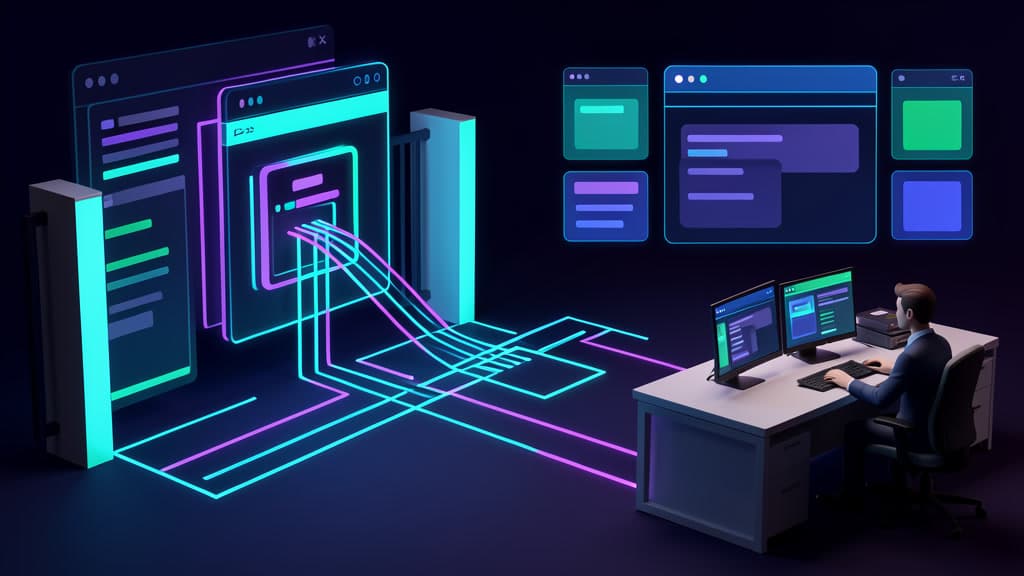

The agent is halfway through the job.
It opened the vendor portal, found the invoice page, copied the right account number, and reached the login step without much drama. Then the site asks it to click every image with a motorcycle. Or solve a puzzle. Or confirm a browser challenge.
The run stops.
Someone in operations gets a Slack message, or worse, nobody does. The task sits in a queue until the customer calls, the claim window expires, or the employee who was supposed to be "out of the loop" ends up opening the same portal by hand.
That is the operator moment most AI browser agent demos skip. The agent may understand the screen. It may move the mouse. It may fill out forms. But public websites are not neutral work surfaces. They have bot controls, fraud controls, login rules, rate limits, vendor terms, and human verification steps built specifically to stop automation.
The useful lesson is not "CAPTCHAs are back." They never really left.
The lesson is that browser automation fallback design matters as much as browser automation itself.
Image recognition is not the whole game
Roundtable Research recently argued that CAPTCHAs can still detect AI agents. Their core point is simple enough: modern vision language models can recognize CAPTCHA images, but solving the image is only part of the test.
Humans and agents do not always solve the task the same way.
Roundtable says its CAPTCHA experiment found statistically significant differences in sequential click patterns, direction changes, and overselection behavior. In plain English, the model might know which squares contain the object, but the way it moves through the task can still leak machine behavior.
They frame this as a shift from output equivalence to process equivalence, or what they call a "Process Turing Test." The question is not only whether the agent lands on the same answer as a person. It is whether the agent gets there through a process that looks human enough to pass the site's discriminator.
Roundtable compared humans against frontier models including GPT, Claude, and Gemini, plus smaller and open models such as Qwen and Centaur. Their conclusion is not that every CAPTCHA system is unbeatable. It is that agents can still fail when the detector sees process features the model does not fully control.
There is an obvious caveat. Roundtable is a human verification company, so the research is useful and self interested. Treat it as a signal, not neutral gospel.
Still, it fits what operators are already running into. The Hacker News discussion is best read as current community signal rather than technical authority. People are actively arguing about where browser agents work, where they fail, and what bot detection means for the next round of automation pilots.
That argument matters because most businesses do not want an agent to win CAPTCHA research benchmarks. They want Tuesday's intake queue cleared before lunch.
Browser agents run into the public web as it exists
A lot of practical AI workflow automation sits in awkward territory.
The clean version uses APIs, webhooks, databases, and internal tools. The messy version uses browser agents because the work happens in somebody else's portal.
That might be a support dashboard, an insurance claim form, a carrier booking system, a finance portal, a healthcare scheduling tool, or a compliance site that was never designed for integration. The browser agent becomes a stand in for the employee who clicks through the same path every day.
This can work. It can also break in ways that are not bugs in the agent.
Cloudflare's bot documentation defines bots as automated software that sends requests to a site. It describes abuse cases including scraping content, stuffing stolen credentials into login forms, hoarding inventory, and inflating server costs. Cloudflare's Bot Management offers per-request bot scores, custom rules, per-endpoint handling, and analytics, with ecommerce, banking, and security listed as recommended use cases.
In other words, the same category of behavior your operations team wants from a browser agent can look suspicious to the system protecting the site.
OWASP Automated Threats to Web Applications makes the same point from a security taxonomy angle. The project catalogs automated abuse of valid web functionality, not just exploit attempts. The list includes CAPTCHA Defeat, credential stuffing, scraping, account creation, cost-inflation fraud, and other automation-related events. OWASP's goal is shared language for developers, architects, operators, business owners, security engineers, purchasers, and vendors.
That framing is useful because it prevents the common mistake: assuming bot detection is just an obstacle your agent should route around.
For the site owner, bot controls are part of the product's risk management. For your business, they are a boundary condition.
Design the stop point before you design the run
Anthropic's computer use documentation describes Claude interacting with desktop environments through screenshots, mouse control, and keyboard control. It also calls computer use beta and says risks are heightened when interacting with the internet.
The recommended precautions are practical: use a dedicated VM or container with minimal privileges, avoid sensitive data access, limit internet access to an allowlist of domains, and require human confirmation for consequential actions.
That is the right mindset for AI browser agents in business workflows. The agent is not a digital employee with infinite patience and perfect judgment. It is an automation component operating inside a controlled lane.
If the plan assumes the agent can always behave like a human on third-party websites, the plan is fragile. If the plan assumes the agent will hit stop points and tells you what happens next, it starts to look operational.
This is why we like narrow browser agent pilots. Pick one workflow. Define the websites. Define the actions. Define the failure modes first.
A good pilot does not ask, "Can the agent complete this task when everything goes well?"
It asks, "What happens when the login challenge appears, the vendor changes the form, the session expires, the site blocks automation, or the agent is uncertain?"
What to require before piloting an AI browser agent
Before you put an AI browser agent near a real workflow, require the boring controls. They are what turn a demo into something your team can trust.
Scroll sideways to see all 2 columns.
| Requirement | Why it matters |
|---|---|
| Allowed domains | The agent should only access approved sites. If a workflow needs five domains, name the five domains. |
| Isolated browser profile or VM | Keep the agent away from an employee's normal browser state, extensions, cookies, and saved passwords. We covered this in more detail in why browser agents need a separate profile. |
| No sensitive ambient credentials | Do not let the agent inherit access just because someone stayed logged in. Use scoped accounts where possible. |
| Manual handoff lane | CAPTCHA, MFA, policy uncertainty, unusual dollar amounts, customer impact, and destructive actions should route to a person. |
| Screenshots and audit logs | Keep enough evidence to reconstruct what the agent saw, clicked, entered, skipped, and escalated. |
| Retry limits | A confused agent should not hammer a login form, submit duplicate requests, or keep refreshing a protected page. |
| Approval queue | Consequential actions need explicit review. This is the same argument behind building an AI approval queue before giving an agent authority. |
| Written approval policy | Decide ahead of time which actions are safe, which need review, and which are off limits. See our guide to writing the policy before choosing the agent. |
| Non-browser path when possible | Prefer APIs, exports, webhooks, EDI, shared inbox parsing, or direct vendor integrations when they exist. |
| Customer and vendor terms review | Some sites prohibit automation. Some allow it through approved integrations. Know which one you are dealing with. |
The table is not glamorous. It is also where most of the value lives.
A browser agent with a clear handoff path can still save time when it reaches a CAPTCHA. It can gather the account context, prefill the non-sensitive fields, capture the error state, and send the task to a human with a clean summary.
A browser agent without that path just fails quietly or teaches the team not to trust it.
Automate the parts you own
The strongest browser automation plans separate owned systems from third-party boundaries.
If you own the form, the database, the CRM, the inbox, or the approval process, automate deeply. Give the agent structured inputs. Replace repeated clicks with direct integrations. Build queues, statuses, logs, and review lanes.
If the workflow crosses into a third-party website, treat that website as a controlled boundary. The agent can assist, but it should not be expected to bypass verification or improvise around bot controls.
This is especially true in finance, healthcare, compliance, field operations, and customer support workflows. Those processes usually involve sensitive data, business rules, vendor obligations, and customer consequences. "The agent got blocked" is not the worst failure. The worse failure is an agent that keeps trying, submits the wrong thing, or leaves no record for a human to review.
BaristaLabs' point of view is simple: browser agents are useful when the task is bounded and the failure path is designed first.
That might mean an agent collects evidence from a portal but sends final submission to a human. It might mean the agent only works on approved vendor sites. It might mean CAPTCHA creates an automatic handoff, not a clever workaround. It might mean the better automation is not a browser agent at all, but an API integration or internal workflow tool.
Start with one narrow workflow. Map every stop point. Decide which parts the agent owns, which parts a person owns, and which parts should move out of the browser entirely.
If you need help designing that kind of pilot, BaristaLabs works on process automation and integration with the boring controls included. The goal is not to make an agent look impressive in a demo. It is to keep real work moving when the public web pushes back.
AI Pilot Readiness Checklist
Turn the idea into a pilot you can defend.
AI agent articles are easy to bookmark and hard to operationalize. Use the readiness questions as a shared way to decide whether a workflow is specific enough, safe enough, and measurable enough to pilot. If they surface a strong candidate, BaristaLabs can review it with you and help shape a first version that fits your systems, approval process, and risk tolerance.
Please do not submit PHI, customer records, credentials, or confidential workflow exports.
Practical AI Workflow Notes
Want more practical AI operations ideas?
Get short notes on applying AI inside real small-business workflows — from document handling and customer follow-up to internal reporting, compliance, and automation guardrails.