
Most small and midsize businesses are not planning an SAP rollout this year. Many do not run SAP at all.
That does not make SAP's latest AI announcement irrelevant.
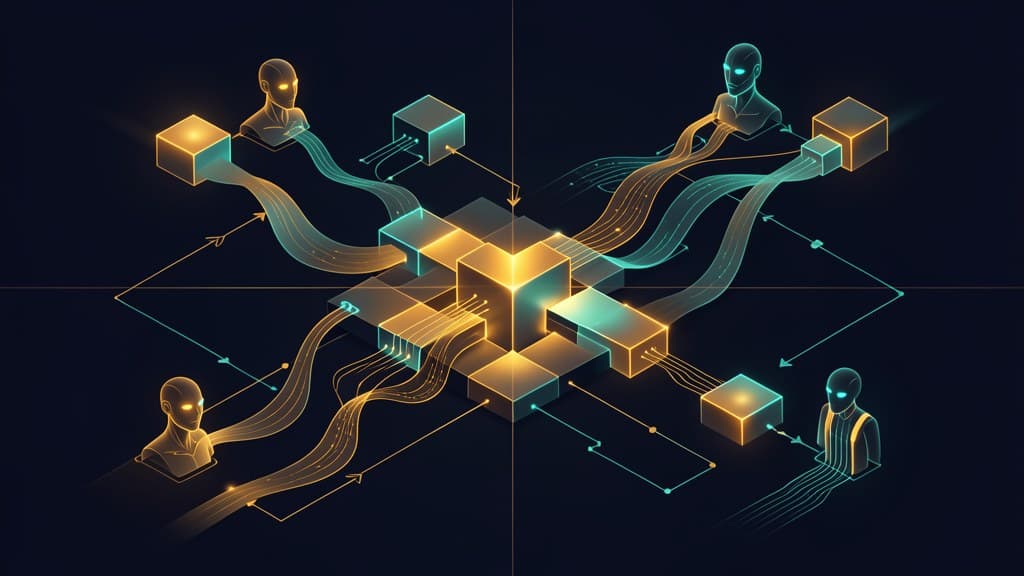
At SAP Sapphire 2026, SAP introduced its "Autonomous Enterprise" vision. The phrase is big, and like most enterprise software language, it can sound far away from day-to-day business problems. But the underlying direction matters: large ERP vendors are starting to package AI agents as governed business-process infrastructure, not just chat assistants.
For SMB owners, operations leaders, executives, and software teams, the takeaway is not "buy SAP." It is more useful than that. AI workflow automation is becoming more process-aware, more permissioned, and more tied to business data.
If you want agents to do real work inside your company, you need that same discipline at your own scale.
Start with one process. Map the data. Define who can approve what. Decide where the AI can act and where a person must review. Measure the result. Then decide what to automate next.
What SAP actually announced
SAP's Autonomous Enterprise announcement introduced several connected pieces: SAP Business AI Platform, SAP Autonomous Suite, Joule Work, expanded Joule assistants, specialized agents, agent-led migration tooling, and a broader partner ecosystem.
The important part is how those pieces fit together.
SAP says its Business AI Platform unifies SAP Business Technology Platform, SAP Business Data Cloud, and SAP Business AI into a governed environment. That framing matters because it puts AI, data, application logic, and governance in the same operating layer.
SAP also said it will deploy more than 50 domain-specific Joule Assistants across finance, supply chain, procurement, human capital management, and customer experience. Those assistants are meant to orchestrate subsets of more than 200 specialized agents.
That is a very different model from "ask a chatbot a question."
SAP's Autonomous Close Assistant is a good example. According to SAP, it can help compress close activities from weeks to days by automating journal entries, reconciliation, error resolution, and cross-process close work. SAP also said its agent-led ERP migration tooling can reduce ERP migration effort by more than 35%.
On SAP's Joule Business AI page, SAP describes Joule as a way to turn user intent into autonomous action across SAP and non-SAP systems. The page emphasizes assistants, specialized agents, enterprise data, business-process expertise, governance, compliance, privacy, and security.
That list is the story.
This is not just about generating text or answering questions. It is about connecting AI agents to business systems in a way that respects data context, process context, and approval boundaries.
SAP also framed the Sapphire event around moving beyond AI hype toward real results, including a reimagined Joule experience. The wording is enterprise-scale, but the planning lesson applies well outside SAP environments.
The shift is process context, not another chatbot
The first wave of business AI adoption was mostly about access. Give employees a chat window. Let them summarize documents. Let them draft emails. Let them ask questions.
That is useful. It does not change the operating model of a business by itself.
The next phase is about process context.
A process-aware agent needs to know more than what the user asked. It needs to know:
- Which business process is involved
- Which systems contain the source of truth
- Which data the user is allowed to access
- Which actions the agent is allowed to take
- Which steps require review or approval
- Which exceptions should stop automation
- Which outcome should be measured
That is why SAP's announcement is a useful signal. SAP is not describing one general assistant that does everything. It is describing a layered model: business data cloud, knowledge graph, Joule assistants, specialized agents, and governance.
That is the shape many serious AI workflow automation efforts will take.
The same pattern is showing up elsewhere. Anthropic's May 2026 release of finance workflow agents points in the same direction: vendors are packaging agents around recognizable business processes, not generic chat. We covered that pattern in our breakdown of Anthropic's finance agents, where the useful lesson was not the model. It was the workflow design.
Businesses do not wake up needing "agentic AI." They need invoices matched, contracts reviewed, tickets routed, forecasts updated, inventory exceptions flagged, sales follow-ups drafted, and month-end close completed with fewer bottlenecks.
The winning use cases will usually be boring, specific, and measurable.
What smaller businesses should copy
SMBs should not copy SAP's scale. They should copy the operating discipline.
A small business does not need 200 agents. It may need one well-designed workflow that saves five hours a week, reduces rework, or makes handoffs more reliable.
The enterprise playbook can be translated into a practical sequence.
Start with one process
Pick one workflow with a clear owner, clear inputs, and a repeatable output.
Good candidates often include:
- Lead intake and qualification
- Customer support triage
- Invoice review
- Quote generation
- Weekly reporting
- Purchase request review
- Employee onboarding
- Sales follow-up
- Compliance document checks
- Job status updates
Avoid starting with a process no one understands. AI will not fix unclear ownership, undocumented exceptions, or bad source data. It may just make those problems faster.
If your team needs help identifying a practical first use case, BaristaLabs' process automation work usually starts with workflow fit, not tool selection.
Map the data before choosing the tool
An AI agent is only as useful as the context it can safely use.
Before building anything, answer:
- What systems does this workflow touch?
- Where is the source of truth?
- Which fields matter?
- Which documents or records are needed?
- Which data should never be exposed to the model?
- Which users should have access?
- What logs are required?
This is where many AI automation pilots get stuck. The demo works because the sample data is clean. The real workflow fails because customer records live in one tool, approvals live in email, exceptions live in someone's head, and no one agrees which field is authoritative.
SAP's model puts business data and governance close to the agent layer. SMBs should do the same in a smaller way.
That may mean cleaning up CRM fields, creating a shared intake form, normalizing spreadsheet columns, or writing down approval rules before building an agent.
Define what the agent can actually do
"Autonomous" should not mean unsupervised.
For most SMB workflows, a safer model is staged autonomy:
- The AI drafts or recommends.
- A human reviews.
- The AI takes approved action.
- The system logs what happened.
- Exceptions route to the right owner.
Over time, some low-risk steps may become fully automated. Others should remain human-reviewed.
For example, categorizing inbound support tickets is not the same risk as issuing refunds, modifying contracts, or approving payments. Those should not have the same permission model.
This is where responsible AI planning becomes operational, not abstract. The practical question is not "do we trust AI?" It is "which actions are safe, under what conditions, with what review?"
Design around permissions and approvals
If an agent can read everything and act everywhere, the design is probably too loose.
A better workflow defines:
- Who can trigger the agent
- Which records it can access
- Which systems it can update
- Which actions require approval
- Which actions are blocked
- How decisions are logged
- How users can correct the agent
This matters for security, compliance, and basic business control. BaristaLabs' data security page covers this from a broader implementation standpoint, but the workflow-level version is straightforward: do not connect AI to sensitive systems until you have decided what it is allowed to see and do.
Measure the business outcome
AI workflow automation should be judged by operational results, not novelty.
For one workflow, define a small set of measures before launch:
- Time saved per week
- Cycle time reduction
- Error rate
- Rework avoided
- Response time
- Approval turnaround
- Customer satisfaction signal
- Manual steps removed
- Exceptions handled correctly
The point is not to prove that AI is impressive. The point is to decide whether this workflow should be automated further.
A practical checklist for one workflow
Use this before building or buying an AI agent.
Workflow fit
- What process are we improving?
- Who owns it?
- How often does it happen?
- What is the current pain?
- What would a better version look like?
- What should not change?
If the workflow cannot be described in plain language, it is not ready for automation.
Inputs and systems
- What data starts the workflow?
- Which systems does it touch?
- Which documents, records, or messages are needed?
- Where is the source of truth?
- Are there duplicate or conflicting records?
If the inputs are inconsistent, fix that before adding automation.
Decisions and exceptions
- What decisions happen inside the workflow?
- Which decisions are rule-based?
- Which require judgment?
- What exceptions occur often?
- What should stop the process?
- When should the agent ask for help?
This is where you separate automation from escalation.
Permissions and boundaries
- What can the agent read?
- What can it write?
- What actions are prohibited?
- Which users can run it?
- Which steps require approval?
- What data must be masked or excluded?
If the permission model is vague, the workflow is not ready.
Review and approval points
- Where should a person review the output?
- Who approves the next action?
- What should the reviewer see?
- Can the reviewer edit before approving?
- How are approvals logged?
Many good AI workflows begin as draft-and-review before becoming more automated.
Measurement
- What metric tells us this worked?
- What baseline do we have today?
- How long will we test?
- What result would justify expanding?
- What result would make us stop?
This keeps the project grounded in business value.
If you want a structured way to choose the first use case, the workflow-fit contact path is designed for that conversation.
Caveats before automating
SAP's Autonomous Enterprise announcement points toward a real shift, but it also highlights the risks.
Governance is not optional
Agents that can act inside business systems need governance. That means permissions, logs, review points, escalation paths, and clear ownership.
Without those controls, automation can create quiet failure modes. The agent may update the wrong record, send the wrong message, approve the wrong step, or expose data to the wrong user.
Data boundaries matter
AI systems often need context to be useful. That does not mean they need all available data.
A good workflow narrows context to what is necessary. It also defines what should be masked, excluded, or handled outside the model.
This is especially important for customer data, financial records, employee information, contracts, and regulated data.
Approvals should match risk
Not every action needs the same level of human review.
A support-routing suggestion may need light oversight. A payment approval should need more. A contract modification may need legal review.
The approval model should reflect the business risk of the action, not the technical capability of the agent.
Vendor lock-in is real
SAP's approach makes sense for companies already deep in the SAP ecosystem. The more your data, workflow logic, agents, and approvals live inside one vendor's platform, the more convenient the system becomes. It can also become harder to move away.
SMBs should think carefully about portability:
- Can we export workflow data?
- Can we inspect decision logs?
- Can we change models or vendors later?
- Are prompts, rules, and approval logic documented?
- Are integrations built in a way we can maintain?
This does not mean avoiding vendors. It means avoiding designs where the business process becomes invisible.
Do not automate a broken process blindly
AI can help with messy work. It should not be used to hide messy operations.
If a process has unclear ownership, poor data, undocumented exceptions, or conflicting incentives, automation may make the problem harder to see. Start by clarifying the process. Then add AI where it reduces friction.
The planning signal
SAP's Autonomous Enterprise announcement is not a procurement mandate for smaller companies. It is a planning signal.
AI agents are moving from chat windows into business-process layers. The most useful systems will understand context, use the right data, follow permission boundaries, route approvals, and measure outcomes.
That is true whether the platform is SAP, a custom internal tool, a CRM automation, a finance workflow, or a lightweight agent connected to a few business systems. It is the same pattern we discussed in our post on Google's Managed Agents: agents need a designed place to work, not just a prompt and a promise.
For SMBs, the next step is not to chase the largest platform announcement. It is to choose one workflow and design it properly.
Map the process. Clean up the data. Define the boundaries. Add review. Measure the result.
That is how agentic AI for business becomes useful work instead of another demo.
AI Pilot Readiness Checklist
Turn the idea into a pilot you can defend.
AI agent articles are easy to bookmark and hard to operationalize. Use the readiness questions as a shared way to decide whether a workflow is specific enough, safe enough, and measurable enough to pilot. If they surface a strong candidate, BaristaLabs can review it with you and help shape a first version that fits your systems, approval process, and risk tolerance.
Please do not submit PHI, customer records, credentials, or confidential workflow exports.
Practical AI Workflow Notes
Want more practical AI operations ideas?
Get short notes on applying AI inside real small-business workflows — from document handling and customer follow-up to internal reporting, compliance, and automation guardrails.