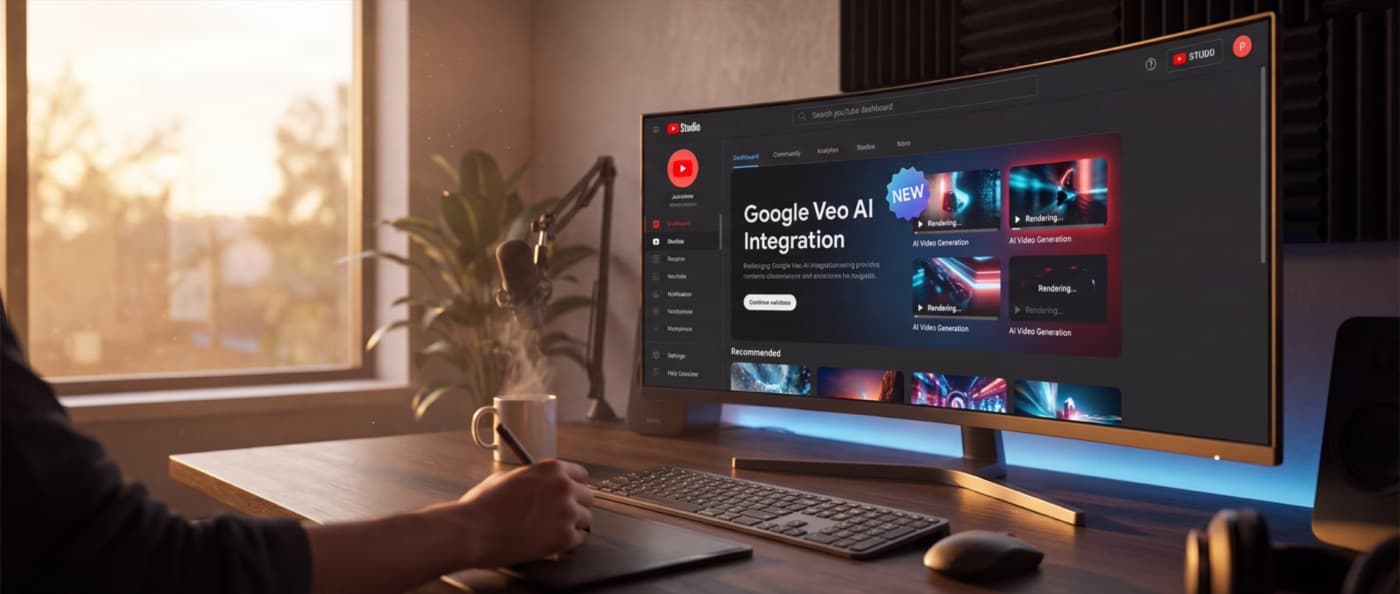

The wait is over. Google has officially completed the rollout of Veo 3.1 directly into YouTube Studio, and for small businesses using video marketing, this is the leveling of the playing field we have been waiting for.
For years, high-quality video production has been a resource sink. You either paid thousands for professional shoots or spent hours wrestling with stock footage and Premiere Pro. Starting today, that workflow changes fundamentally.
We have spent the morning testing the new integration. Here is exactly what it does, why it matters, and how you can use it to drive traffic to your business.
What changed today?
Veo is Google's most capable video generation model. Until now, it was available primarily through developer APIs and limited beta tests. As of this week, it is live inside YouTube Studio for creators and business channels.
The integration brings three specific capabilities that matter:
- Ingredients to Video: You can now upload your own brand assets—logos, product shots, specific hex codes—and Veo will generate video content that respects your visual identity. This is not just "text-to-video." This is "brand-to-video."
- Native Vertical Generation: The model now natively understands the Shorts format (9:16). It does not crop a landscape video; it composes the shot for the vertical screen, keeping your subject in focus and the text readable.
- 4K Output: The "fuzzy AI video" era is ending. Veo 3.1 outputs at resolutions crisp enough for your homepage or a paid ad spot.
Why this matters for your business
If you run a small business, you know that video is non-negotiable for social growth. You also know it is impossible to sustain.
Posting daily Shorts or Reels requires a content machine that most three-person teams do not have. Veo changes the math by turning one asset into ten.
Consistency at scale
You can take a single photo of your new product, feed it to Veo with a prompt like "cinematic slow motion pan, warm lighting, coffee shop ambience," and get a 6-second loop for Instagram, a vertical teaser for Shorts, and a background video for your website.
Cost reduction
We are not suggesting you fire your videographer. Real human connection is still premium. But for the filler content—the background visuals, the transition clips, the kinetic typography—you no longer need to pay for stock subscriptions or shoot days.
Real-World Use Cases
To understand the impact, let's look at two specific scenarios where this moves the needle.
The Real Estate Pivot
Imagine you are a realtor with a listing. You have high-quality photos, but video walkthroughs require scheduling a videographer. With Veo's "Ingredients to Video," you can upload the living room photo and prompt: "Slow dolly forward, sunlight shifting across the floor, ambient dust motes, luxury atmosphere."
Suddenly, your static listing becomes a dynamic video tour. You can generate a 30-second teaser for TikTok in minutes, without visiting the property again.
The E-Commerce Spin
For product businesses, the "product spin" video is a staple. Usually, this requires a turntable and a macro lens. With Veo, you upload the product image and prompt: "Product rotating 360 degrees on a marble surface, soft studio lighting, depth of field." The AI infers the 3D geometry and generates the rotation. It is not perfect every time, but it is 90% of the way there for 1% of the effort.
How to use Veo in YouTube Studio
Here is the workflow we recommend for getting started immediately.
Step 1: Access the 'Dream Screen' (Updated)
Log into YouTube Studio on desktop. Navigate to the Create button. You will see a new option labeled Generate Video (Veo). Note: If you do not see it yet, check your 'Earn' tab to ensure you have accepted the new GenAI terms of service.
Step 2: The 'Ingredients' Prompt
This is where most people get it wrong. Do not just type "coffee shop."
Use the Add Media button to upload a reference image. This is your anchor. It tells the AI, "use this color palette, this lighting, this object."
Then, write your prompt. Be specific about camera movement.
- Bad: "Show a busy cafe."
- Good: "Slow tracking shot moving right, soft focus background, steam rising from the cup, warm golden hour lighting, 4k, cinematic."
Step 3: Refine and Iterate
Veo generates four variations. Do not settle for the first one. Look for the clip with the most natural physics. Watch the liquids and the hands—those are still the tell-tale signs of AI. If the physics look off, hit Generate Again with a slightly tweaked prompt.
Step 4: Export to Shorts
Once you have a clip you like, you can add it directly to a Short timeline within the Studio editor. Add your trending audio, overlay your text, and publish.
Comparison: Veo vs. The Rest
How does this stack up against Sora or Runway Gen-3?
- Integration: This is Veo's killer feature. It lives where you work. No exporting files, no re-uploading. It is seamless.
- Cost: For now, Google is offering generous generation credits to YouTube Partners. Runway and Sora are paid subscriptions. For a small business watching cash flow, Veo is the clear winner.
- Control: Runway still offers more granular control over camera motion and brushing. If you are a professional editor, stick with Runway. If you are a business owner trying to post on Tuesday, use Veo.
Best Practices for 2026
Label it. YouTube now requires disclosure for AI-generated content. Check the "Altered content" box during upload. It builds trust. Your customers do not mind AI content; they mind being tricked.
Mix it up. Do not let your feed become 100% synthetic. The highest performing channels in 2026 are using a "hybrid sandwich" strategy: Real human face (hook) -> AI b-roll (visual interest) -> Real human face (call to action).
Protect your brand. Veo is powerful, but it can hallucinate. Always review every frame. Ensure your logo is not distorted and your product looks accurate. You are responsible for what you post.
The Bottom Line
Google Veo in YouTube Studio is a tool, not a strategy. It will not save a boring brand. But if you have a clear message and a good product, it just removed the biggest friction point between you and your audience.
Go test it. The first few businesses in your niche to master this workflow will have a massive advantage for the next six months. Make sure one of them is you.
BaristaLabs helps small businesses navigate the rapidly changing landscape of AI tools. If you need a strategy for integrating tools like Veo, Claude, or ChatGPT into your marketing workflow, get in touch.
Turn this idea into a pilot
Which workflow should go first?
Use the readiness check to compare impact, effort, risk, owner, and next step before requesting a review.
- 3-5 minutes
- Deterministic score
- No sensitive data
Practical AI Workflow Notes
Want more practical AI operations ideas?
Get short notes on applying AI inside real small-business workflows — from document handling and customer follow-up to internal reporting, compliance, and automation guardrails.