
Trial Cloudflare Kitesurf for one-shot browser jobs; keep Chromium for stateful work
Cloudflare Kitesurf uses less CPU and memory but takes longer in vendor tests. Trial one-shot browser jobs and keep stateful work on Chromium.

Sean McLellan
Lead Architect & Founder

Cloudflare released Kitesurf in beta inside Browser Run on August 6, 2026. Kitesurf is a stateless browser for AI-agent work: a job can start fresh, produce an output, and end without preserving a long-running authenticated session for the next job. The release is a beta and is free during the beta period. Existing Browser Run clients can opt in through Chrome DevTools Protocol (CDP) or Quick Action endpoints by adding browser=kitesurf.
The runtime choice matters because Kitesurf uses fewer browser features and has a different resource and latency profile from Chromium. Trial it first for independent HTML extraction, screenshots used as agent input, and content-focused PDFs where exact rendering is unnecessary. Keep Chromium for persistent sessions, bot-sensitive sites, video, WebGL, and pixel-critical output; this article explains the evidence and shows how to test that route against your own jobs.
Kitesurf reduces browser scope to reduce resource use
According to Cloudflare's engineering announcement, Kitesurf splits browser work across Workers and V8 isolates, which are lightweight execution boundaries in the V8 JavaScript engine. It also runs browser components compiled to WebAssembly, a portable format for compiled code. Cloudflare says each session starts fresh and the components are disposable where possible.
This design fits a job that receives a URL and an instruction, returns HTML or an image, and then discards the session. It removes human-browser features such as tabs, themes, extensions, cross-device synchronization, and pixel-perfect rendering. That narrower scope is the mechanism behind the resource tradeoff; it also defines which work Kitesurf should not receive.
Treat Cloudflare's isolation and fresh-session descriptions as first-party architecture claims. The cited sources provide no independent security certification. Statelessness limits the state carried across jobs; safety still depends on the agent, target website, credentials, and surrounding workflow.
Lower CPU and memory came with longer wall time in Cloudflare's test
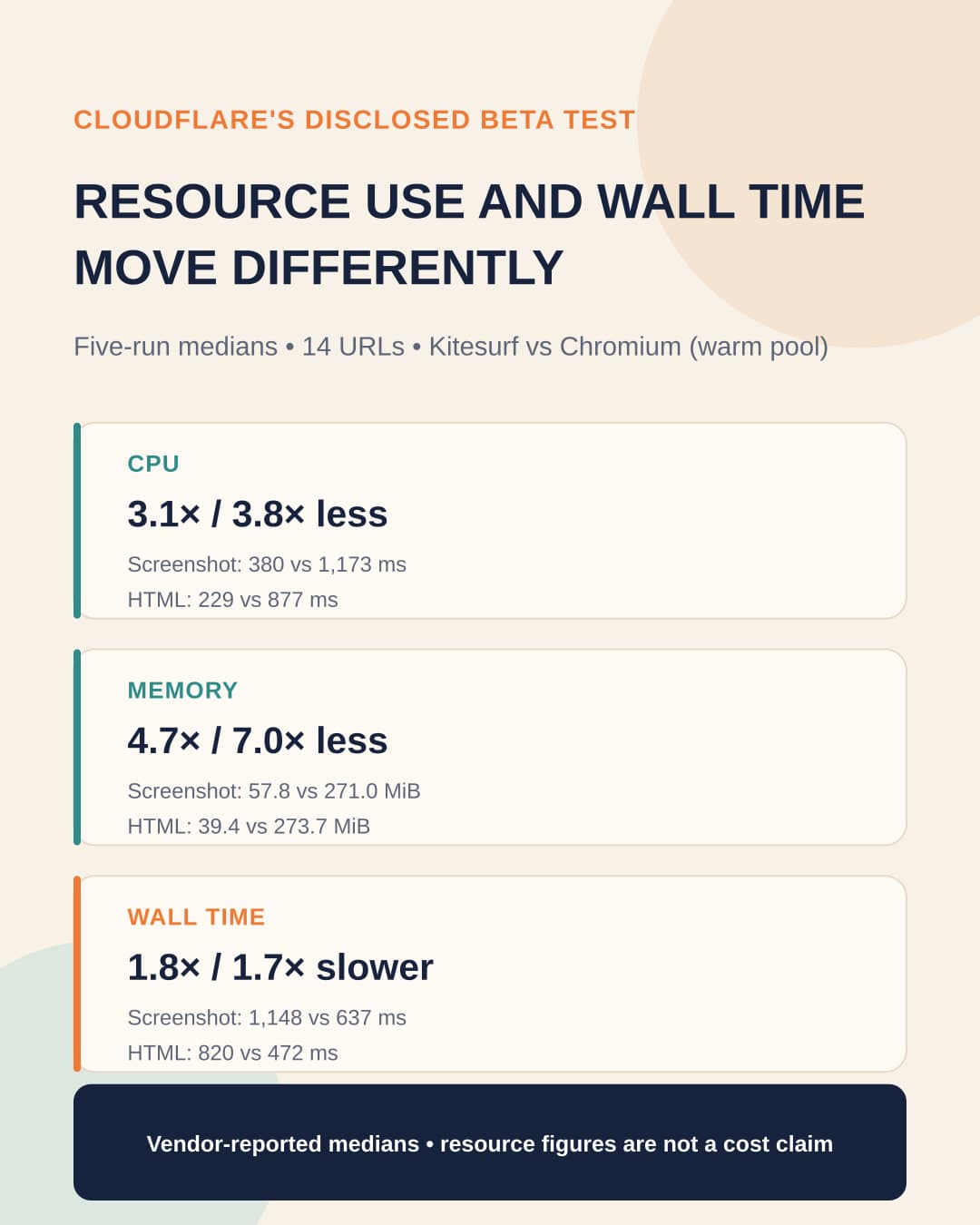
The Kitesurf documentation reports medians from five Quick Action runs across a disclosed corpus of 14 URLs. The comparison used Chromium from a warm pool, which means Chromium instances were already available when the test started. CPU time measures processor work, while wall time measures the elapsed time experienced by the caller.
Scroll sideways to see all 4 columns.
| Quick Action metric | Kitesurf | Chromium from a warm pool | Kitesurf relative to Chromium |
|---|---|---|---|
| Screenshot CPU | 380 ms | 1,173 ms | 3.1× less CPU |
| HTML extraction CPU | 229 ms | 877 ms | 3.8× less CPU |
| Screenshot memory | 57.8 MiB | 271.0 MiB | 4.7× less memory |
| HTML extraction memory | 39.4 MiB | 273.7 MiB | 7.0× less memory |
| Screenshot wall time | 1,148 ms | 637 ms | 1.8× slower |
| HTML extraction wall time | 820 ms | 472 ms | 1.7× slower |
These measurements support a test of Kitesurf's resource profile for similar jobs. They do not show that Kitesurf is faster, cheaper, or more capable for a team's workload. The five-run medians, 14-URL corpus, and warm-pooled Chromium comparison must stay attached to the result because each condition limits what the numbers prove.
Cloudflare attributes the wall-time difference to a warm Chromium just-in-time compiler, which compiles code during execution, competing with Kitesurf's cold software renderer. That causal explanation comes from Cloudflare and has not been independently verified. The cited sources also do not provide a public service-level agreement, post-beta pricing, production adoption evidence, or an independent benchmark, so the beta numbers cannot establish production reliability or return on investment.
The disclosed corpus makes the vendor test easier to inspect, but it does not make those 14 URLs representative of another team's queue. Treating lower CPU or memory as a substitute for local output and latency checks would repeat the measurement error described in Why Better Benchmarks Can Produce Worse Production Outcomes.
Current compatibility limits put several job classes on Chromium
Cloudflare reports that Kitesurf passes more than 235,000 Web Platform Test subtests. WPT is a cross-browser test suite for web-platform specifications. Cloudflare explicitly warns that standards conformance does not prove that a browser can render and interact with every production website; its engineering team says it also runs integration and visual-regression tests against real sites, but those tests remain first-party evidence.
The current exclusions group cleanly by workload. Jobs that play video or render WebGL need Chromium. So do visual comparisons, branded screenshots, and customer-facing PDFs when small pixel or layout differences can fail acceptance, because Cloudflare says Kitesurf does not target pixel-perfect rendering.
Bot-sensitive work also stays on Chromium. Cloudflare excludes challenges that require a real TLS fingerprint, the connection details a site can use to distinguish one browser implementation from another. Chromium does not guarantee that a site will accept automation, so these jobs still need the site-specific handoff described in the CAPTCHA and browser-agent readiness test.
Long-running authenticated work needs persistent browser state, which includes cookies, local storage, and the identity carried through a session. Cloudflare directs that work to Chromium. Teams should keep using the existing practices for testing restored browser state and isolating agent activity in a separate browser profile rather than trying to recreate persistence around a stateless beta runtime.
Trial Kitesurf only when a job can start fresh and accept rendering differences
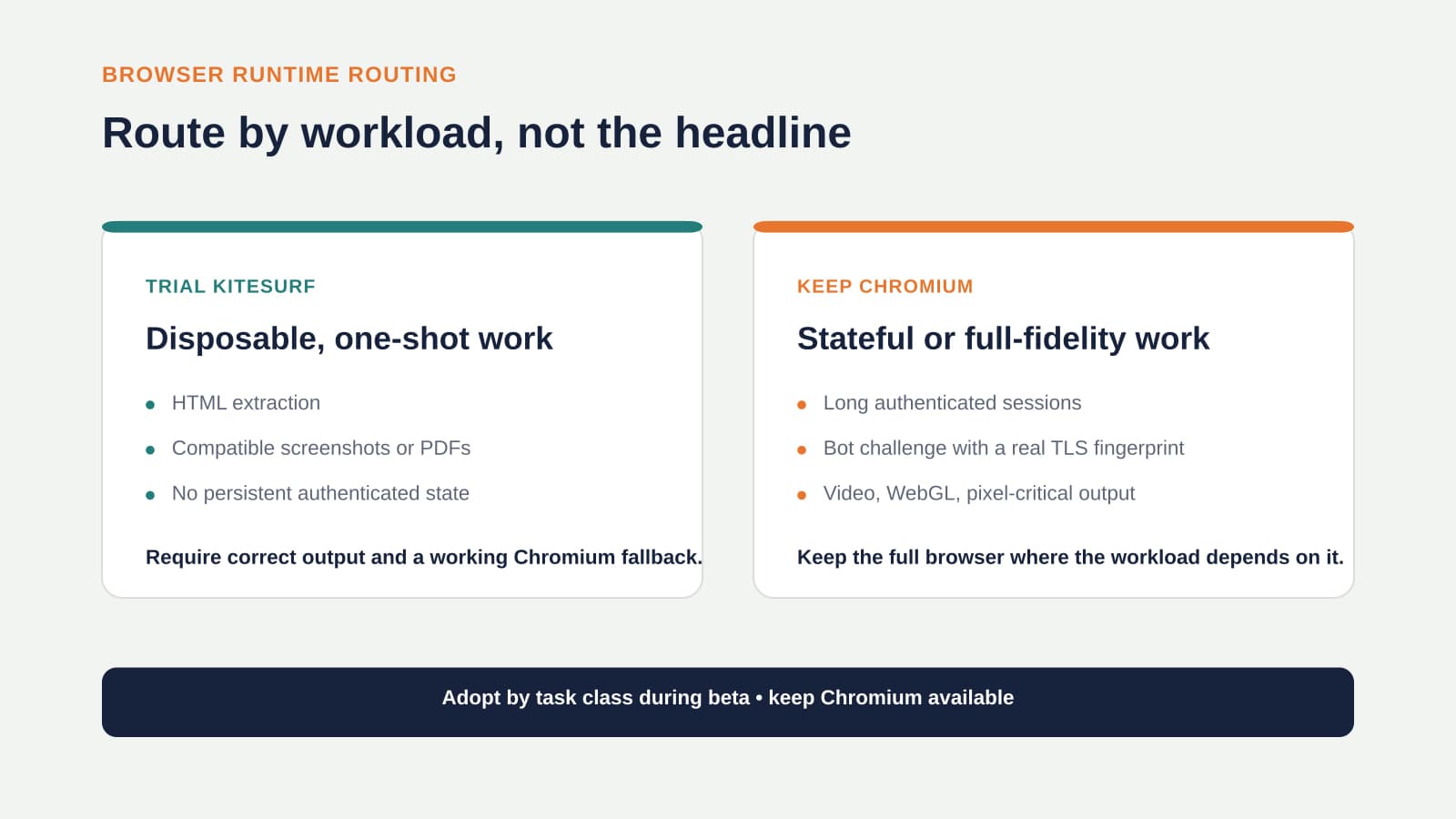
Adopt Kitesurf one task class at a time. A global browser default would mix jobs with different requirements. Route each job according to the state it needs, the output its next step consumes, and the feature that can make the page fail.
Scroll sideways to see all 4 columns.
| Representative browser job | Initial route | Why | Evidence needed before wider use |
|---|---|---|---|
| Extract named fields from known public pages | Kitesurf beta trial | The job is independent, machine-readable, and does not need saved state | Required-field accuracy, DOM and JavaScript behavior, failure class, and Chromium fallback success |
| Take a one-shot screenshot for agent context or operator reference | Kitesurf beta trial | Readable content matters more than exact pixels | Required text and controls are visible, dimensions and cropping are correct, and key assets load |
| Generate a content-focused PDF from a compatible public page | Kitesurf beta trial | The job ends after one output and can accept rendering differences | Text completeness, required images, usable page breaks, and fallback success |
| Process a burst of independent public-page jobs | Kitesurf beta trial after representative samples pass | Each job can discard its session, so local tests can show whether Kitesurf's resource use fits | Output correctness across real page types, CPU, memory, p50 and p95 wall time, and failure rate by class |
| Compare screenshots, approve branded output, or verify exact layout | Chromium | Pixel differences are part of acceptance | A Kitesurf trial can be reconsidered only after it stays within the team's approved visual tolerance |
| Continue a multistep authenticated portal session or restore it later | Chromium | The workflow depends on persistent identity and browser state | Login continuity, account and environment checks, restore behavior, and a human recovery path |
| Use a site with a CAPTCHA or bot challenge that depends on a real TLS fingerprint | Chromium with an approved human or integration fallback | Kitesurf currently excludes this compatibility class, and Chromium can still be challenged | Site acceptance, challenge type, stop condition, and successful handoff |
| Play video or render WebGL content | Chromium | Kitesurf currently excludes both features | Correct playback or rendering and completion of the consuming task |
A Kitesurf trial row still requires site-specific evidence. A Chromium row identifies the current runtime fit; it does not prove that the complete workflow will succeed.
Replay your own URLs and tasks before routing traffic
Build the replay from the URLs, page types, payloads, and output requirements the workflow will actually encounter. Run the same task through Kitesurf and Chromium with the same input. Include ordinary pages and known difficult cases, and keep each task class separate so a good extraction result cannot hide a failed screenshot path.
Score output correctness before resource use. For extraction, compare every field the next system requires and check the behavior when a field is absent. For screenshots and PDFs, check the visible elements, text, dimensions, cropping, images, and page breaks that determine whether the output is usable.
Then record CPU and memory without converting either measure into a cost claim. Measure local p50 wall time, the median request, and p95 wall time, the 95th-percentile request time. Cloudflare reports medians from five Quick Action runs over 14 URLs against Chromium from a warm pool. Cloudflare did not report p95; p50 and p95 are a BaristaLabs recommendation for the team's larger local replay.
For each failed run, assign a specific failure class such as unsupported browser behavior, DOM or rendering mismatch, timeout, site block, or client-protocol error. Retry the same job once in Chromium and record whether the fallback succeeds, how much wall time it adds, and whether the final output remains correct. A resource improvement has no adoption value when the consuming step receives the wrong output or the fallback cannot finish the job.
Approve Kitesurf only for the task classes that pass their required output checks, meet the workflow's local resource and latency limits, and fall back cleanly. Keep the route in task configuration so one incompatible site or output type does not force an unrelated workload back to Chromium.
Adopt by task class and keep Chromium available
Cloudflare's release supports a bounded beta trial. A browser-wide migration would go beyond the available evidence. Send only approved one-shot task classes to Kitesurf, log each fallback, and keep Chromium ready for unsupported features and compatibility failures. Review the decision again when Kitesurf reaches general availability, when post-beta pricing becomes public, or when a major compatibility change affects your workload.
BaristaLabs process automation work can help a team replay one representative browser workload, set the output checks, and add the Chromium fallback. Keep the first scope to that tested job and its failure path.
Use Kitesurf as an opt-in beta route for disposable, one-shot jobs that pass local replay. Keep Chromium for persistent authenticated sessions, anti-bot-sensitive sites, video, WebGL, pixel-critical output, and every Kitesurf job that fails its acceptance checks. That rule fits the browser to the work and can change when the evidence changes.
Process Automation
Which browser jobs should move, and which should stay?
Compare one representative task class on Kitesurf and Chromium, starting with output correctness before resource use, wall time, failures, and fallback behavior.
Best fit for teams already running browser automation or browser-agent workflows against repeatable task classes.
Turn this idea into a pilot
Which workflow should go first?
Use the readiness check to compare impact, effort, risk, owner, and next step before requesting a review.
- 3-5 minutes
- Deterministic score
- No sensitive data
Practical AI Workflow Notes
Want more practical AI operations ideas?
Get short notes on applying AI inside real small-business workflows — from document handling and customer follow-up to internal reporting, compliance, and automation guardrails.