


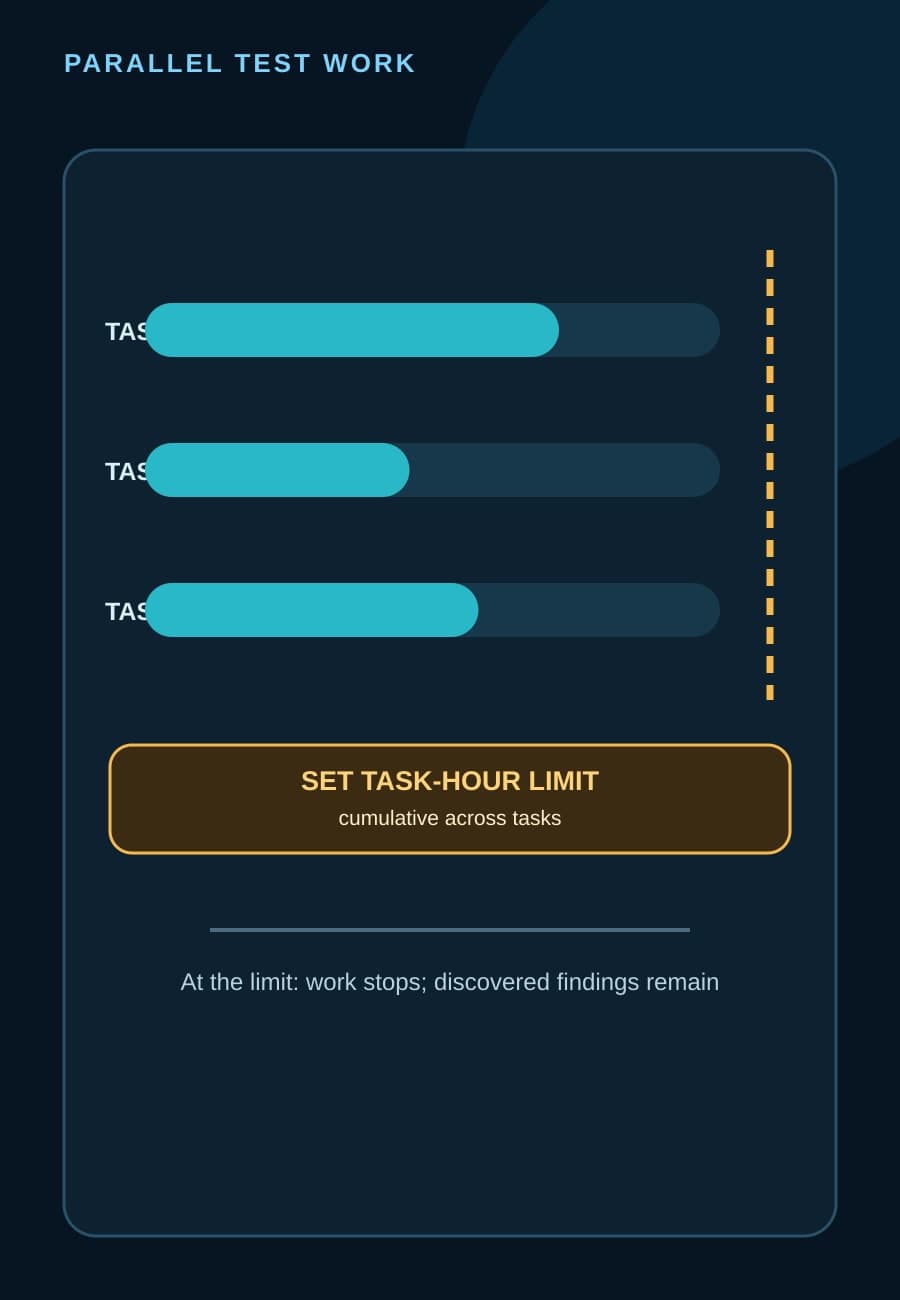
AWS Security Agent, now part of AWS Continuum, can place a maximum task-hour limit on an AI-assisted penetration test and revalidate selected findings after a fix is deployed. The August 19 update gives security and engineering teams two controls they previously lacked: a ceiling on test work and a focused way to check a repaired finding without repeating the entire test.
The controls solve different problems, and neither is a certificate of complete coverage. A task-hour limit bounds cumulative agent work, not elapsed time or vulnerability discovery. Revalidation checks whether selected vulnerabilities can still be reproduced on the original live target; it does not search the rest of the application. This article explains how to configure those boundaries and decide when a full test is still necessary.
How does the task-hour limit work?
AWS defines a task-hour as cumulative time spent actively testing. If several testing tasks run in parallel, their time is added together. A run that lasts one wall-clock hour can therefore consume more than one task-hour. The configured limit applies to that cumulative total, which is also the unit AWS uses to bill penetration-test work.
The AWS Security Agent penetration-test guide allows no limit, a preset limit, or a custom limit. The smallest configured limit is 20 task-hours. A higher ceiling does not create a charge by itself; billing reflects the task-hours the run actually uses.
When a run reaches its ceiling, AWS says the agent stops testing, preserves the findings discovered so far, and marks the run Completed. That last status describes the run lifecycle. It should not be interpreted as proof that the intended attack surface was completely tested.
For a budget owner, the practical distinction is simple:
- Wall-clock time answers how long people wait for the run.
- Task-hours answer how much cumulative agent work occurred and was billable.
- Coverage answers what targets, paths, identities, and risk classes were actually exercised.
Only the second value is directly capped by this control. The visual bars are deliberately not progress indicators: AWS does not claim that consuming a given share of the task-hour ceiling corresponds to the same share of vulnerability coverage.
How should a team choose a limit without treating it as coverage?
Start with a verified target and written test scope. Record the domains, authenticated roles, included and excluded risk types, approval owner, testing window, and any application constraints before choosing a ceiling. A limit without that scope is only a spending number; it cannot show what work was cut off when the number was reached.
Use a smaller bounded run to learn about one representative application surface, not to make a broad assurance claim. If the limit is reached, review which targets and risk classes produced findings, which work remained unfinished, and whether the application changed during testing. The correct next step may be a new test with revised scope or a higher ceiling, but that is a risk decision—not an automatic retry.
A high ceiling should not become an unattended permission grant. The product documentation separately requires teams to configure tested domains, credentials, source repositories, and risk exclusions. Spending control does not replace authorization, data handling, production-safety checks, or an owner who can stop the test.
BaristaLabs interpretation: the new limit is most useful when it is attached to a run record that makes incomplete work visible. Otherwise, “Completed at the cap” can look more conclusive in a ticket or dashboard than the underlying evidence supports.
What should the run record preserve?
Keep the configured task-hour limit beside the scope and the final usage, rather than storing only the Completed status. Also preserve the target version or deployment identifier, verified domains, test identities, included and excluded risk types, start and stop times, findings, errors, and the person who accepted the scope.
For a run that reaches the cap, add an explicit stop reason and an unresolved-coverage note. That note can name an untested role, endpoint family, or risk class when known. If the product does not expose enough detail to identify unfinished work, record that uncertainty rather than converting it into a guessed completion percentage.
Each finding needs its own remediation owner and deployment evidence. A pull request, commit, or local fix is not yet the state that revalidation checks. AWS says the fix must be live in the environment used by the original test before selected findings are revalidated.
What does selected-finding revalidation prove?
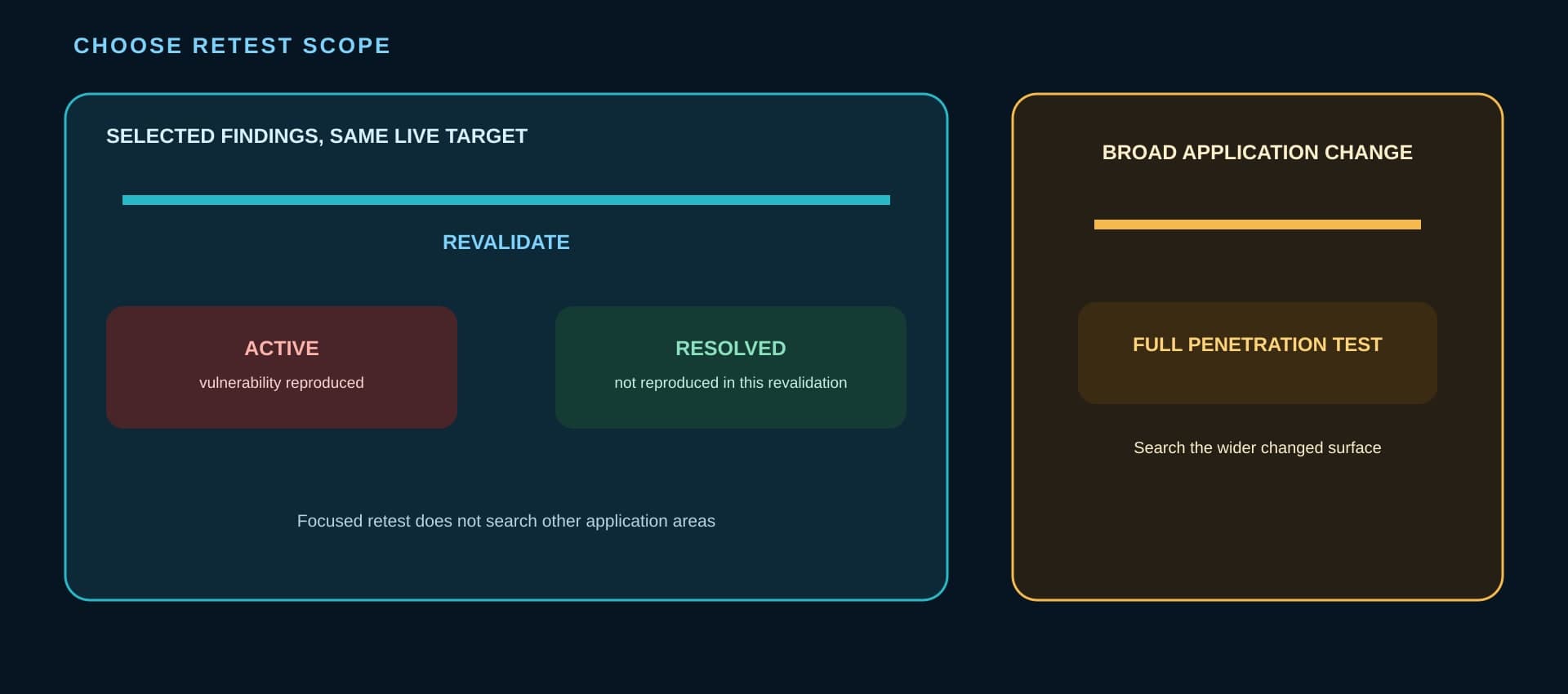
The revalidation guide requires a completed penetration-test run with at least one finding and access to the Agent Space that contains it. A team selects one or more findings, and AWS Security Agent authenticates to the application and re-runs the validation steps for those findings against the same target.
AWS reports two outcomes. Active means the agent reproduced the vulnerability and more remediation is needed. Resolved means the agent did not reproduce it during that revalidation. The original finding remains unchanged, while revalidation jobs and their results stay linked to it as history.
That wording matters. Resolved is evidence about a selected finding under the revalidation conditions. It is not proof that every exploit path is closed, that the fix preserved all expected behavior, or that the change introduced no other vulnerability. Our analysis of AI-generated security patches explains why exploit closure, behavior preservation, and introduced-vulnerability checks remain separate acceptance questions.
When is focused revalidation the wrong test?
AWS says revalidation does not rediscover vulnerabilities or test other parts of the application. It is appropriate when a specific fix is live on the original target and the question is whether the selected finding can still be reproduced.
Run a full penetration test when the remediation changes a broader application surface. Examples include replacing an authentication flow, changing authorization across several roles, restructuring request parsing, adding a new public endpoint, or altering a shared component used beyond the original finding. Those changes can affect paths that selected-finding revalidation does not examine.
A full rerun may also be necessary when the target no longer matches the original environment. If routes, identities, infrastructure, or deployment topology changed materially, a result linked to the old finding may answer too narrow a question. Document the reason for switching from focused revalidation to full testing so later reviewers can reconstruct the decision.
The opposite mistake is rerunning everything after every small fix. Focused revalidation can reduce unnecessary repeat work when the target and finding remain stable. The right choice follows the changed attack surface, not a preference for the cheaper or more comprehensive-looking button.
What should teams verify before operational use?
Test the mechanics on an approved non-production or safely isolated target first. Confirm that parallel task-hours accumulate as expected, alerts and ownership are clear as usage approaches the ceiling, the run stops at the configured limit, findings remain accessible, and downstream tickets do not translate Completed into “coverage complete.”
Then exercise both revalidation outcomes with controlled evidence. Verify that the intended deployment is live, selected findings link back to the original run, Active and Resolved statuses reach the right owner, and repeated remediation attempts remain traceable. Use a full test for a controlled broad change to confirm that the escalation path is practical, not merely documented.
Do not send credentials, exploit details, or customer data into general collaboration channels to make this workflow convenient. Scope access to the people and systems that need it, and keep the approval and evidence path consistent with your organization’s application-security rules.
The useful operating change is not “let the agent test until the budget runs out.” It is to bind one authorized test to a cumulative work ceiling, make any unfinished coverage visible, and choose focused or full retesting from the actual change scope. AWS now supplies the product controls; the organization still owns what the resulting evidence is allowed to mean.
BaristaLabs can review one security-testing workflow and help define its scope, spending ceiling, remediation ownership, and retest boundary without collecting production credentials or vulnerability details through the contact form.
Sources
- AWS What's New: “AWS Security Agent (now part of AWS Continuum) now supports budget controls and finding revalidation”, posted August 19, 2026.
- AWS Security Agent User Guide: “Perform a penetration test”, accessed August 30, 2026.
- AWS Security Agent User Guide: “Revalidate penetration test findings”, accessed August 30, 2026.
AI-assisted security workflow review
Make the spending and evidence boundaries explicit before the run
BaristaLabs can help define one application-testing workflow with bounded authority, a visible cost ceiling, remediation ownership, and a defensible retest path.
Bring a sanitized target and approval path; do not send credentials, vulnerability details, or customer data through the contact form.
Turn this idea into a pilot
Which workflow should go first?
Use the readiness check to compare impact, effort, risk, owner, and next step before requesting a review.
- 3-5 minutes
- Deterministic score
- No sensitive data
Practical AI Workflow Notes
Want more practical AI operations ideas?
Get short notes on applying AI inside real small-business workflows — from document handling and customer follow-up to internal reporting, compliance, and automation guardrails.