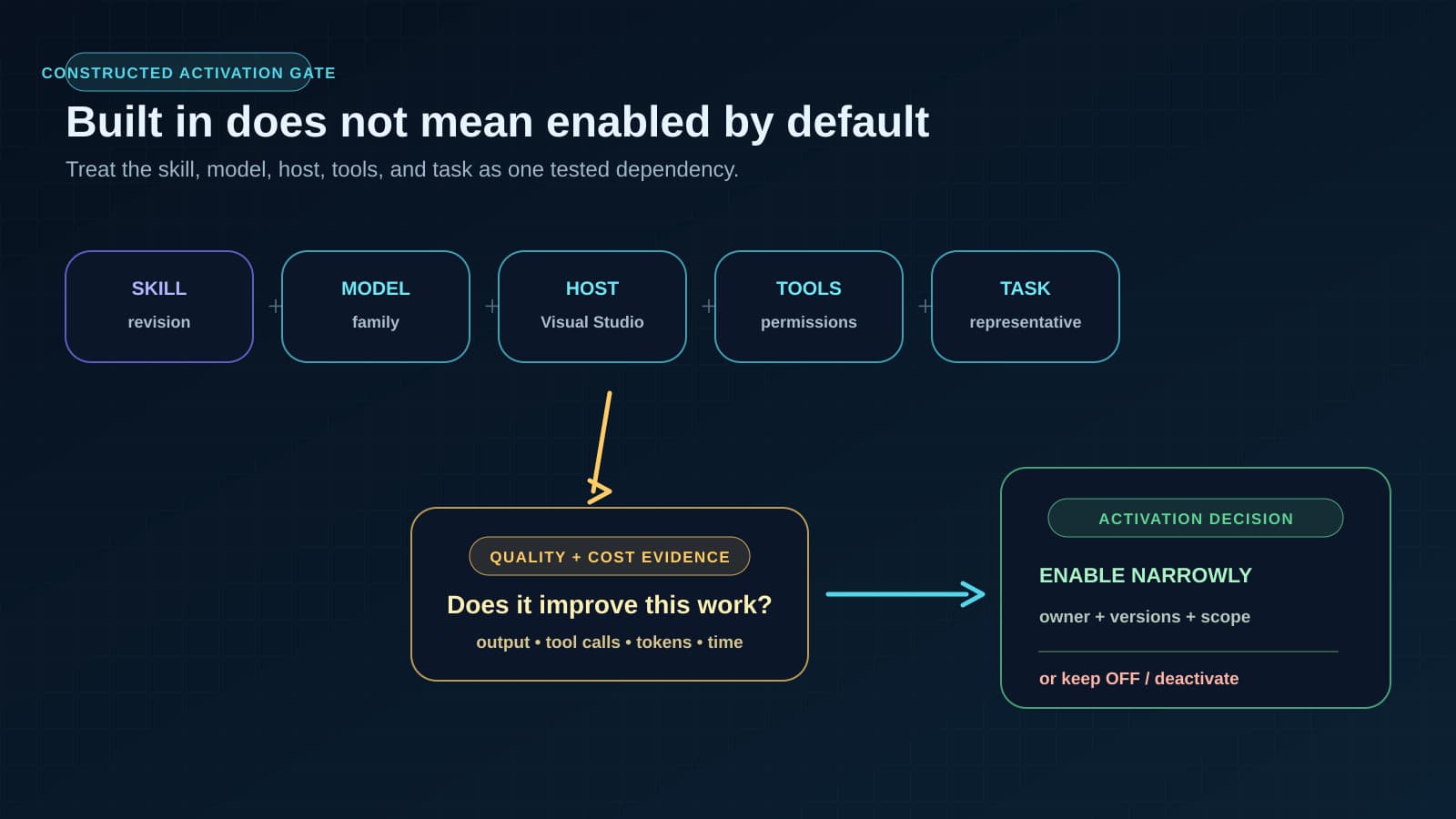


Microsoft has built reusable Agent Skills into Visual Studio 18.8, yet the company has left them off by default while it measures efficacy and cost. That default matters to engineering leaders because a skill can change an agent’s behavior, consume metered AI capacity, and call more tools even when the integrated development environment (IDE) vendor supplies it.
Reusable instructions now arrive through the IDE, so teams need to manage them as software dependencies instead of leaving them as files that individual developers install and forget. This article explains what Visual Studio ships, why results can change with the model and task, what Microsoft’s public evaluation does and does not show, and how to decide which skills deserve activation.
Visual Studio ships curated skills through its tool picker
According to Microsoft’s July 14 announcement, Visual Studio includes built-in Agent Skills starting with the 18.8 release. They appear in a Built-in category in the tool picker only when the corresponding .NET or Azure workloads are installed. Microsoft says the skills are currently off by default so developers can review and enable those suited to their tasks.
An Agent Skill is a reusable package of instructions and supporting resources that an AI coding agent can load for a particular kind of work. The open Agent Skills specification provides a portable format, while Microsoft maintains a public dotnet/skills repository under the MIT license. Repository compatibility extends beyond Visual Studio, but that is separate from which revisions and skills Microsoft bundles with a given IDE workload.
The initial .NET examples include dotnet-webapi, which guides Web API work, and analyzing-dotnet-performance, which Microsoft says scans for about 50 performance anti-patterns. Azure examples cover a sequence from azure-prepare to azure-validate and azure-deploy, along with skills for Azure Data Explorer queries and Microsoft Foundry work. These descriptions establish intended scope; they do not prove that every generated API, infrastructure definition, query, or deployment will be correct.
Microsoft’s packaging removes practical barriers. Developers can discover a skill in the tool picker, and workload installation determines which domain-specific options appear. That makes the packages easier to distribute consistently than files installed by individual developers, although the announcement does not explain how Visual Studio pins or updates bundled revisions.
A loaded skill consumes context and can change tool use
A skill affects more than the words in an agent’s answer. Its instructions occupy part of the model’s context, the working information available during a request, and can direct the agent to inspect files, search documentation, run commands, or revisit its reasoning. Each extra action can consume tokens, tool calls, time, and AI credits depending on the service’s billing model.
That overhead may be worthwhile when the instructions prevent a mistake or help the agent reach a better result. It may also add work without improving the answer, especially when the model already knows the pattern, the task does not match the skill closely, or the skill’s procedure sends the agent through unnecessary checks. A built-in package therefore has a marginal operating cost even though no employee had to download it manually.
Results can also vary across model families. Models differ in how well they follow long instructions, choose tools, recover from failed actions, and balance skill guidance against repository context. A skill tuned around one family’s behavior can become redundant or counterproductive with another, while a model update can change the result without any edit to the skill itself.
Portability does not remove this variation. The same package can be readable by several agents while producing different tool sequences and answers in each environment. Engineering teams need to treat the skill revision, model, agent host, permissions, and task as part of the effective dependency, because changing any of them can alter quality or cost.
The public evaluation shows mixed results, not a productivity verdict
Microsoft says it is evaluating effectiveness and cost before turning built-in skills on by default, explicitly connecting that work to Copilot’s new usage-based billing model. The project’s public evaluation dashboard makes parts of that work inspectable. Its comparisons show where a packaged instruction set helps, ties, or regresses instead of relying only on product claims.
The clearest example is issue #886 for analyzing-dotnet-performance. In the maintainer-reported cross-family evaluation, the skill passed for three of five model families, with seven ties and four losses across the cited results. It also added 6.33 tool calls on average.
Those figures are directional project evidence, not an independent benchmark or a production study. The issue flags overfitting risk and calls for no-regression validation, while the available sources do not establish improvements in completion time, defect rate, deployment safety, or total Copilot cost. The numbers apply to a specifically named skill under the project’s evaluation setup; they cannot support a claim about every skill bundled into Visual Studio.
The mixed result supports a narrower conclusion. Visual Studio can distribute and expose a skill, but teams still need evidence that loading it improves their work. Keeping the skills off by default gives Microsoft time to evaluate output quality and resource use before turning them on.
Built-in skills need owners, versions, and activation decisions
Once an IDE distributes skills, engineering organizations inherit familiar software-ownership questions. Someone must know which package revision is active, which workload exposes it, what model and host were evaluated, what permissions it can exercise, and who can disable it after a regression. Vendor curation reduces installation work, but it does not transfer responsibility for local results to the vendor.
The GitHub Copilot enterprise-controls guide supplies the wider inventory for enterprise scope, product-surface coverage, repository inputs, evidence, and review ownership. The activation checklist below remains the narrower action for one skill.
Defaults carry operational meaning because they determine when the dependency enters normal work. Turning every skill on would spend context and credits before a team has shown that the added guidance helps its tasks. Leaving every skill off indefinitely would discard potentially useful, maintained expertise merely because the evidence is incomplete.
Security review remains part of that ownership because a skill is an instruction source that can influence tools and commands. Our earlier guide to reviewing agent skills covers the trust boundary, while the production AI model evaluation guide explains why the model, instruction package, host, tools, and task need workload-specific evidence as one tested path. Here, the added requirement is to measure the instruction package and model together rather than approving either in isolation.
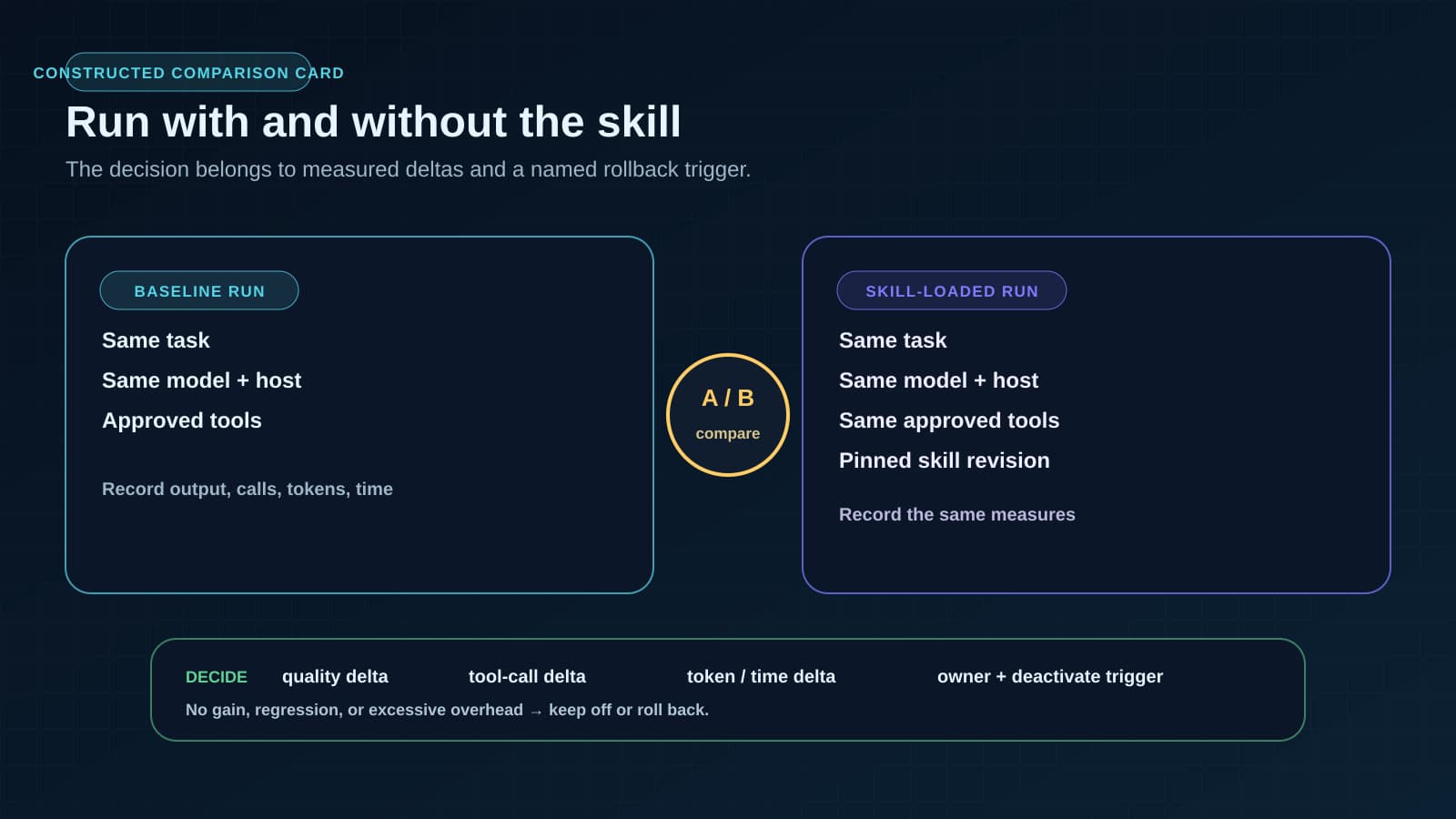
The practical decision is selective and evidence-based. Enable a built-in skill when its scope matches recurring work, its instructions and tool access fit the organization’s policies, and a representative evaluation shows a useful quality gain at an acceptable token and tool cost. Record the skill and model revisions with the decision, name the owner, and define the result that would prompt deactivation; otherwise a model or package update can silently invalidate the original judgment.
Review one skill before enabling it across a team. The agent skill activation checklist combines package inspection, a with-and-without comparison, quality and cost evidence, approved scope, ownership, and a deactivation trigger.
Visual Studio 18.8 makes reusable agent expertise easier to find and install. Because a particular skill can still produce no quality gain, a regression, or more tool calls with a given model, each team remains responsible for deciding whether its measured benefit justifies the cost.
BaristaLabs helps engineering teams make those obligations concrete in AI-assisted delivery, including evaluation, integration, and review boundaries. See our AI-assisted website development services when you need to turn built-in agent capabilities into a maintainable development workflow.
Agent skill ownership
Make built-in agent expertise maintainable
BaristaLabs helps engineering teams evaluate reusable agent instructions across the models, tools, permissions, and delivery work they actually support.
Useful for teams standardizing coding-agent behavior across developers, repositories, and model updates.
Turn this idea into a pilot
Which workflow should go first?
Use the readiness check to compare impact, effort, risk, owner, and next step before requesting a review.
- 3-5 minutes
- Deterministic score
- No sensitive data
Practical AI Workflow Notes
Want more practical AI operations ideas?
Get short notes on applying AI inside real small-business workflows — from document handling and customer follow-up to internal reporting, compliance, and automation guardrails.