
Copilot's Jira canvas: check that changed requirements reach the code
The new Jira integration can reduce repeated context transfer. A changed-requirement trial shows what reaches the implementation and what still needs a manual step.

Sean McLellan
Lead Architect & Founder

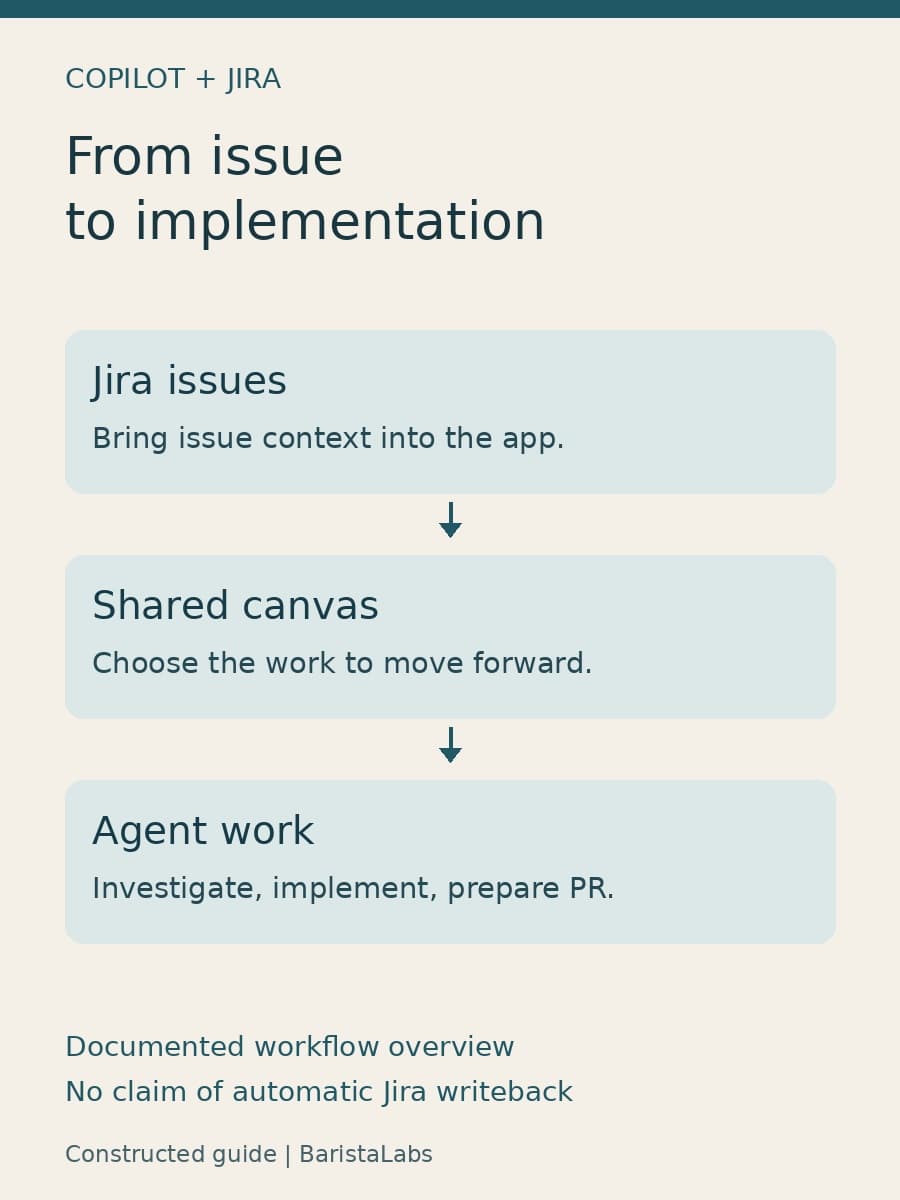
GitHub's new Jira integration brings issues into a shared canvas in the Copilot app, where a developer can choose work and carry its context into investigation, implementation, and pull request preparation. For teams that plan in Jira and build in GitHub, the immediate benefit is less manual transfer between a ticket and a coding session.
The useful first trial is a small change whose requirements can be compared at both ends. Can the developer trace what the agent implemented back to the current Jira issue, including a requirement edited after work began? That question tests the handoff itself, rather than simply whether the agent can produce code.
What the Jira integration adds
GitHub introduced the integration in its September 10 Copilot release roundup. The announcement describes bringing Jira issues into a shared canvas, choosing what moves forward, and carrying context through investigation, implementation, and pull request preparation.
A canvas is an interactive work surface inside the Copilot app. GitHub's canvas documentation describes plans, triage boards, documents, and other artifacts that people and agents can edit together. This gives the developer a visible place to inspect and correct work instead of keeping every decision in a chat transcript.
The distinction matters for a Jira-backed workflow. A ticket contains the requested behavior; a canvas helps the developer and agent work with it; the resulting code must implement it. Bringing those activities closer together can reduce repeated explanation. It also makes it easier to overlook the fact that they remain different artifacts.
GitHub calls canvases “bidirectional” because the agent and the person can both edit the canvas. That statement does not specify two-way synchronization with Jira. The announcement and documentation reviewed here do not establish which Jira fields refresh, when changes become visible to an active session, or which edits write back to Jira. Those are questions for a configured trial, not behavior to infer from the word integration.
Test a changed requirement, not just an imported ticket
Use a non-sensitive issue with a small, testable behavior change. Before starting, save its identifier, description, acceptance criteria, and current update time in the trial notes. Ask the agent to explain the requested behavior before it changes code, then compare that explanation with the issue.
Next, have the issue owner make one deliberate change to an acceptance criterion. Choose something observable in a test, such as the required ordering of exported records. Keep the edit narrow so that a reviewer can tell whether it reached the implementation.
Inspect the canvas and ask the active session to restate the requirement. Record whether the updated text appeared automatically, required an explicit refresh or new instruction, or remained absent. Do not assume that a visible canvas update also changed an implementation already in progress.


Finally, compare the proposed diff and relevant test with the revised criterion. If the agent implemented the old requirement, the useful result is the point at which context stopped advancing. The connector might not have refreshed, the session might not have reread the issue, or the code might not match an instruction it did receive. Preserve those observations separately so the team can fix the actual handoff.
This is a proposed evaluation, not a report of a Jira integration defect. BaristaLabs has not run an authenticated Jira-to-Copilot trial for this article.
Keep the authoritative requirement easy to find
For a team that already approves requirements in Jira, keep Jira as the authoritative record during the first trial. Use the canvas to investigate and organize the work. If a developer changes the agreed behavior while collaborating with the agent, have the issue owner reconcile that change in Jira before review.
That is a working convention, not a claim about a setting GitHub provides. It avoids having one accepted requirement in Jira and another in a canvas, with a reviewer left to decide which one mattered.
Include the Jira identifier and the requirement version used for implementation in the pull request description. If the source changed during the task, briefly state which revision the code follows and link the relevant test. A reviewer should be able to compare the requested behavior, the code, and the test without reconstructing the whole conversation.
The Copilot app's issue and pull request documentation describes reviewing diffs, checking CI results, and following repository pull request templates. Those are useful places to retain the comparison. Its native GitHub issue instructions should not be treated as documentation of Jira-specific refresh or writeback behavior.
Measure the explanation that no longer needs repeating
The first comparison should be against the team's current ticket-to-code handoff. Note the developer time spent finding missing context, restating requirements, and repairing work based on an outdated instruction. Keep that separate from time spent reviewing code quality. Faster context transfer and better implementation are related, but they are different outcomes.
If the integration carries the initial issue well but needs a manual reread after an edit, document that step. The team can still gain a useful shortcut without treating the connection as continuously synchronized. If it loses important fields or makes revisions hard to trace, keep the existing handoff until that gap is understood.
The new Jira canvas is worth trying where developers repeatedly translate approved tickets into agent instructions. A successful trial should leave less explanation to repeat and a clear link between the current requirement and the delivered change. That is a more useful adoption decision than whether an issue appeared on a new screen.
BaristaLabs' AI consulting can help define that comparison around a real ticket and its acceptance test.
Sources
- GitHub Copilot weekly releases—September 7, published September 10, 2026.
- Working with canvas extensions in the GitHub Copilot app, accessed September 13, 2026.
- Managing issues and pull requests with the GitHub Copilot app, accessed September 13, 2026.
Ticket-to-code handoff
Test how requirements reach your coding agent
BaristaLabs can help compare your current handoff with a Jira-to-agent workflow, including changed requirements and reviewer effort.
Bring a redacted issue and the acceptance test your team uses.