

A customer opens support because they cannot get into their account.
The support bot asks the normal questions. Which account are you trying to recover? Do you still control the email on file? Can you confirm the code we sent?
So far, this is ordinary support automation. The bot is collecting context, reducing back and forth, and helping someone get unstuck.
Then the workflow crosses a line.
The bot is no longer explaining recovery steps. It is changing the account record. It is adding a new email address. It is causing a one-time code or reset link to land somewhere the original account owner may not control.
At that point, the chatbot is not just support. It is part of an identity system.
That is the lesson for any business adding AI to customer support. Credential reset, account recovery, refunds, payment changes, data export, account merges, and ownership transfers are not normal chatbot tasks. They are high-consequence workflows.
If an assistant can perform them, the company needs controls stronger than a persuasive conversation.
What was reported in the Meta incident
On June 1, 2026, Krebs on Security reported that hackers had used Meta's AI support assistant to seize Instagram accounts.
According to Krebs, the Obama White House Instagram account and the account for the Chief Master Sergeant of the U.S. Space Force were briefly defaced with pro-Iranian images and messages.
Krebs also reported that instructions circulated on Telegram describing how to trick Meta's AI support assistant during account recovery. The reported flow was roughly this:
- use a VPN or proxy near the target account's usual location
- request a password reset
- chat with Meta's AI support assistant
- ask the assistant to link a new email address
- receive a one-time code at the attacker-controlled email address
- use that code to reset the password
Meta did not respond to Krebs's request for comment, according to the article. Krebs noted that Meta spokesperson Andy Stone said on X that the issue had been resolved and affected accounts were being secured.
A Hacker News Tell HN thread made a similar public-community claim: that someone could appear to be near the account's region, ask the agent to send a code to an arbitrary email address, then use the reset link. The post also claimed the flaw had been around for days and had affected more than 100 high-value Instagram accounts.
Treat that last number as a community claim, not an independently verified fact.
The operator lesson does not depend on the exact count. The important part is the shape of the failure: a conversational system appears to have been close enough to an account recovery workflow that attackers could try to persuade it into changing identity-related records.
Account recovery is not a chat feature
Account recovery looks like a support problem because it often starts in support.
A customer is locked out. They need help. The support team wants to move quickly. The business wants lower ticket volume. The customer wants the issue fixed right now.
But the underlying workflow is not only a conversation. It changes who can access an account.
That puts account recovery in the same family as changing the primary email address, resetting MFA, transferring workspace ownership, issuing refunds, changing payout details, exporting sensitive customer data, merging accounts, disabling security controls, or adding an admin user.
Those actions mutate identity, money, access, or customer records. They deserve a different control model than "the bot understood the conversation."
For a practical team, the first decision is not which model to use. It is which support workflows the model is allowed to touch.
Some workflows are informational. The bot can answer questions, retrieve help docs, explain status, and summarize policy.
Some workflows are draft work. The bot can prepare a refund recommendation, write a response, classify a case, or assemble the facts for a human reviewer.
Some workflows are execution workflows. The system changes something real.
AI support bot security starts by separating those categories before the bot ships.
A draft assistant and an execution bot are different systems
A draft assistant can be wrong without immediately hurting the customer. It may write a bad support reply. It may summarize a case poorly. It may suggest the wrong macro.
That still needs quality control, but the blast radius is smaller if a human reviews the output before anything changes.
An execution-capable bot is different. It can call tools. It can update records. It can send reset links. It can change where one-time codes go. It can create a refund. It can close an account.
That is the category OWASP calls LLM06: Excessive Agency: LLM-based systems granted too much autonomy or tool access, leading to damaging actions.
In support automation, "too much agency" often looks mundane. It looks like one extra tool permission.
The assistant can update account email. The assistant can override failed verification. The assistant can trigger a password reset. The assistant can send the recovery code to a new destination.
Each permission may sound reasonable in a planning meeting. Together, they create an account takeover path if the conversation becomes the control plane.
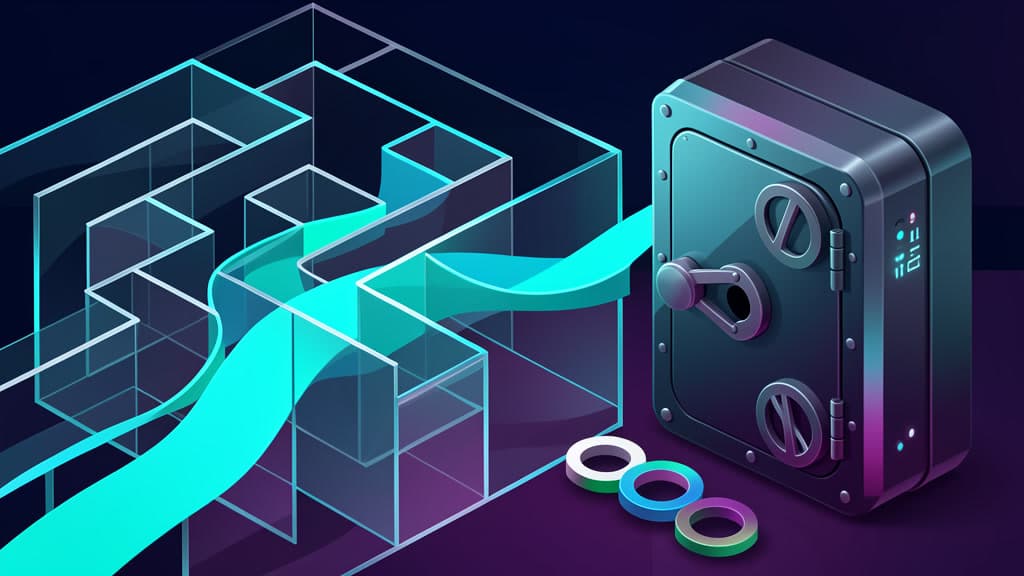
The safer design is a hard boundary between conversation and execution.
The conversation can collect context. It can explain policy. It can prepare a case file. It can route the customer.
The execution layer should be deterministic, policy-bound, logged, rate-limited, and independent of the model's confidence.
What should exist before AI touches credentials or ownership
If an AI assistant can affect account recovery, credential reset, account ownership, payment details, or sensitive data access, these controls should already be in place.
Step-up verification should happen outside the chat
The most important verification step should not happen inside the conversation the attacker is trying to manipulate.
Use an out-of-band check tied to a known factor: a trusted device, existing email, existing phone number, authenticator app, hardware key, prior session, or enterprise identity provider.
The bot can explain that verification is required. It should not be able to replace verification with a convincing story.
For higher-risk cases, require more than one signal. Location similarity from a VPN should not be enough. "I am traveling" should not be enough. A plausible support narrative should not be enough.
Recovery should not allow arbitrary destination changes
A recovery flow should not let the user change the recovery destination and then immediately use that new destination to receive the reset code.
That pattern is dangerous even without AI.
If the account's trusted email is old-email@example.com, the recovery code should not be sent to new-email@example.com just because the person in chat asks for it.
A safer pattern sends recovery codes only to existing trusted destinations, requires a cooling-off period before a new destination can be used for recovery, notifies existing trusted destinations when a recovery attribute changes, and routes lost-access cases to stronger verification or human review.
This matters most for high-value accounts, admin accounts, creator accounts, financial accounts, and any account with broad data access.
Policy checks should decide before write actions
The model should not decide whether a credential reset is allowed.
A policy service should decide.
Before any write action, the system should run deterministic checks. Is this account eligible for automated recovery? Is the requested destination already trusted? Has the account recently changed email, MFA, password, or admin status? Is the request coming from a new device, unusual region, proxy, or suspicious network? Has this user or IP attempted multiple recoveries? Is this account flagged as high-risk, VIP, creator, admin, finance, or enterprise-owned?
The AI assistant can pass structured facts into that policy layer. It should not be able to bypass the policy layer.
This is where many teams need an AI approval policy, not just better prompts.
Exceptions need a review queue
The dangerous cases are often the edge cases.
The customer says the old email is gone. The phone number is out of date. The company domain changed. The founder left. The creator's manager used to own the account. The admin is locked out during an incident.
Those cases may be legitimate. They are also exactly where attackers do their best work.
Do not ask the AI assistant to improvise exceptions. Route them into a review queue with the evidence attached.
A good AI approval queue does not need to be slow or theatrical. It needs to show the reviewer what the user asked for, which account records would change, which verification signals passed or failed, which policy rule blocked automation, what the assistant drafted, what action the reviewer is approving, and what rollback path exists if the reviewer is wrong.
The review should approve the action, not the conversation.
Sensitive actions need receipts
Every sensitive support action should leave a receipt.
For credential reset and ownership workflows, that receipt should include the requester, the account affected, the old and new values where appropriate, the verification method used, the policy checks run, the assistant conversation or case summary, the tool call made, the actor that approved it, the timestamp, the customer notification sent, and the rollback or remediation action available.
Audit logs are not just for forensics after a breach. They change behavior before the breach. Teams build better workflows when every sensitive action has to explain itself.
If an AI assistant can mutate account records but the business cannot reconstruct why, when, and under whose authority, the assistant has too much power.
Abuse controls should assume repetition
Attackers test workflows.
They try nearby regions. They try different wording. They try different accounts. They retry after a failure. They share working instructions in private channels once a path starts paying off.
Support automation needs abuse controls that assume repetition.
That means rate limits on recovery attempts, destination changes, password resets, and failed verification. It means anomaly detection for clusters of requests against high-value accounts. It means alerts when many recoveries use similar phrasing, infrastructure, or new destinations.
It also means rollback.
If an automated or AI-assisted recovery goes wrong, the team should know how to lock the account, revoke sessions, remove attacker-added destinations, restore trusted contact details, notify the legitimate owner, and preserve evidence.
A rollback path is not optional plumbing. It is part of the credential reset workflow.
Prompts are not enough
It is tempting to respond to incidents like this with better instructions.
"Never reset a password unless the user is verified."
"Never add a new email address during recovery."
"Always follow policy."
Those instructions are useful as assistant behavior guidelines. They are not security controls.
A prompt is not a permission system. A model instruction is not a rate limiter. A refusal style is not an audit log. A policy summary is not policy enforcement.
The assistant should be designed as an interface to controlled workflows, not as the workflow owner.
For many small software teams, this is the practical split:
- let the AI answer questions about policy
- let the AI draft support responses
- let the AI summarize messy tickets
- let the AI classify the request
- let the AI prepare an internal recommendation
- do not let the AI independently change identity, money, access, or customer records
If the assistant must trigger a sensitive action, put a deterministic service between the assistant and the action. That service should know the policy, check the risk signals, enforce limits, create the audit record, and decide whether the action is allowed.
The model can help. It should not be the authority.
Map the workflow before you wire in the bot
Before adding AI to customer support, inventory the workflows in three buckets.
Informational workflows are safer starting points: order status explanations, help center answers, policy summaries, troubleshooting steps, onboarding guidance, and ticket summaries.
Draft workflows are useful but need review: refund recommendations, escalation notes, customer replies, bug reports, account research summaries, and case classification.
Mutation workflows change the world: credential resets, account recovery, email changes, MFA resets, billing changes, refunds, data exports, ownership transfers, account merges, role changes, and security setting changes.
Each bucket needs different guardrails.
Informational workflows need grounding, source control, and safe escalation. Draft workflows need reviewer context, confidence limits, and clean handoff. Mutation workflows need verification, deterministic policy, human exception handling, logging, rate limits, and rollback.
That is the working model behind a responsible AI program. NIST's Generative AI Profile gives teams a governance lens for roles, controls, monitoring, and measurement. You do not need to turn a support bot project into a standards exercise, but you do need named owners and measurable controls.
BaristaLabs uses the same split when helping teams plan data security and process automation work. The first useful artifact is often not a bot design. It is a workflow map that says what the bot can answer, what it can draft, and what it can never execute without approval.
We have written about this same pattern in other contexts: why fast food chatbot guardrails matter when automation reaches customers directly, why teams should build an AI approval queue before an agent, and why every workflow needs an agent operating envelope before it gets real permissions.
The guardrail is the product
Support leaders are under real pressure to automate.
Ticket volume is high. Customers expect fast answers. Support teams are tired of repetitive work. AI can help with all of that.
But the highest-risk support work is rarely repetitive in a harmless way. It is repetitive because attackers, confused customers, and legitimate edge cases all enter through the same front door.
Account recovery is a good example. Done well, it saves a real customer from being locked out. Done poorly, it hands the account to someone else.
The fix is not to ban AI from support. The fix is to stop treating every support task as a chat task.
Put the AI where it helps: intake, explanation, summarization, triage, draft responses, and case preparation.
Put hard controls around execution: verification, policy checks, review queues, audit logs, rate limits, and rollback.
If you are building or buying a support bot, ask one question before launch:
What can this bot change by itself?
The answer should be boring, narrow, and easy to audit.
If your team wants a second set of eyes on support automation boundaries, BaristaLabs can review the workflows, risk points, and approval paths before the bot gets write access.
AI Pilot Readiness Checklist
Turn the idea into a pilot you can defend.
AI agent articles are easy to bookmark and hard to operationalize. Use the readiness questions as a shared way to decide whether a workflow is specific enough, safe enough, and measurable enough to pilot. If they surface a strong candidate, BaristaLabs can review it with you and help shape a first version that fits your systems, approval process, and risk tolerance.
Please do not submit PHI, customer records, credentials, or confidential workflow exports.
Practical AI Workflow Notes
Want more practical AI operations ideas?
Get short notes on applying AI inside real small-business workflows — from document handling and customer follow-up to internal reporting, compliance, and automation guardrails.